
Separate Certificate of Title
| Form | Workflow | Outputs | E2E test | Docs |
|---|---|---|---|---|
| Passed | Passed | Passed | Passed | Passed |
- End-to-end test
- 7/7 passed 2026-10-22 (mihud, combined)
- Documentation
- 11 steps, 42 images · Download the DOCX
- Who can apply
- Individual, Organization
- Catalogue ID
- 219
Fees
| Fee | Case | Amount (ZMW) |
|---|---|---|
| Separate Certificate of Title Registration Fee | New | 111.2 |
| Separate Certificate of Title Fee | New | 222.4 |
Required documents
- National Registration Card (NRC) (New)
- Certificate of Incorporation / ZDA (if company, church, society) (New)
- Original Certificate of Title (Old type paper Certificate to be surrendered physically to selected Service Station after online Application is submitted) (New)
- Application Letter (New)
Output documents
- Notice of Action (notice-of-action)
- Application form (application)
- Certificate of Title (certificate)
- GF-1 Treasury Invoice (invoice)
- GF-2 Treasury Receipt (receipt)
Test evidence
Separate Certificate of Title
Service documentation · Republic of Zambia · GSB e-Services
| Owner | Lands and Deeds Department |
| Service key | MLNR/separate-certificate-of-title |
| Version | service v1, platform d7561a1d |
| Date | 2026-10-22 |
Generated automatically by the service's end-to-end test run. Every screenshot shows synthetic test data on a local test installation, never real personal data.
This document describes the Separate Certificate of Title service of Lands and Deeds Department as the platform runs it today. It is generated by the service's end-to-end test: every step below was performed by the test, and every screenshot was taken during that run with synthetic data. Regenerate it with npm run docs:services in the e2e suite; do not edit it by hand.
1. Service summary
| Item | Detail |
|---|---|
| Service | Separate Certificate of Title |
| Owner (MDA) | Lands and Deeds Department (MLNR) |
| Purpose | This is an application for issuance of separate titles by way of subdivision and marking off by the title holder into different subdivision numbers but under the same ownership details. |
| Who can apply | Individual; Organization |
| How to apply | Online on the national e-Services portal, signed in with ZamPass; pay with ZamPay. |
| Fees | Separate Certificate of Title Registration Fee: ZMW 111.20 Separate Certificate of Title Fee: ZMW 222.40 |
| Turnaround | Within 30 days |
| Validity of the output | Depends on the original Certificate of Title |
| Required documents | National Registration Card (NRC) (required) Certificate of Incorporation / ZDA (if company, church, society) (required) Original Certificate of Title (Old type paper Certificate to be surrendered physically to selected Service Station after online Application is submitted) (required) Application Letter (required) |
| Output documents | Notice of Action Application form Certificate of Title GF-1 Treasury Invoice GF-2 Treasury Receipt |
| Legal basis | Lands and Deeds Registry Act cap 186 (http://www.parliament.gov.zm/sites/default/files/documents/acts/Lands%20and%20Deeds%20Registry%20Act.pdf) SI No. 41 of 2015 - Registration and Lodgment Fees (https://www.enotices.co.zm/download/statutory-instrument-no-041-of-2015-the-fees-and-fines-fee-and-penalty-unit-value-amendment-regulations-pdf/) |
2. Application process, step by step
The process as configured in the back office:
| Step | Role | Task | Type |
|---|---|---|---|
| 1 | Applicant | Apply | form |
| 2 | Case Officer | Generate Payment | generate-payment |
| 3 | Applicant | Payment | payment |
| 4 | System | Generate Document | generate-document |
| 5 | Case Officer | Review | review |
| 6 | Executive | Decision | decision |
| 7 | System | Generate Document | generate-document |
| 8 | Case Officer | Hand Over Document | collection |
| 9 | System | Notify Client | notify |
Who takes part in this journey: Citizen, Case Officer, Executive, Anyone (public).
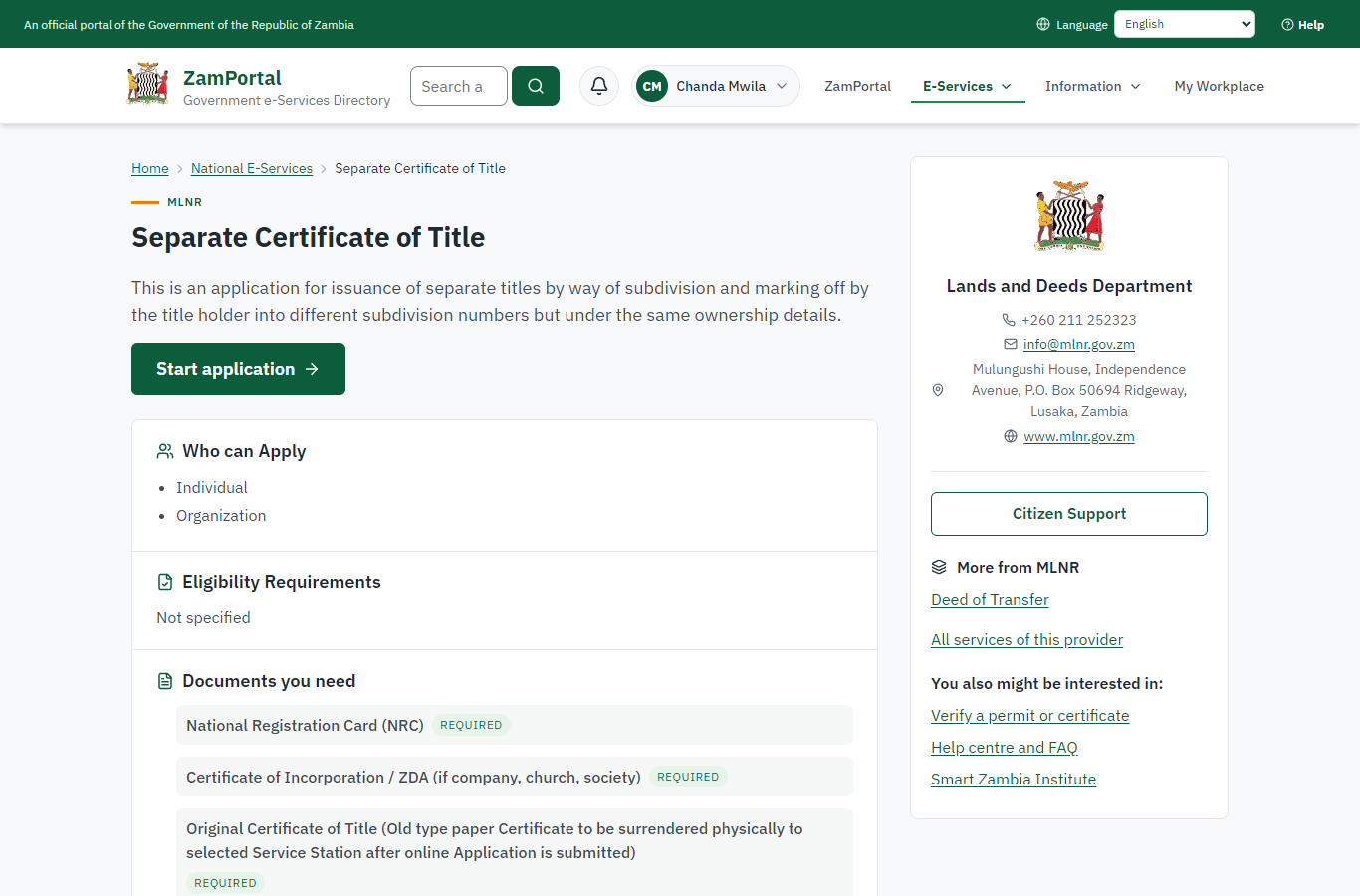
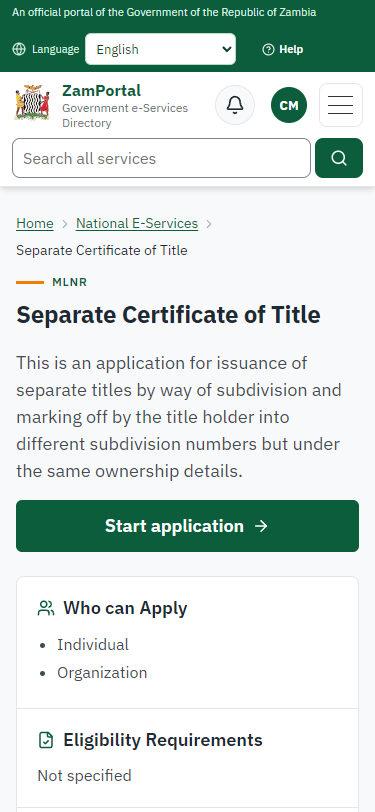
Step 1. Find the service and read its page
Citizen · National e-Services portal
The citizen finds "Separate Certificate of Title" (Lands and Deeds Department) in the national directory and opens its page: what it is for, the fee and what to have ready.
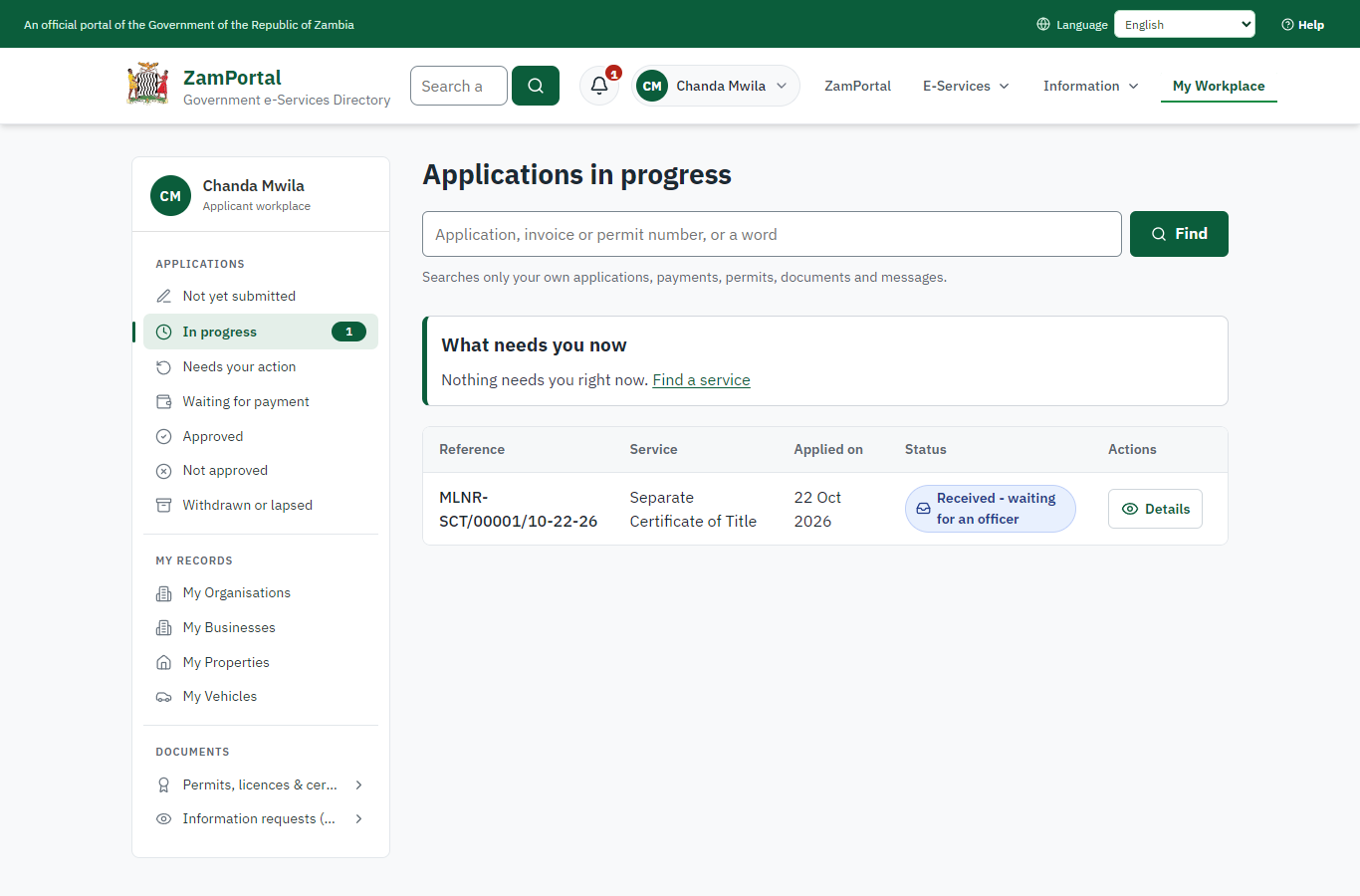
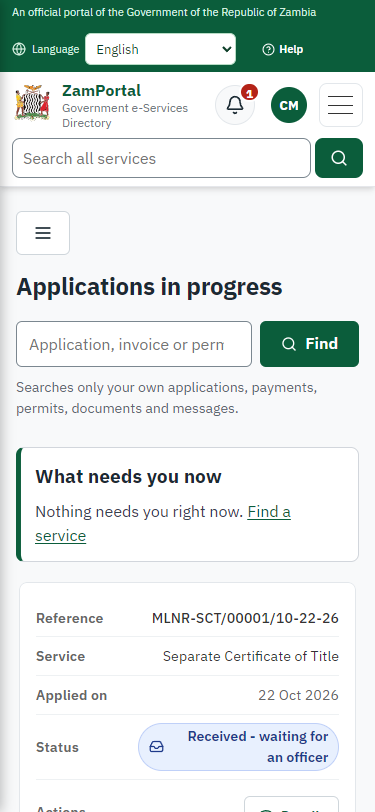
Step 2. The application sent
Citizen · National e-Services portal
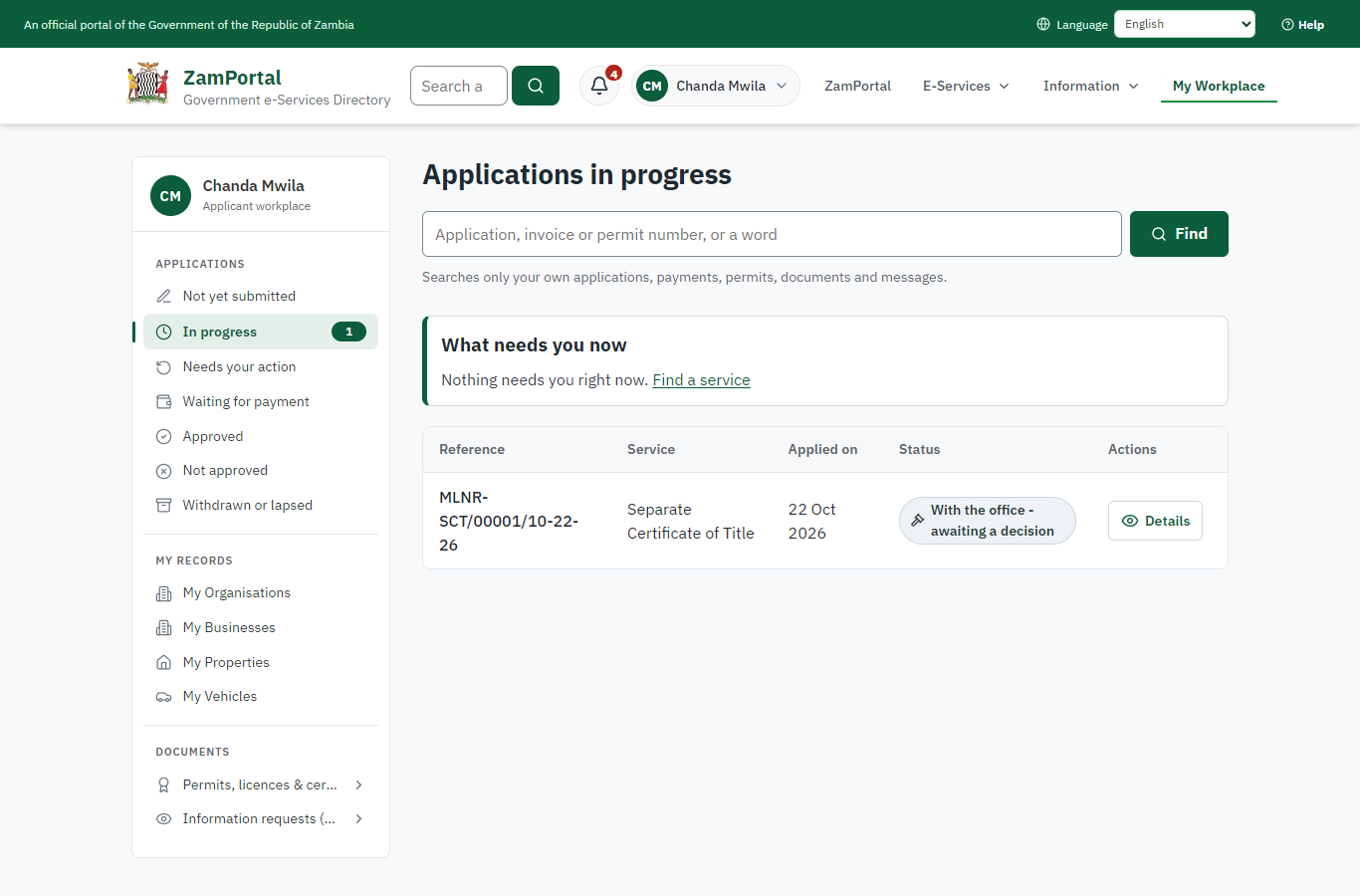
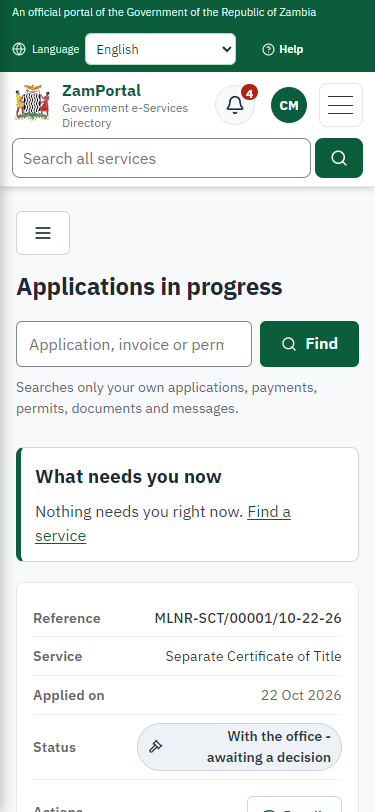
The application for parcel LUS/2020 is in My Workplace with its reference.
Step 3. Take the application on
Case Officer · Back office (done through its case API in the test run: no screenshot)
The Case Officer takes the new application on (assigned to them). The case moves from "Submitted" to "CO Generate Payment".
Step 4. Work out the fee
Case Officer · Back office (done through its case API in the test run: no screenshot)
The Case Officer completes "Work out the fee". The case moves from "CO Generate Payment" to "AP Payment".
Step 5. Inspect the case by Case Officer
Case Officer · Back office (done through its case API in the test run: no screenshot)
The Case Officer completes "Inspect the case by Case Officer". The case moves from "CO Review" to "EX Decision".
Step 6. The fee paid
Citizen · National e-Services portal
The officer generated the fee from the imported schedule (registration fee and the fee of the new certificate of title); the citizen paid it with ZamPay (mobile money or card) from My Workplace.
Step 7. Propose the registration of the title
Case Officer · Back office
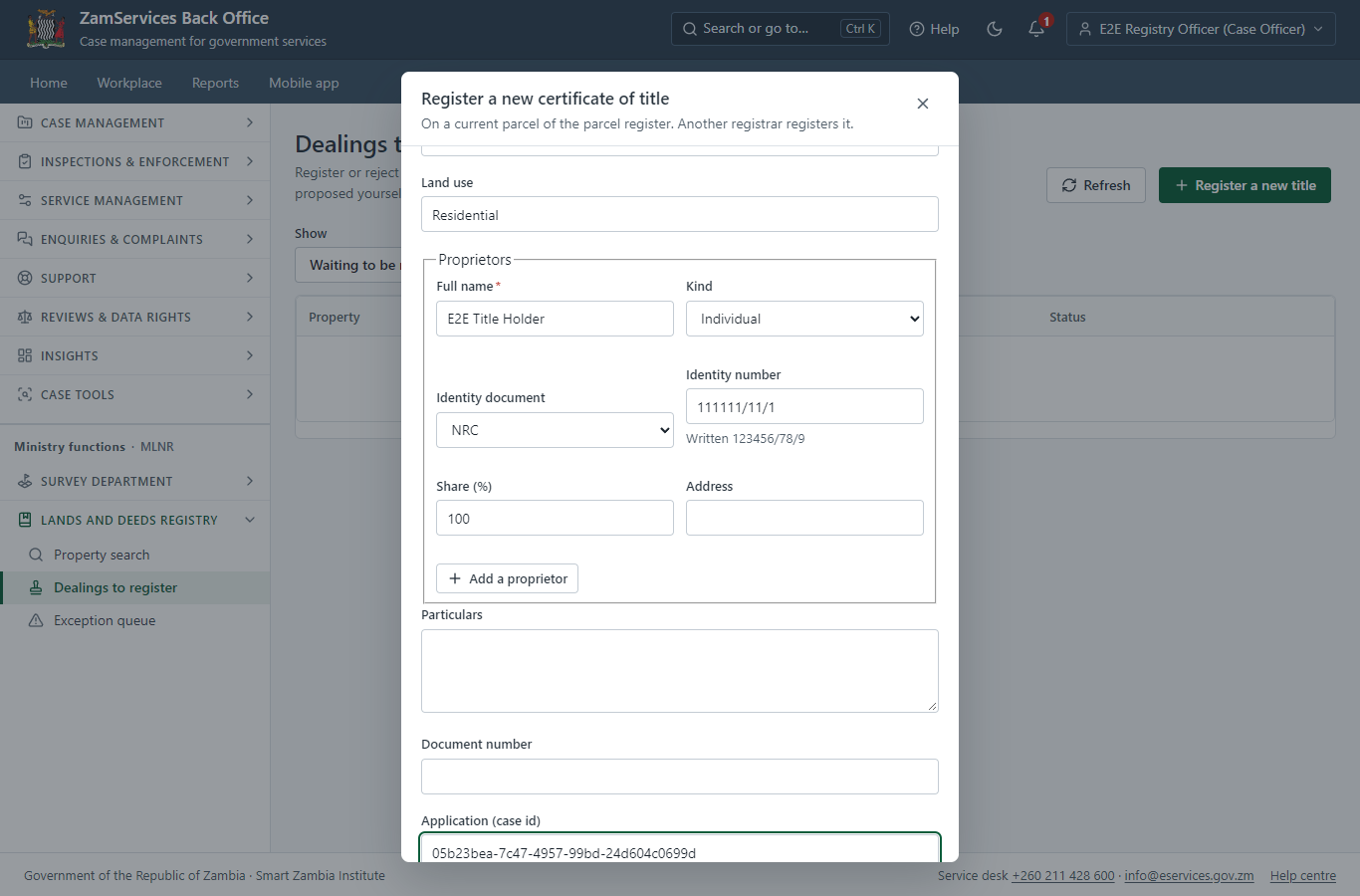
A registry officer opens Ministry functions -> Lands and Deeds Registry -> Dealings to register -> "Register a new title": the parcel (LUS/2020), the area of the title (checked against the surveyed parcel: a difference beyond the tolerance is refused), the term, the proprietors and the application it belongs to.
Step 8. Review, Inspect, e-Sign Executive
Executive · Back office (done through its case API in the test run: no screenshot)
The Executive decides: approve ("Review, Inspect, e-Sign Executive"). The case moves from "EX Decision" to "CO Hand Over Document".
Step 9. Select Printing and Delivering Option
Case Officer · Back office (done through its case API in the test run: no screenshot)
The Case Officer completes "Select Printing and Delivering Option". The case moves from "CO Hand Over Document" to "Completed".
Step 10. The property folio after registration
Executive · Back office
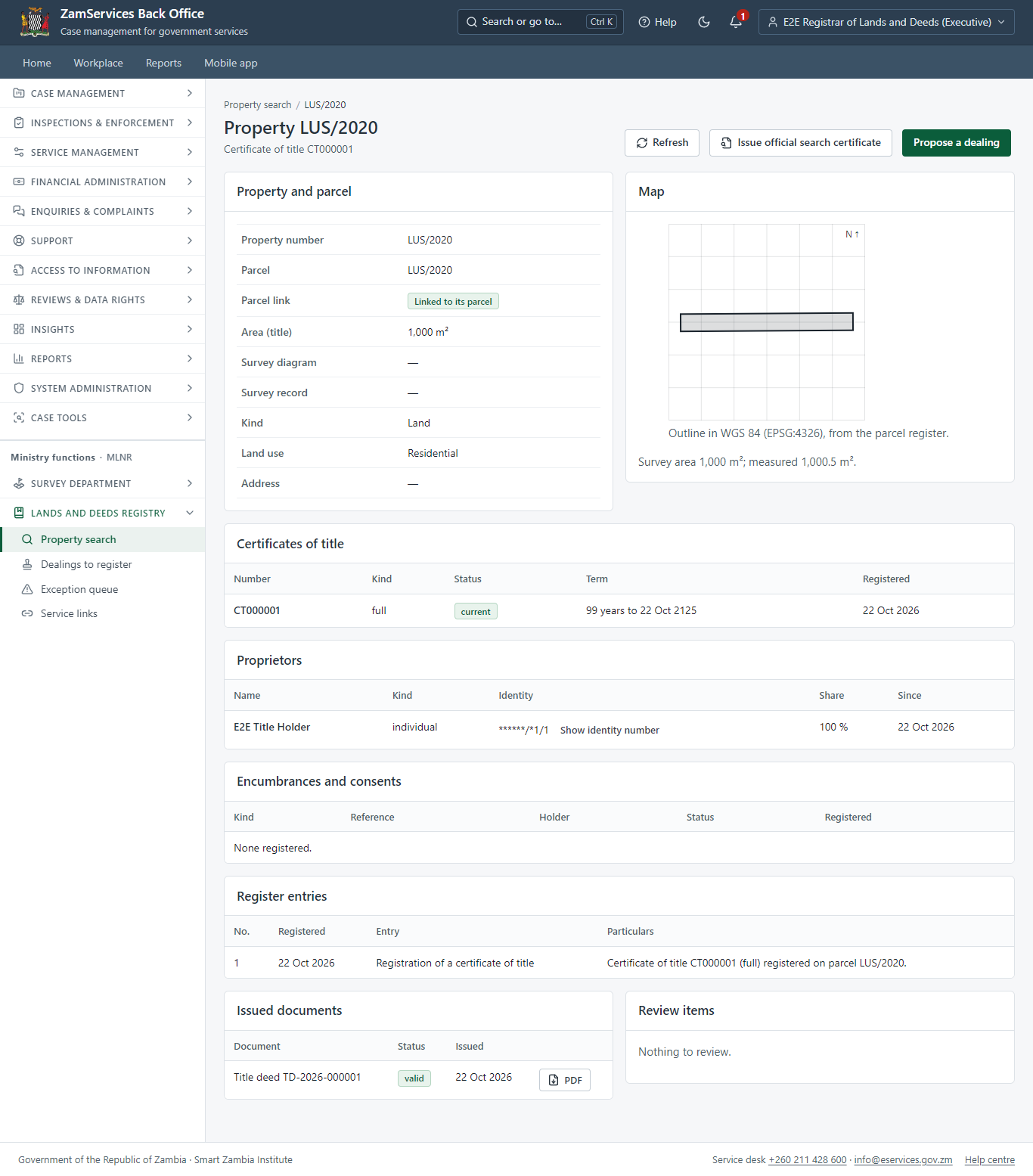
The decision registered the proposed title (the officer who proposed it cannot register it). The folio shows the current certificate of title, the proprietors (identity numbers masked; shown in full only to a registrar, and every read is audited), the register entries (append-only, hash-chained), the encumbrances and the parcel outline from the parcel register.
Step 11. Verify the title deed
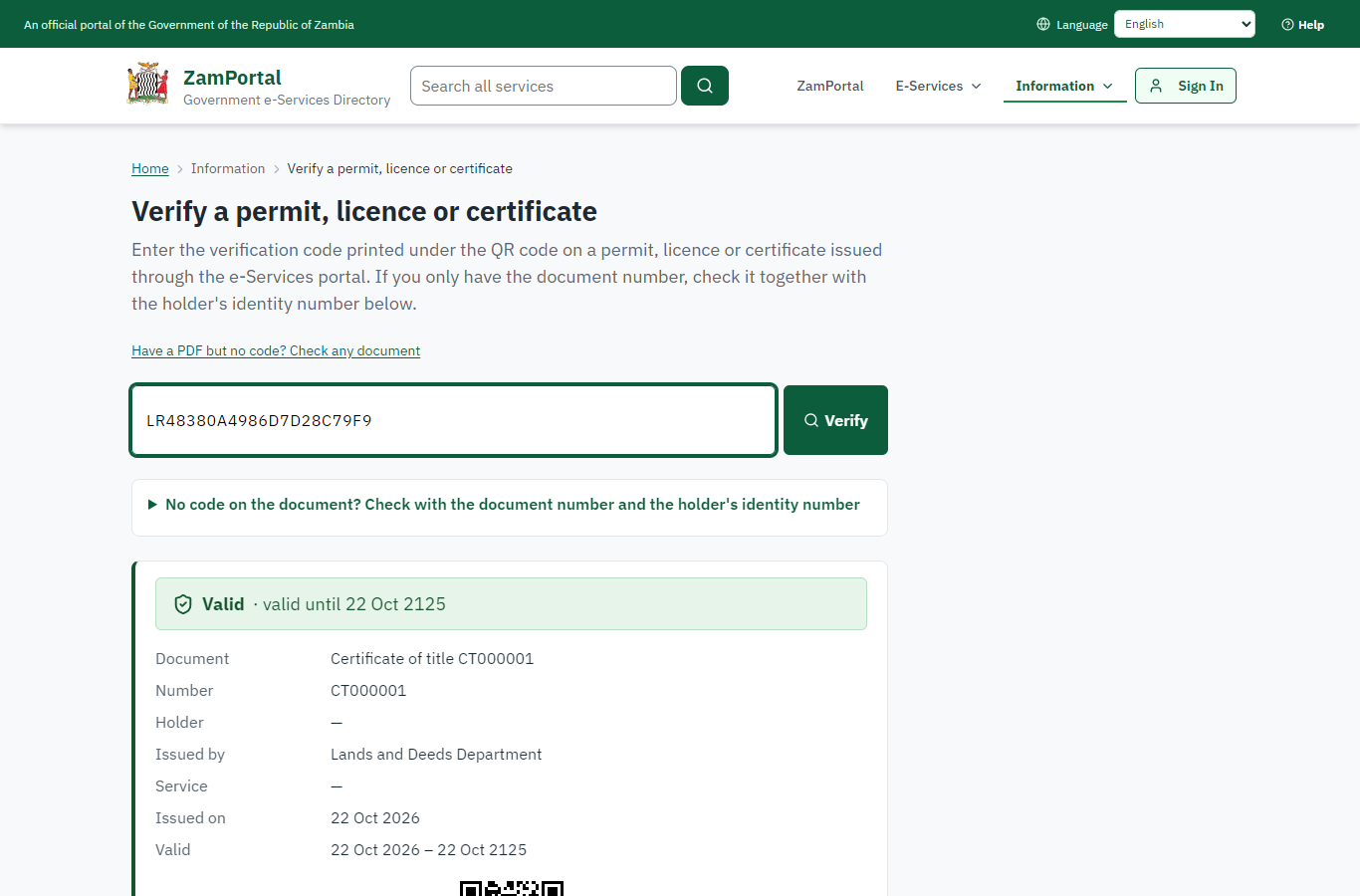
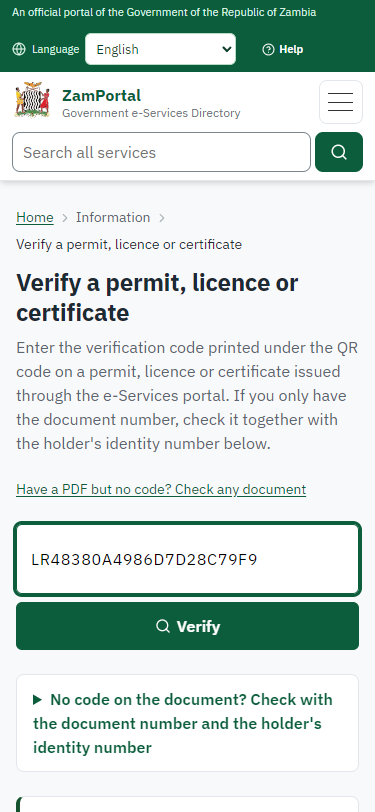
Anyone (public) · Public verification page
The QR code on the title deed opens the public verification page: the certificate of title is current. The proprietors' names are not shown (the register's disclosure setting is off by default); the parcel and its map come from the parcel register.
3. Payment
| Item | In the test run |
|---|---|
| Fee | From the imported schedule: registration fee ZMW 111.20 and the fee of the new certificate of title ZMW 222.40 |
| When it is paid | After the officer generates the fee, before the review |
| Invoice number | 6203123679068041 |
| Paid through | ZamPay (the ZamPay test double in this run) |
On screen: step 6 (The fee paid) in section 2.
4. Output documents
Certificate of title (title deed)
Issued by the Lands and Deeds Registry when the title is registered: the title number, the property and parcel, the survey references, the area, the term, the registered proprietors and a QR code to the public verification page.
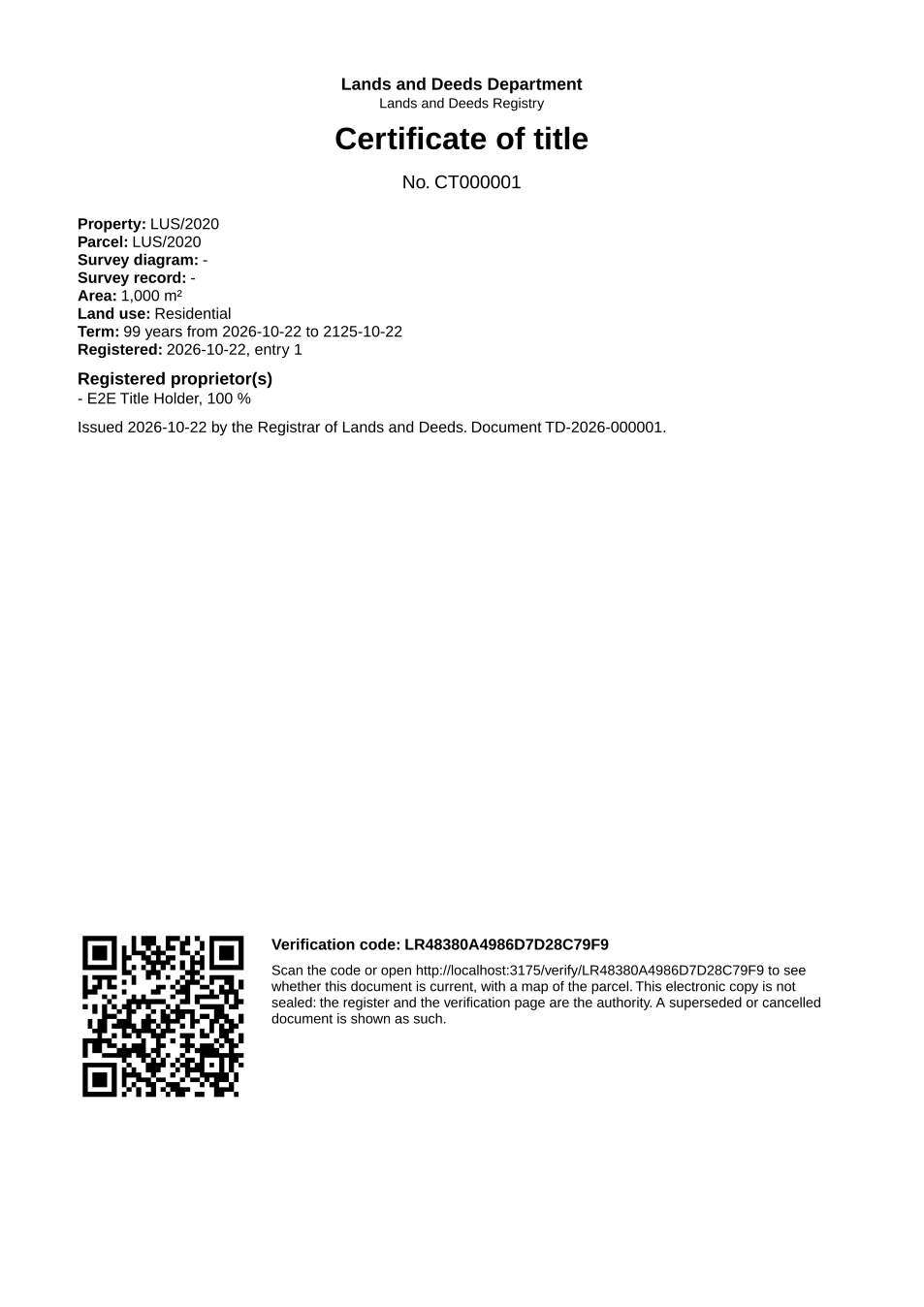
The issued PDF has 1 page; the image shows the first.
Fields
| Field | Value in the test run |
|---|---|
| Title number | CT000001 |
| Parcel | LUS/2020 |
| Area | 1,000 m² |
| Proprietor | E2E Title Holder, 100 % |
| Document number | TD-2026-000001 |
Seal
| Item | Detail |
|---|---|
| Seal | Not sealed: the PDF says so, and the register and its verification page are the authority (input.md F235) |
Verification
| Item | Detail |
|---|---|
| Verification code | LR48380A4986D7D28C79F9 |
| Verification page | Valid while the title is current; "Not valid" (superseded, with the new title) after a transfer |
On screen: step 10 (The property folio after registration), step 11 (Verify the title deed) in section 2.
5. Notifications
| When | Channel | To | Message | Delivery |
|---|---|---|---|---|
| Application received | in-app (portal bell) | the applicant | Application MLNR-SCT/00001/10-22-26 received - Your application MLNR-SCT/00001/10-22-26 for Separate Certificate of Title has been received by Lands and Deeds Department. | shown |
| Status changed | in-app (portal bell) | the applicant | Update on application MLNR-SCT/00001/10-22-26 - MLNR-SCT/00001/10-22-26 (Separate Certificate of Title) is now: With the office - fees being worked out. | shown |
| Payment due (invoice raised) | in-app (portal bell) | the applicant | Payment due for application MLNR-SCT/00001/10-22-26 - The fee of ZMW 333.60 for Separate Certificate of Title (MLNR-SCT/00001/10-22-26) is now due. Invoice 6203123679068041. | shown |
| Payment received | in-app (portal bell) | the applicant | Payment received for MLNR-SCT/00001/10-22-26 - Your payment of ZMW 333.60 for MLNR-SCT/00001/10-22-26 (Separate Certificate of Title) has been received. Receipt: <ZamPay>/pdf?documentType=receipt&invoiceNumber=6203123679068041 | shown |
| Licence / permit issued | in-app (portal bell) | the applicant | Your Separate Certificate of Title document has been issued - MLNR-SCT-2026-00001 has been issued for Separate Certificate of Title. | shown |
| case.approved | in-app (portal bell) | the applicant | Application MLNR-SCT/00001/10-22-26 approved - MLNR-SCT/00001/10-22-26 (Separate Certificate of Title) has been approved. | shown |
| Decision: approved | in-app (portal bell) | the applicant | Application MLNR-SCT/00001/10-22-26 completed - MLNR-SCT/00001/10-22-26 (Separate Certificate of Title) is complete. Your documents are ready. | shown |
| Invitation to rate the service | in-app (portal bell) | the applicant | How was Separate Certificate of Title? - How was Separate Certificate of Title? Tell us in about a minute. | shown |
| Application received | sms | +260 97* *** 567 | Application MLNR-SCT/00001/10-22-26 for Separate Certificate of Title has been received. Track it: <portal>/my-workplace | delivered |
| Application received | e2e.c***@example.test | Application MLNR-SCT/00001/10-22-26 received | skipped | |
| Status changed | sms | +260 97* *** 567 | delivered | |
| Payment due (invoice raised) | e2e.c***@example.test | Payment due for application MLNR-SCT/00001/10-22-26 | skipped | |
| Payment due (invoice raised) | sms | +260 97* *** 567 | Fee of ZMW 333.60 due for MLNR-SCT/00001/10-22-26. Invoice 6203123679068041. Pay: <ZamPay>/pay-for-service/get-invoice/6203123679068041 | delivered |
| Payment received | sms | +260 97* *** 567 | delivered | |
| case.approved | e2e.c***@example.test | Application MLNR-SCT/00001/10-22-26 approved | skipped | |
| Licence / permit issued | sms | +260 97* *** 567 | delivered | |
| Licence / permit issued | e2e.c***@example.test | Your Separate Certificate of Title document has been issued | skipped | |
| case.approved | sms | +260 97* *** 567 | delivered | |
| Invitation to rate the service | sms | +260 97* *** 567 | skipped | |
| Invitation to rate the service | e2e.c***@example.test | How was Separate Certificate of Title? | skipped | |
| Decision: approved | e2e.c***@example.test | Application MLNR-SCT/00001/10-22-26 completed | skipped | |
| Decision: approved | sms | +260 97* *** 567 | delivered |
Delivery: shown = in the portal's notification bell; delivered = the SMS gateway (a test double in this run) reported the text delivered; skipped = not sent on that channel (e-mail is not configured on the test installation, and some notices go out on one channel only); sent by the national portal = a ministry node handed the notice to the national portal, which texts and e-mails the citizen under its own name and the citizen's preferences. Addresses written <portal>, <ZamPay> stand for the national portal and ZamPay.
6. Legacy mapping
| Item | Detail |
|---|---|
| Replaces | Separate Certificate of Title in the legacy ZIGS e-Services directory (ZIGS_Services) |
| Legacy service id | 219 |
| Legacy provider | Lands and Deeds Department (MLNR) under Ministry of Lands and Natural Resources |
| Legacy process | Standard.Review_2Step_CoExec (process 106) |
| Fee in the legacy system | Separate Certificate of Title Registration Fee: ZMW 111.2 (New) Separate Certificate of Title Fee: ZMW 222.4 (New) |
| Fee taken before submission | yes (as in ZIGS) |
| Time to issue (legacy) | New: 30 working days |
| Legacy output templates | Notice of Action: ZIGS_Forms_Notices / GS-2.NoticeOfAction Application form: ZIGS_Forms_MLNR / MLNR_SeparateCot.Application Certificate of Title: ZIGS_Forms_MLNR / MLNR_CertificateOfTitle.Certificate GF-1 Treasury Invoice: ZIGS_CustomForms / GF-1 Invoice GF-2 Treasury Receipt: ZIGS_CustomForms / GF-2 Receipt |
| Legacy address | none recorded |
| How it was brought over | Imported by the platform's legacy catalogue importer (zcm-backend scripts/zigs/importLegacy.js) from the ZIGS snapshot: form, case types, fees, documents, process and output templates, then served by the new platform. |
7. Version and date
| Item | Detail |
|---|---|
| Document version | service v1, platform d7561a1d |
| Generated | 2026-10-22T00:42:06Z (by the end-to-end run, not edited by hand) |
| Service version | not versioned (configured directly) |
| Platform snapshot | backend d7561a1d portal 9dadc82 back office 8afae07 |
| Test suite | e2e 17f0b76; one installation (combined); seed profile mihud |
| Journeys | 25-land-title-registration.spec.js: citizen: finds "Separate Certificate of Title" and applies for the parcel - passed 25-land-title-registration.spec.js: officers: the imported process up to the decision; the citizen pays the fee the officer generated - passed 25-land-title-registration.spec.js: registry officer proposes the title; refusals; the Registrar decides and the title is registered - passed 25-land-title-registration.spec.js: the title deed: PDF with the title number, parcel, proprietor and QR code; it verifies as current - passed 25-land-title-registration.spec.js: citizen: applies for a Deed of Transfer of the property and pays; the officer reviews - passed 25-land-title-registration.spec.js: registry officer proposes the transfer on the folio; the Registrar decides; a new title supersedes the old one - passed 25-land-title-registration.spec.js: the old deed verifies as superseded; the new deed as current - passed |
| Result | 7 of 7 journey tests passed |
| Data | Synthetic test data on a local test installation; provider test doubles for ZamPass, ZamPay, SMS and signing. |