
Issuance of Phytosanitary Certificate
| Form | Workflow | Outputs | E2E test | Docs |
|---|---|---|---|---|
| Passed | Passed | Passed | Passed | Passed |
- End-to-end test
- 7/7 passed 2026-10-17 (mihud, combined)
- Documentation
- 17 steps, 26 images · Download the DOCX
- Who can apply
- Individual, Organization
- Catalogue ID
- 339
Fees
| Fee | Case | Amount (ZMW) |
|---|---|---|
| Inspection fee | New | 260 |
Required documents
- Plant Import Permit (New)
- Treatment Certificate (New)
- Timber Export Permit and Clearance Certificate (issued by Forestry Department) (New)
- Certificate of Analysis (New)
- National Identity Card (NRC) (New)
- Consignment Inspection (New)
- Entity Registration Certificate obtained from PACRA (New)
- Orange Certificate (New)
- Phytosanitary Certificate (in case of Re-Export) (New)
Output documents
- Notice of Action (notice-of-action)
- Application form (application)
- Certificate (certificate)
- GF-1 Treasury Invoice (invoice)
- GF-2 Treasury Receipt (receipt)
Test evidence
Issuance of Phytosanitary Certificate
Service documentation · Republic of Zambia · GSB e-Services
| Owner | Plant Quarantine and Phytosanitary Service |
| Service key | PQPS/phytosanitary-certificate |
| Version | service v1, platform 9e8768d3 |
| Date | 2026-10-15 |
Generated automatically by the service's end-to-end test run. Every screenshot shows synthetic test data on a local test installation, never real personal data.
This document describes the Issuance of Phytosanitary Certificate service of Plant Quarantine and Phytosanitary Service as the platform runs it today. It is generated by the service's end-to-end test: every step below was performed by the test, and every screenshot was taken during that run with synthetic data. Regenerate it with npm run docs:services in the e2e suite; do not edit it by hand.
1. Service summary
| Item | Detail |
|---|---|
| Service | Issuance of Phytosanitary Certificate |
| Owner (MDA) | Plant Quarantine and Phytosanitary Service (PQPS) |
| Purpose | Service offered to exporters involved in the export of plants, plant products, and other regulated articles to ensure that the exported plant products correspond to the phytosanitary measures as per the Internation Plant Protection Convention (IPPC). |
| Who can apply | Individual; Organization |
| How to apply | Online on the national e-Services portal, signed in with ZamPass; pay with ZamPay. |
| Fees | Inspection fee: ZMW 260.00 |
| Turnaround | • Maximum 14 days |
| Validity of the output | • Export Inspection Report’s validity depends on the commodity • Phytosanitary Certificate validity is 14 Days |
| Required documents | Plant Import Permit (optional) Treatment Certificate (optional) Timber Export Permit and Clearance Certificate (issued by Forestry Department) (optional) Certificate of Analysis (optional) National Identity Card (NRC) (required) Consignment Inspection (optional) Entity Registration Certificate obtained from PACRA (optional) Orange Certificate (optional) Phytosanitary Certificate (in case of Re-Export) (optional) |
| Output documents | Notice of Action Application form GF-1 Treasury Invoice GF-2 Treasury Receipt |
| Legal basis | Plant Pests and Diseases Act (Cap. 233) (https://zambialii.org/akn/zm/act/si/2020/69/eng@2020-08-14/source) SI No. 70 of 2020 – Fees Schedule |
2. Application process, step by step
The process as configured in the back office:
| Step | Role | Task | Type |
|---|---|---|---|
| 1 | Applicant | Apply | form |
| 2 | Applicant | Payment | payment |
| 3 | System | Generate Document | generate-document |
| 4 | Case Officer | Approve | approve |
| 5 | Case Officer | Review | review |
| 6 | Executive | Decision | decision |
| 7 | System | Generate Document | generate-document |
| 8 | System | Notify Client | notify |
Who takes part in this journey: Citizen, Case Officer, Executive, Supervisor, Anyone (public).
Step 1. Find the service
Citizen · National e-Services portal
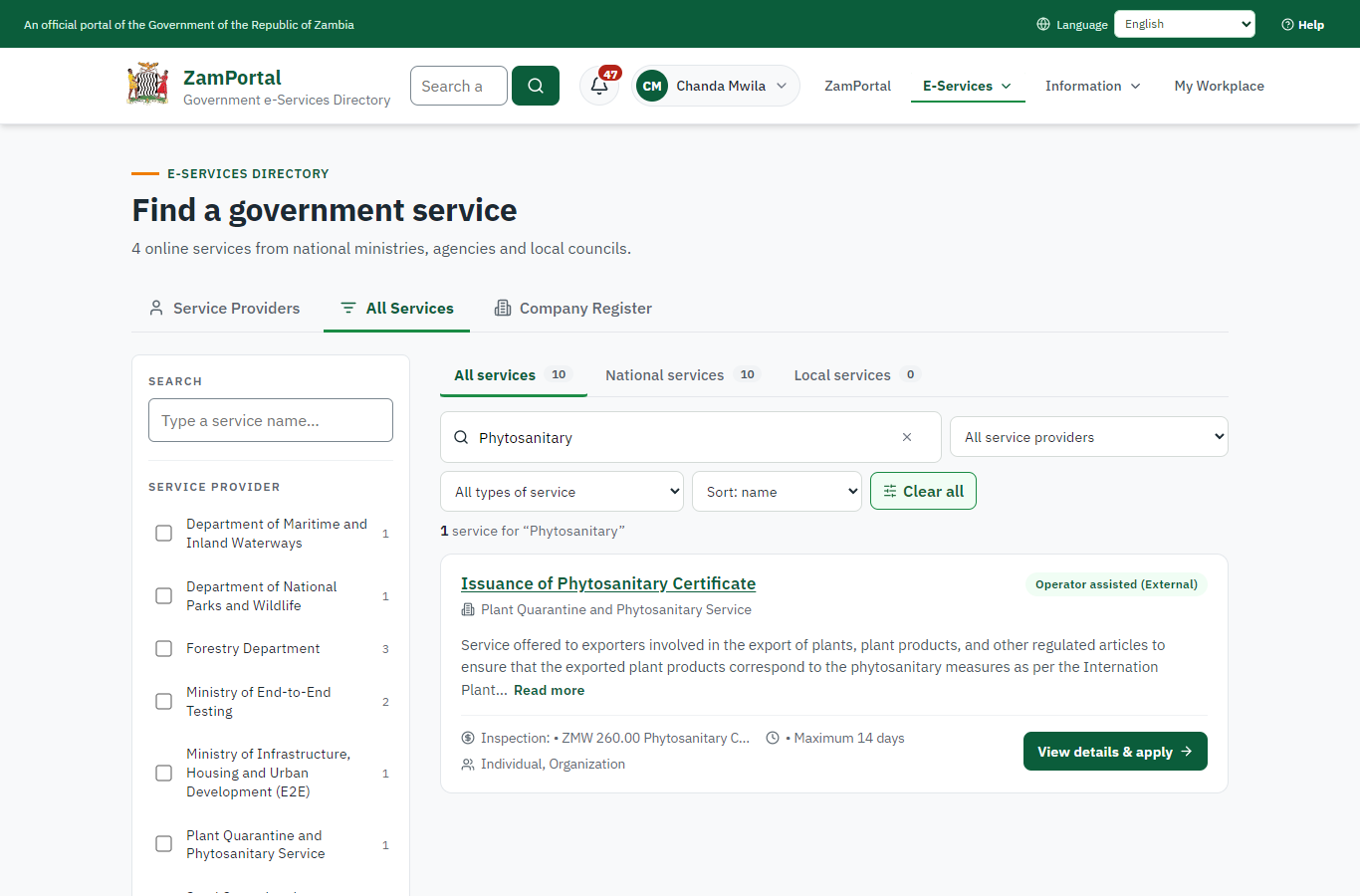
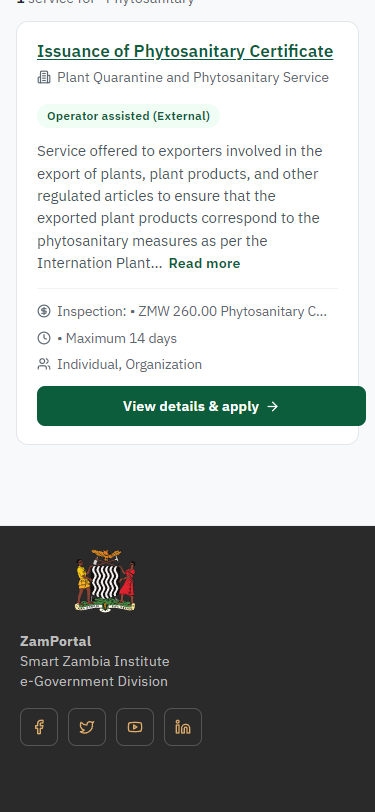
On the national e-Services portal the citizen opens All Services and searches for the service by name ("Phytosanitary"). Each result names the service and the ministry that provides it.
Step 2. Read the service page
Citizen · National e-Services portal
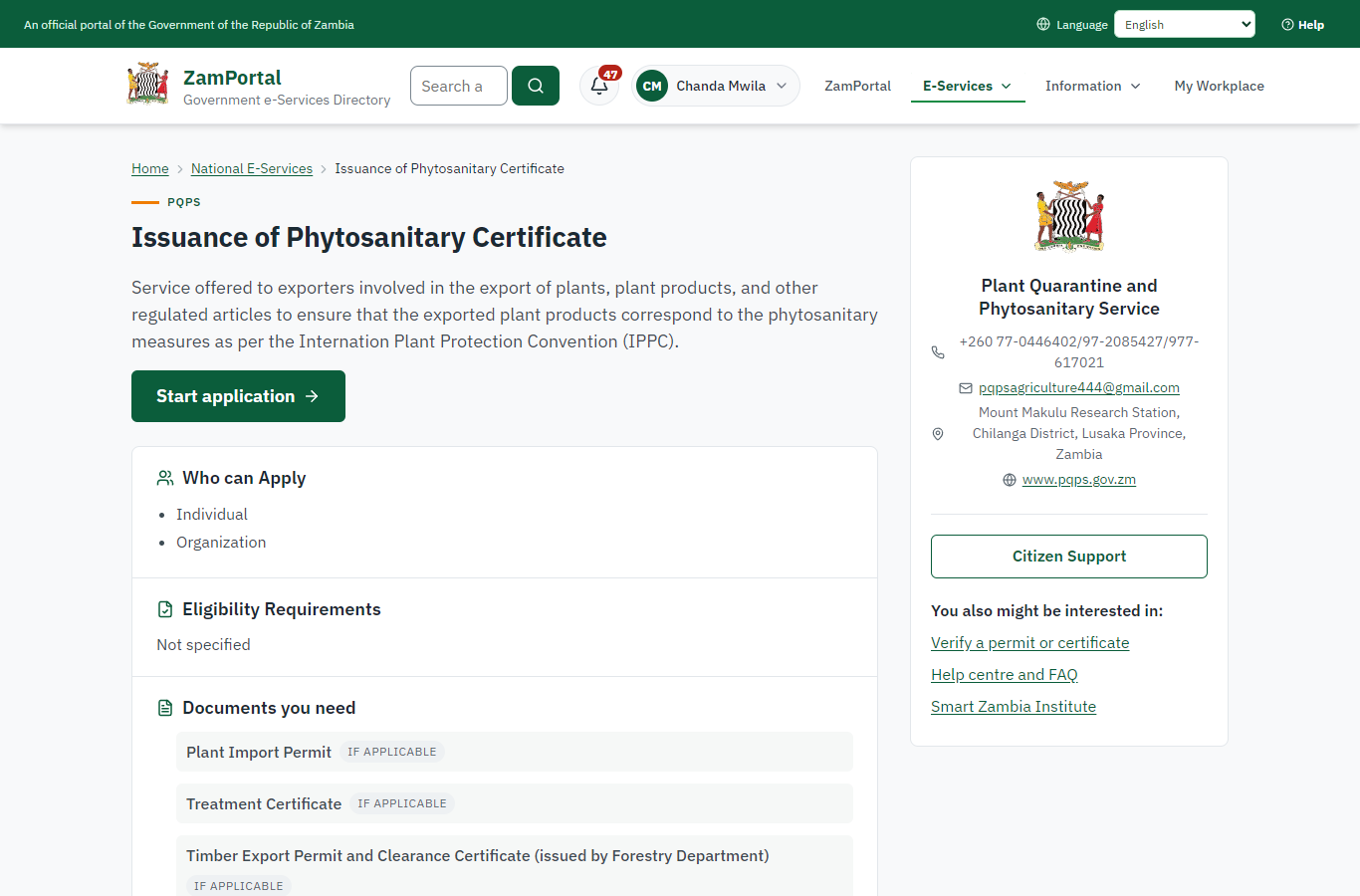
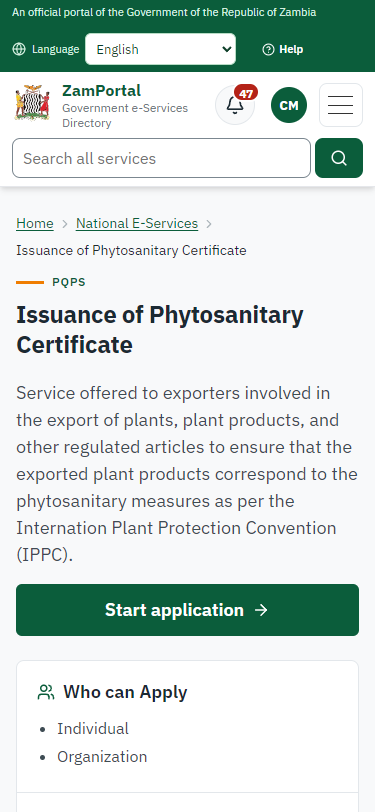
The service page sets out what the service is for, who provides it, the fee, how long it takes and the documents to have ready. "Start application" begins an application (the citizen is signed in with ZamPass).
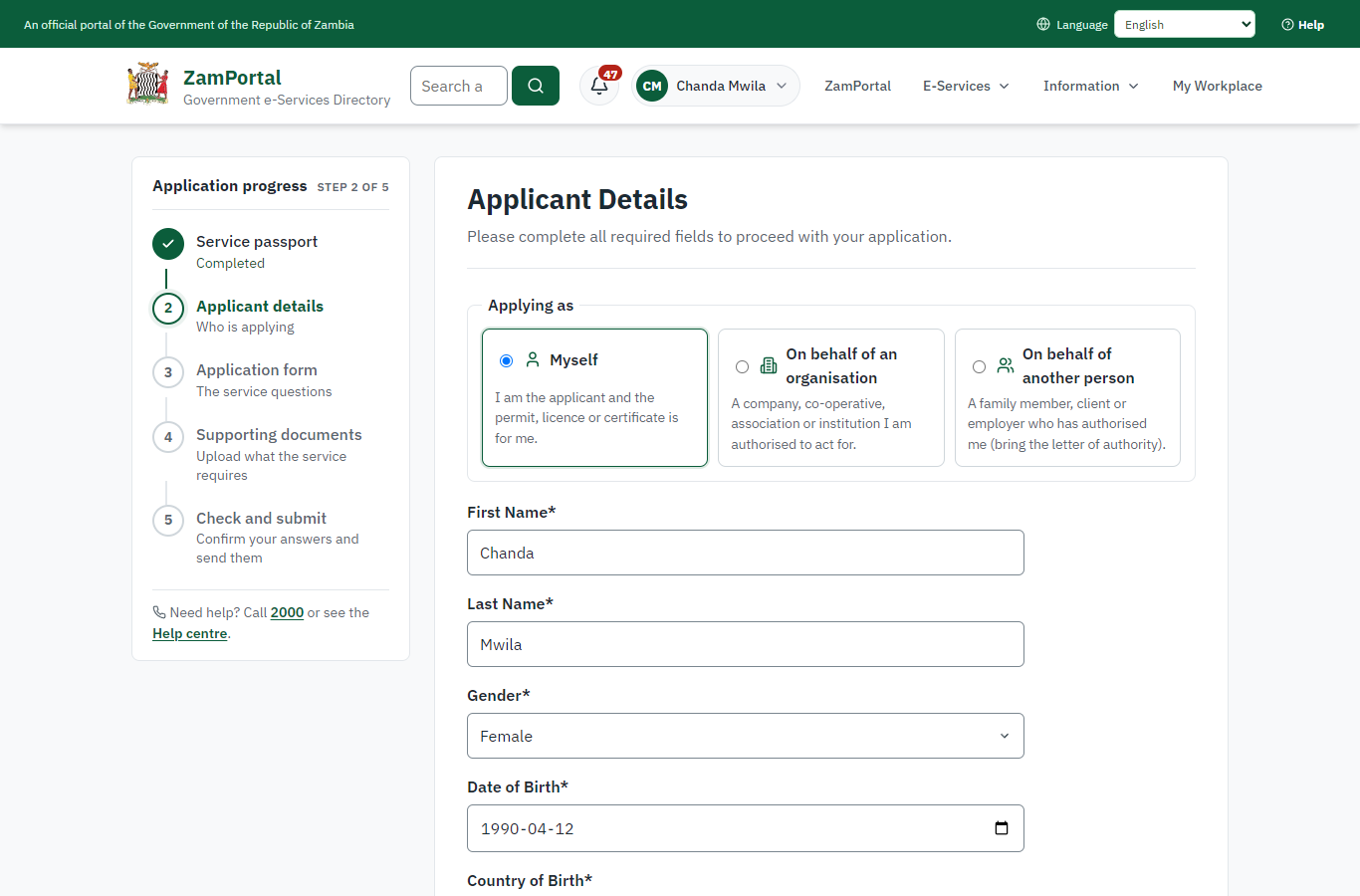
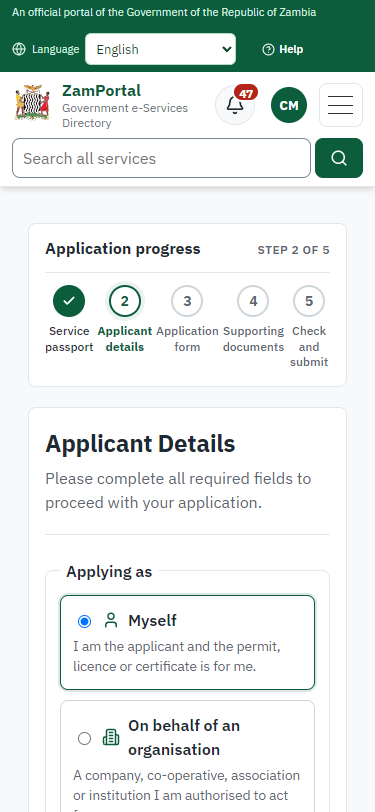
Step 3. Confirm the applicant details
Citizen · National e-Services portal
The applicant details are filled in from the citizen's ZamPass account. The citizen says whom they are applying for (themself here) and continues with "Proceed to Application".
Step 4. Describe the consignment
Citizen · National e-Services portal
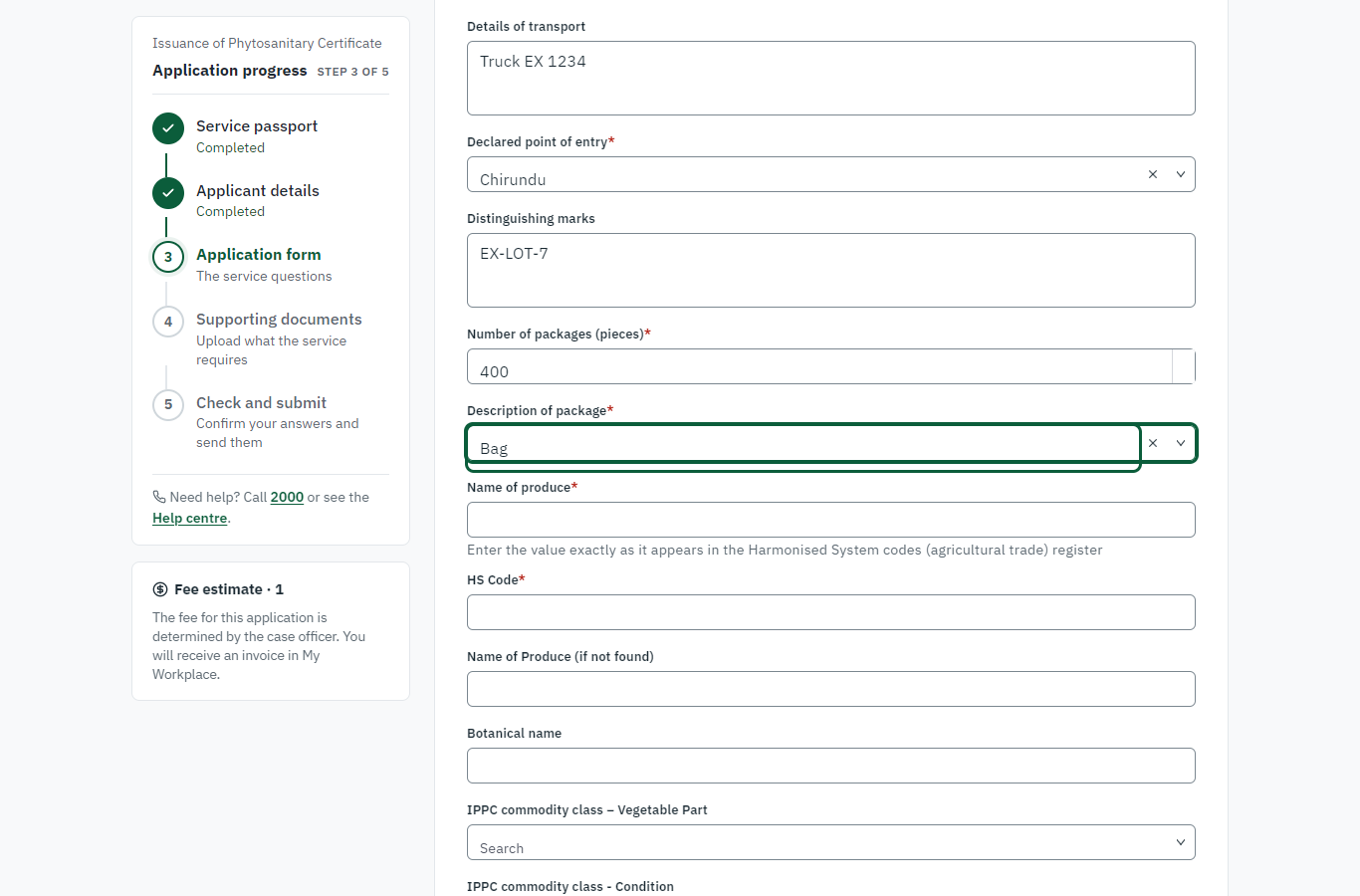
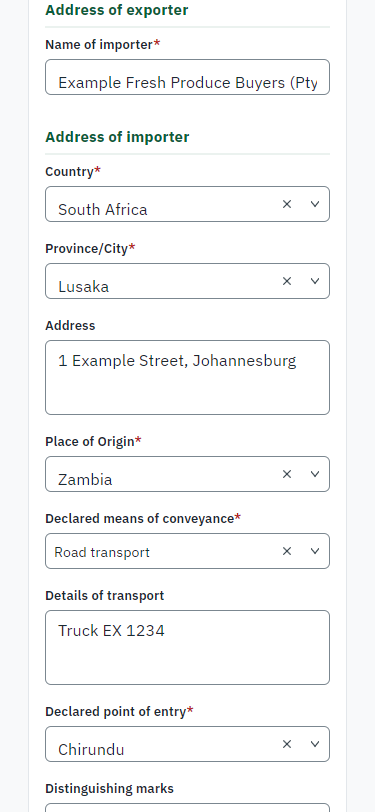
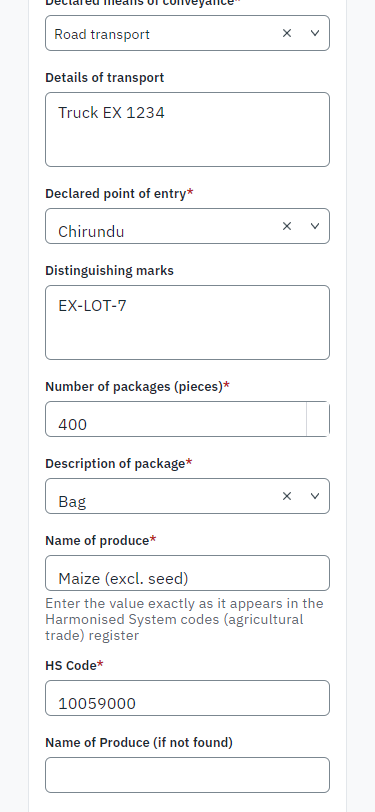
The imported legacy form: the kind of certificate, the aim of the export, the importing country's plant protection organisation, the importer, the place of origin, the means of conveyance and the point of exit, the distinguishing marks and the packages. The lists (countries, points of exit, package types) are the legacy code lists, loaded as national code lists.
Step 5. Describe the produce
Citizen · National e-Services portal
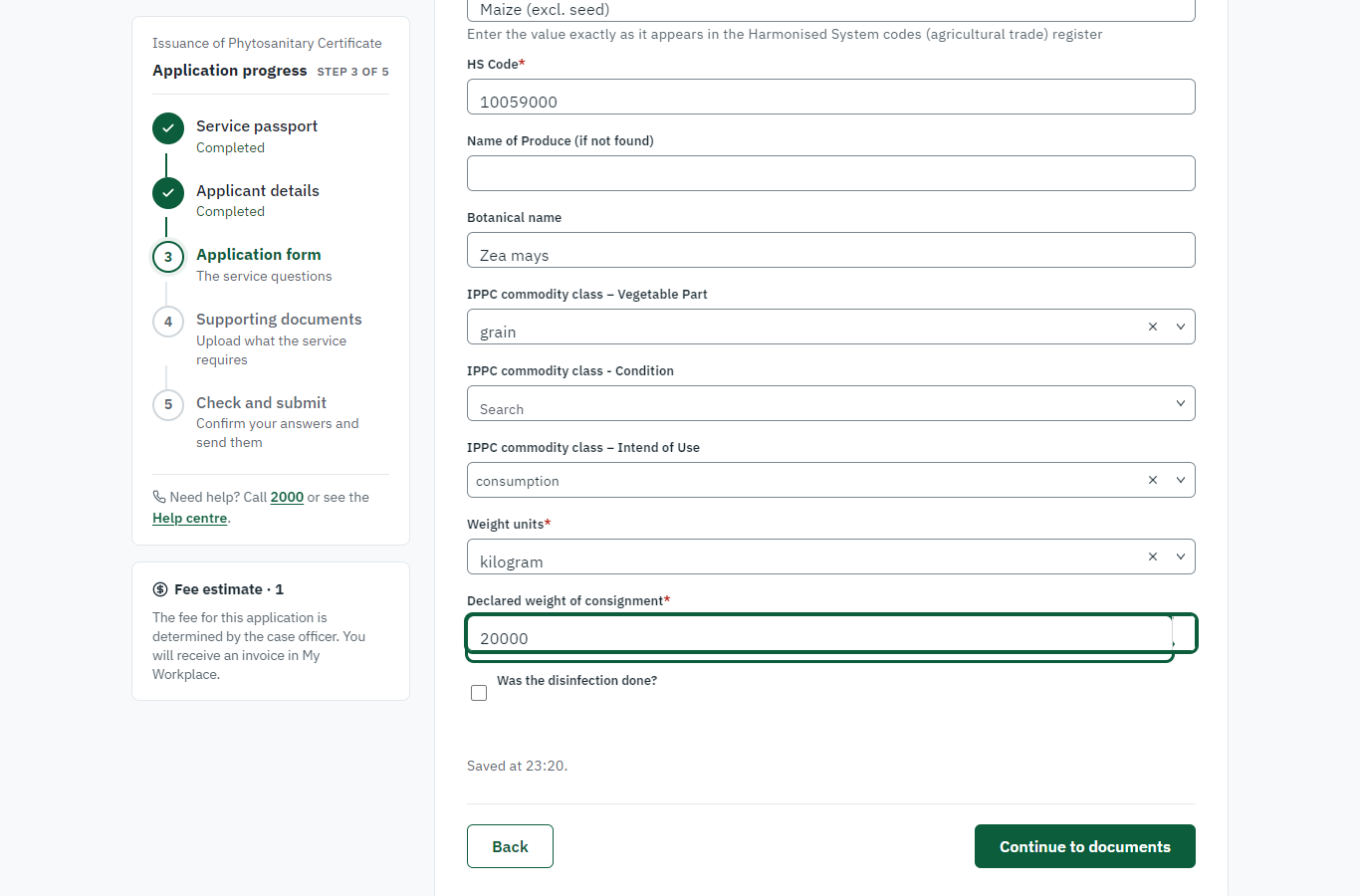
The produce is chosen from the Harmonised System list (typed and checked against the list: "Maize (excl. seed)", HS 10059000), with its botanical name (Zea mays), the IPPC commodity class (plant part, intended use) and the declared weight (20,000 kg).
Step 6. Upload the documents
Citizen · National e-Services portal
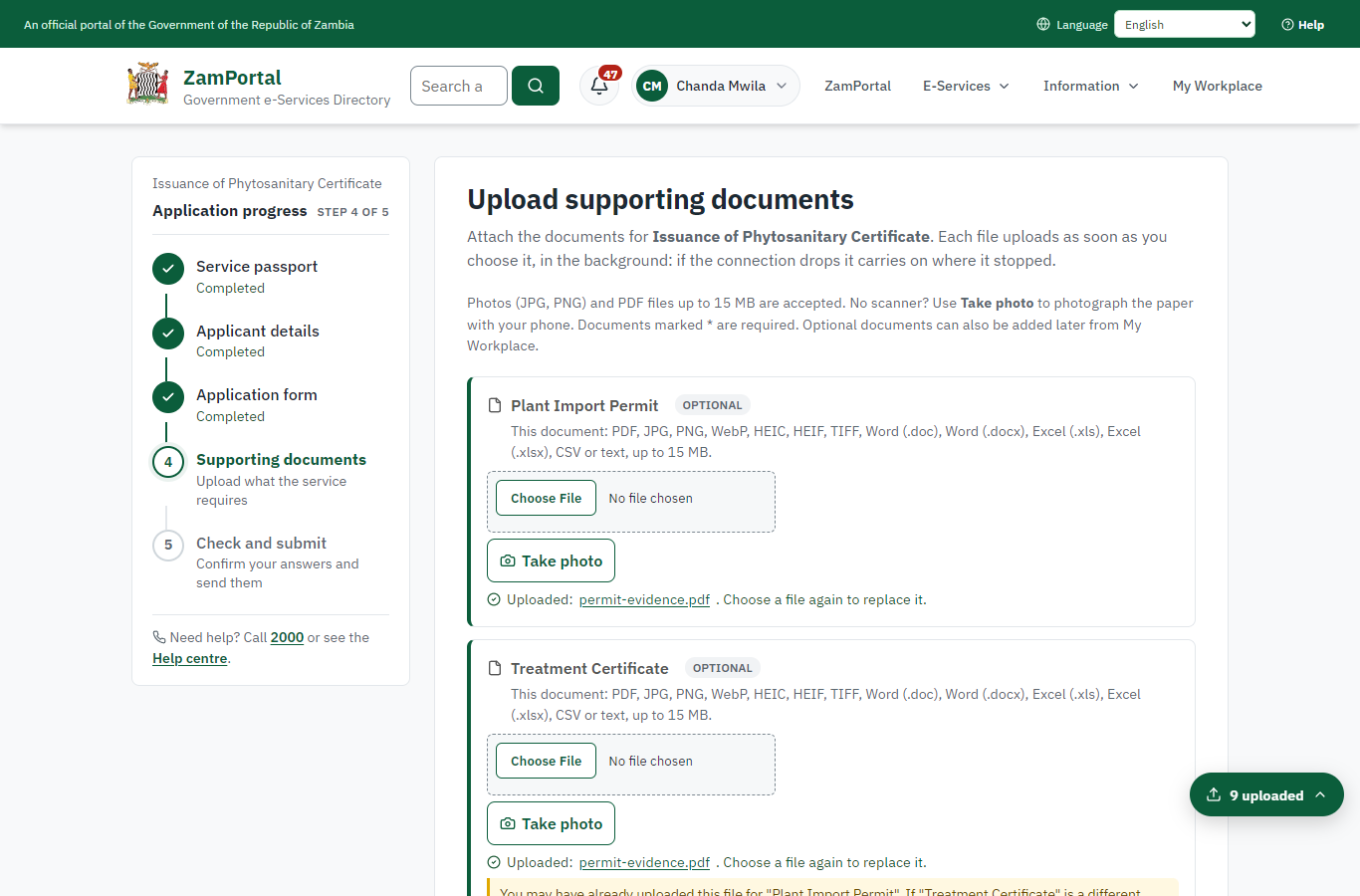
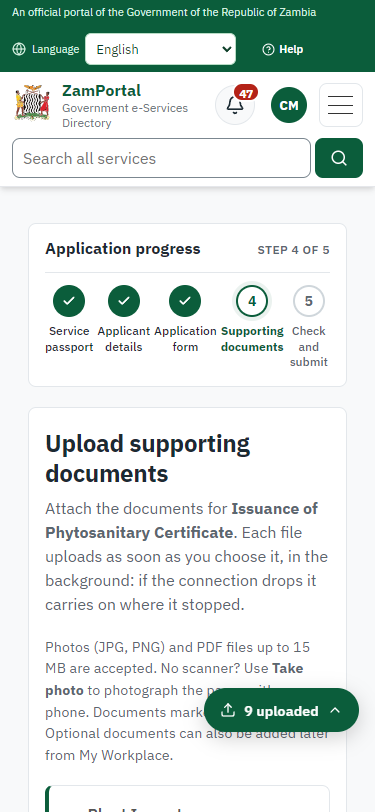
The documents the legacy service asked for (import permit of the destination, treatment certificate, certificate of analysis, NRC, company registration ...). A synthetic PDF is uploaded for each in this run.
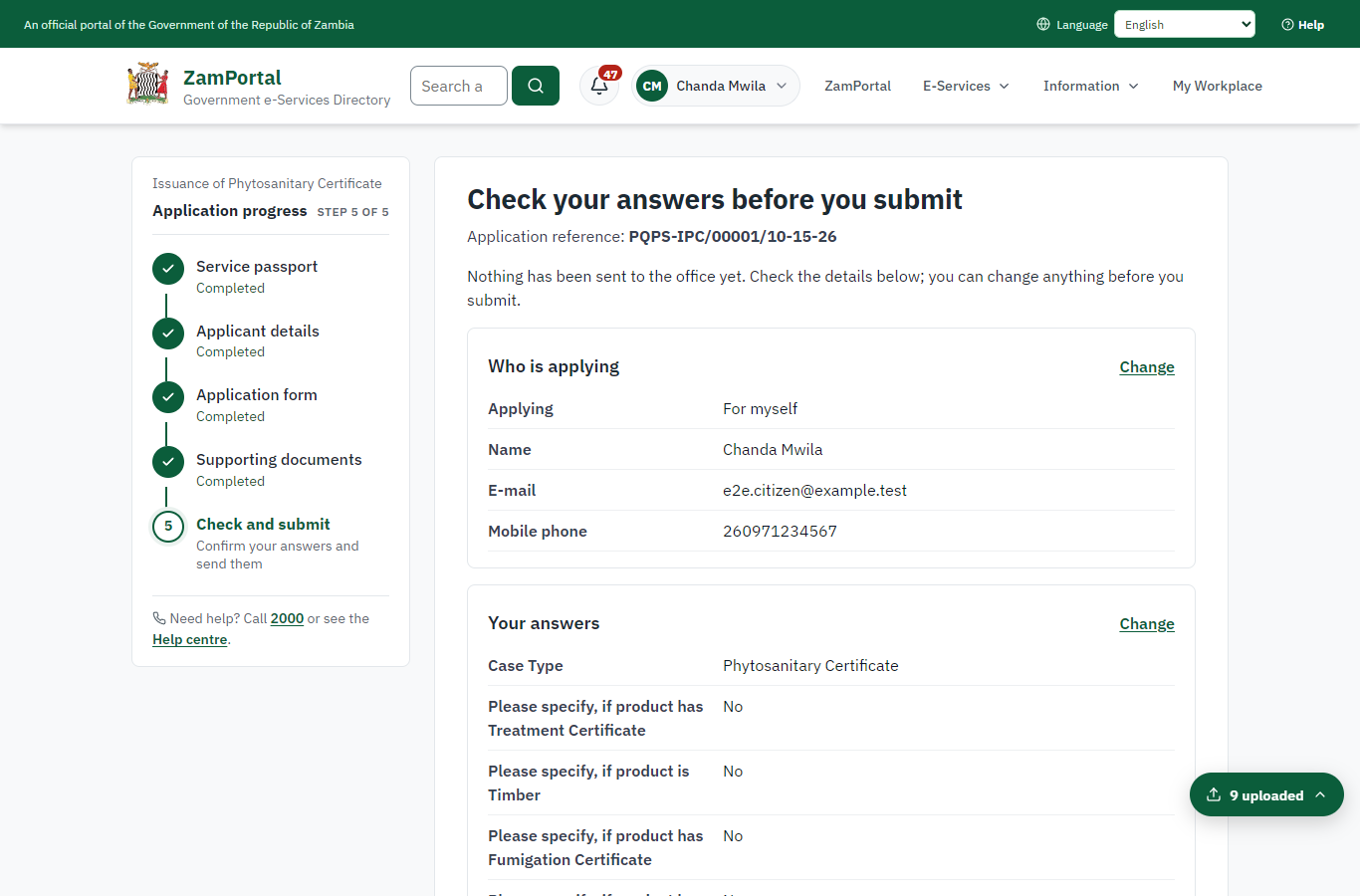
Step 7. Check the answers and confirm the declaration
Citizen · National e-Services portal
The citizen checks every answer and the documents, and confirms the declaration.

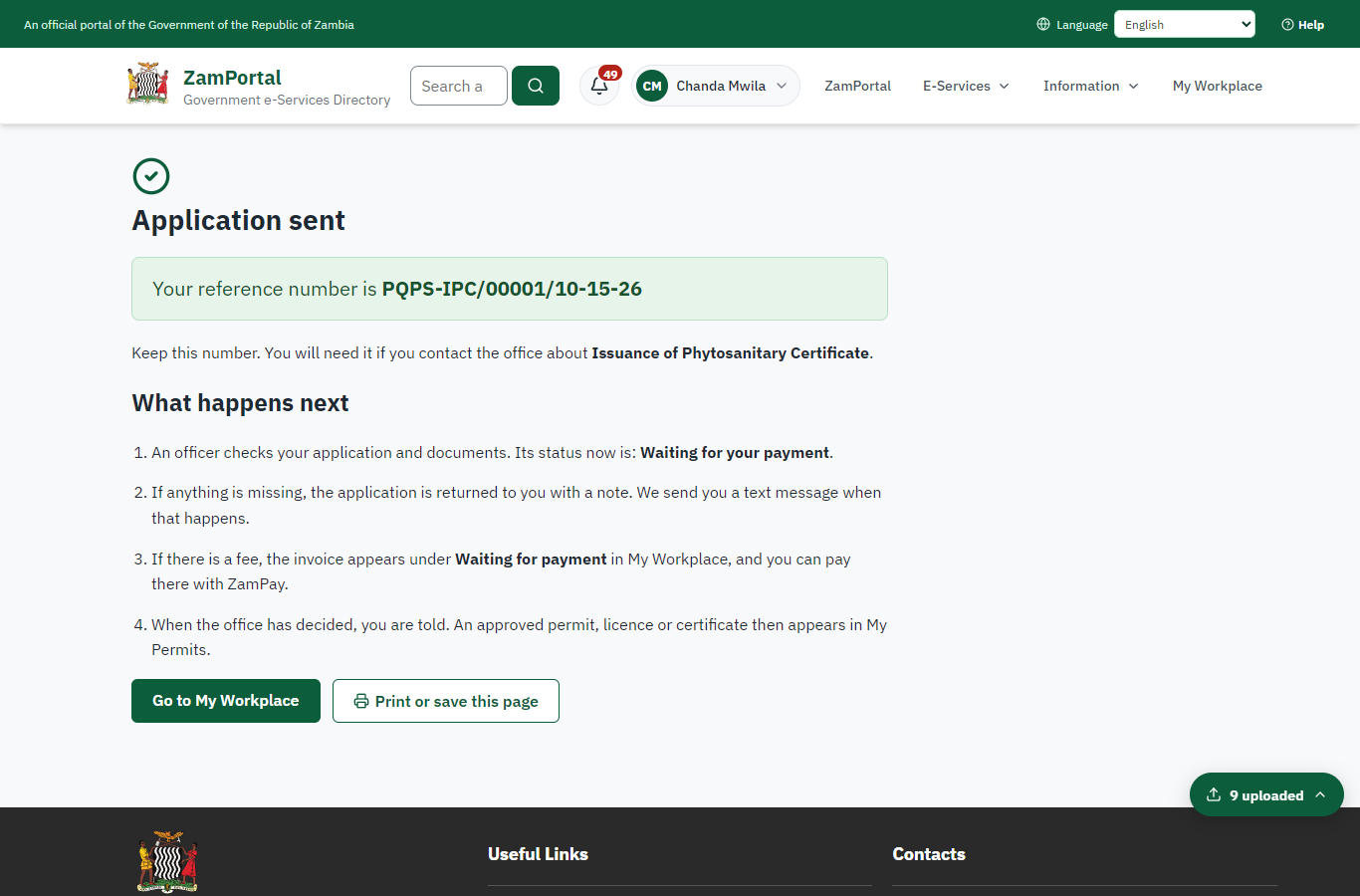
Step 8. Application sent
Citizen · National e-Services portal
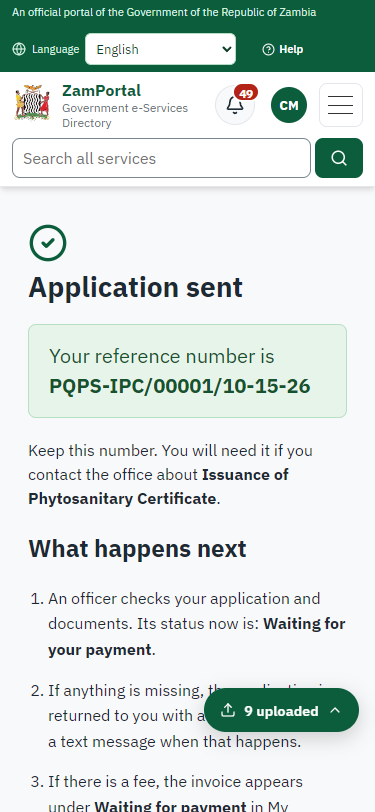
The portal confirms the application with the reference number (PQPS-IPC/00001/10-15-26 in this run). The inspection fee is due now: the legacy service took it with the application.
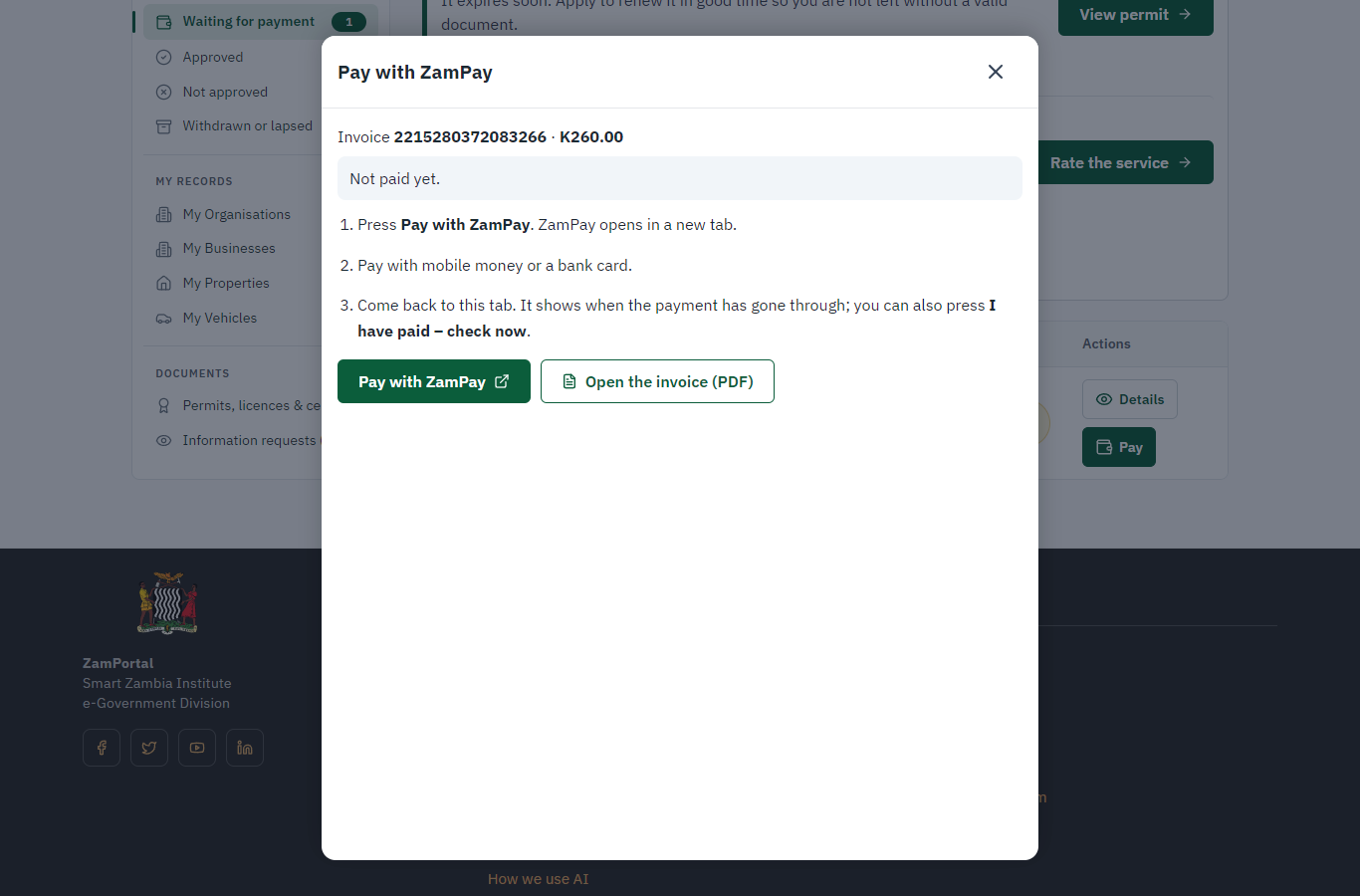
Step 9. Pay the inspection fee
Citizen · National e-Services portal
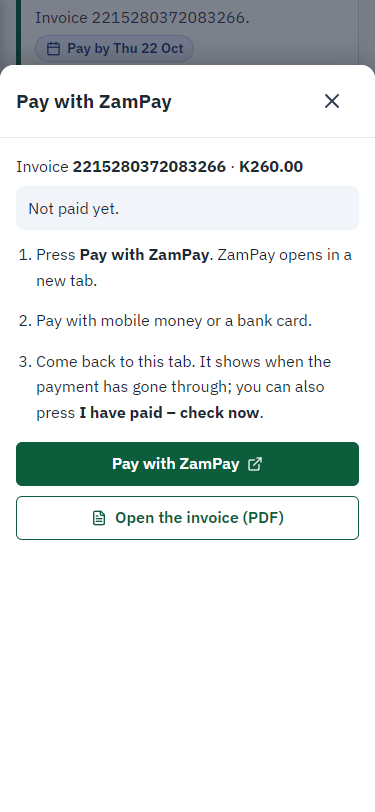
The invoice raised at submission (K260.00, the legacy inspection fee) is paid at ZamPay (the ZamPay test double in this run).
Step 10. Inspect, Draft, e-Sign PIR & Invoice
Case Officer · Back office (done through its case API in the test run: no screenshot)
The Case Officer completes "Inspect, Draft, e-Sign PIR & Invoice". The case moves from "CO Approve" to "CO Review".
Step 11. Review PIR & LP, and Send
Case Officer · Back office (done through its case API in the test run: no screenshot)
The Case Officer completes "Review PIR & LP, and Send". The case moves from "CO Review" to "EX Decision".
Step 12. Complete the certificate particulars
Case Officer · Back office
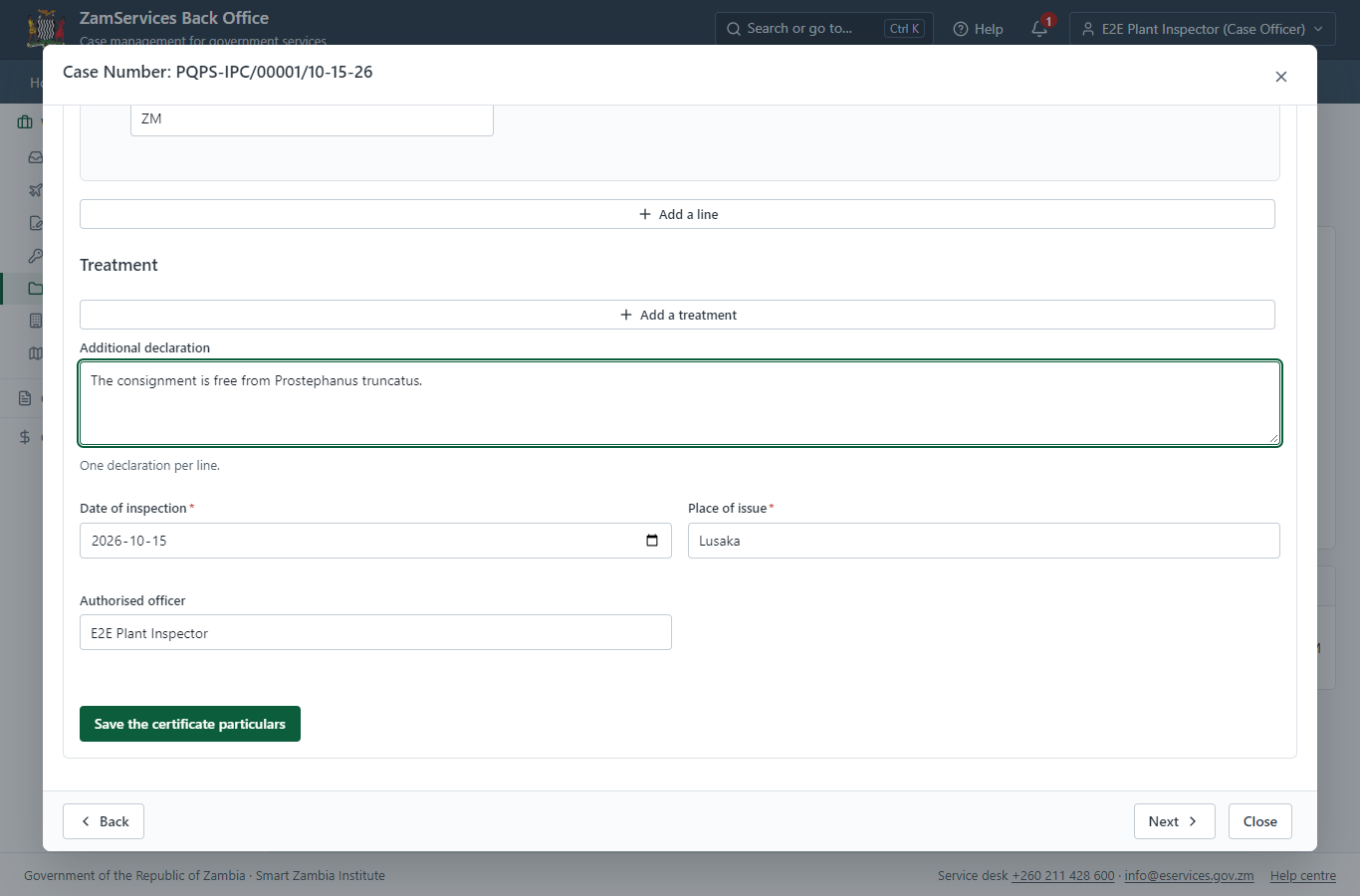
On the case's "Certificate particulars" tab (plant-health module) the officer checks the draft taken from the application - exporter, importer, importing country, conveyance, the consignment line with its IPPC codes - and adds the inspection date, the place of issue, the authorised officer and the additional declaration. Until they are complete the server refuses the decision.
Step 13. Review LP, Draft GS-2 & e-Sign
Executive · Back office (done through its case API in the test run: no screenshot)
The Executive decides: approve ("Review LP, Draft GS-2 & e-Sign"). The case moves from "EX Decision" to "Completed".
Step 14. Send the certificate as an ePhyto
Supervisor · Back office
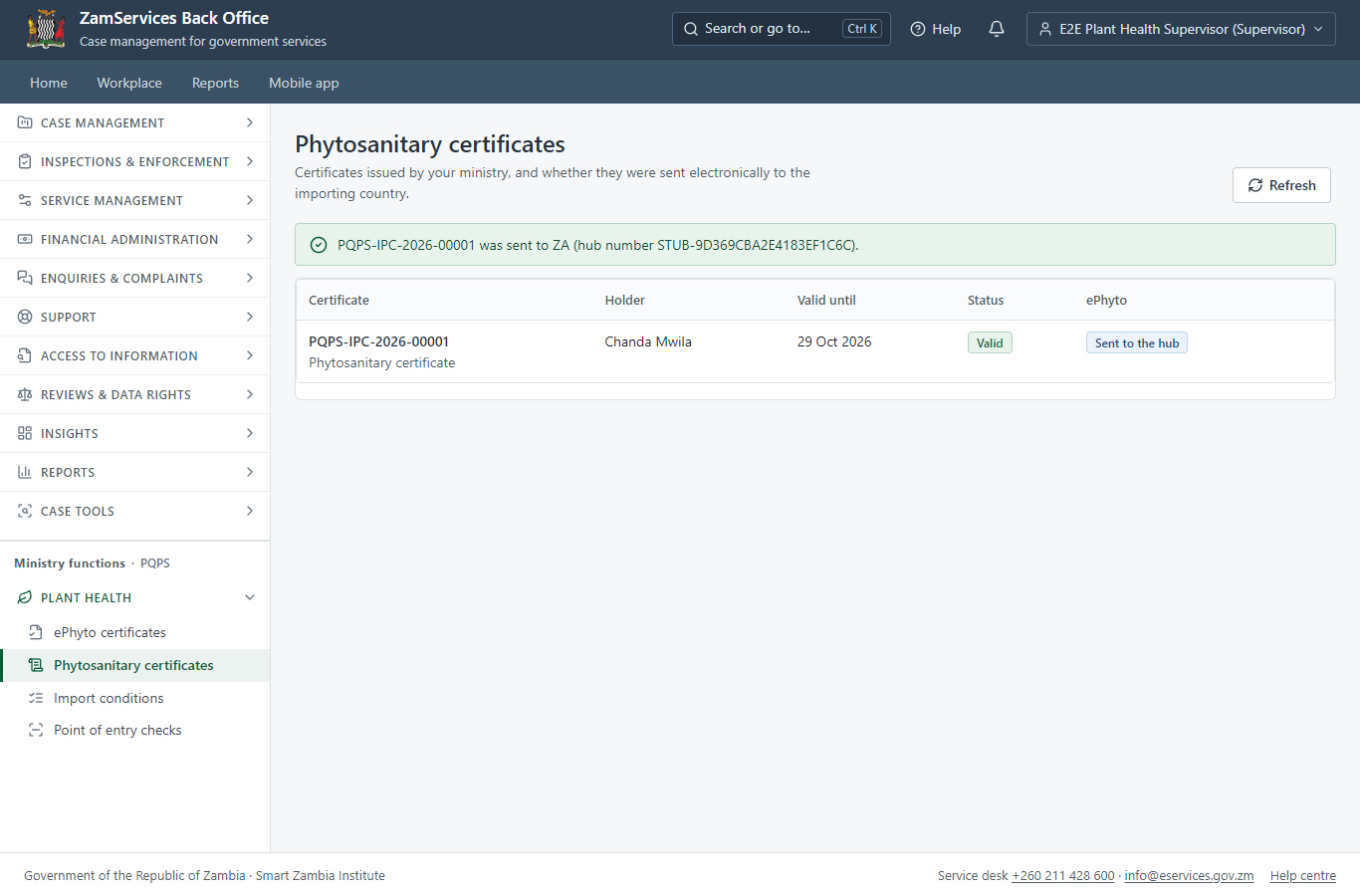
Ministry functions, Plant health, Phytosanitary certificates: the supervisor sends the issued certificate to the importing country's plant protection organisation through the IPPC ePhyto hub. In this run the hub connector is in training (stub) mode - nothing leaves the system - until the hub issues the platform its credential.
Step 15. Receive an ePhyto at the point of entry
Case Officer · Back office
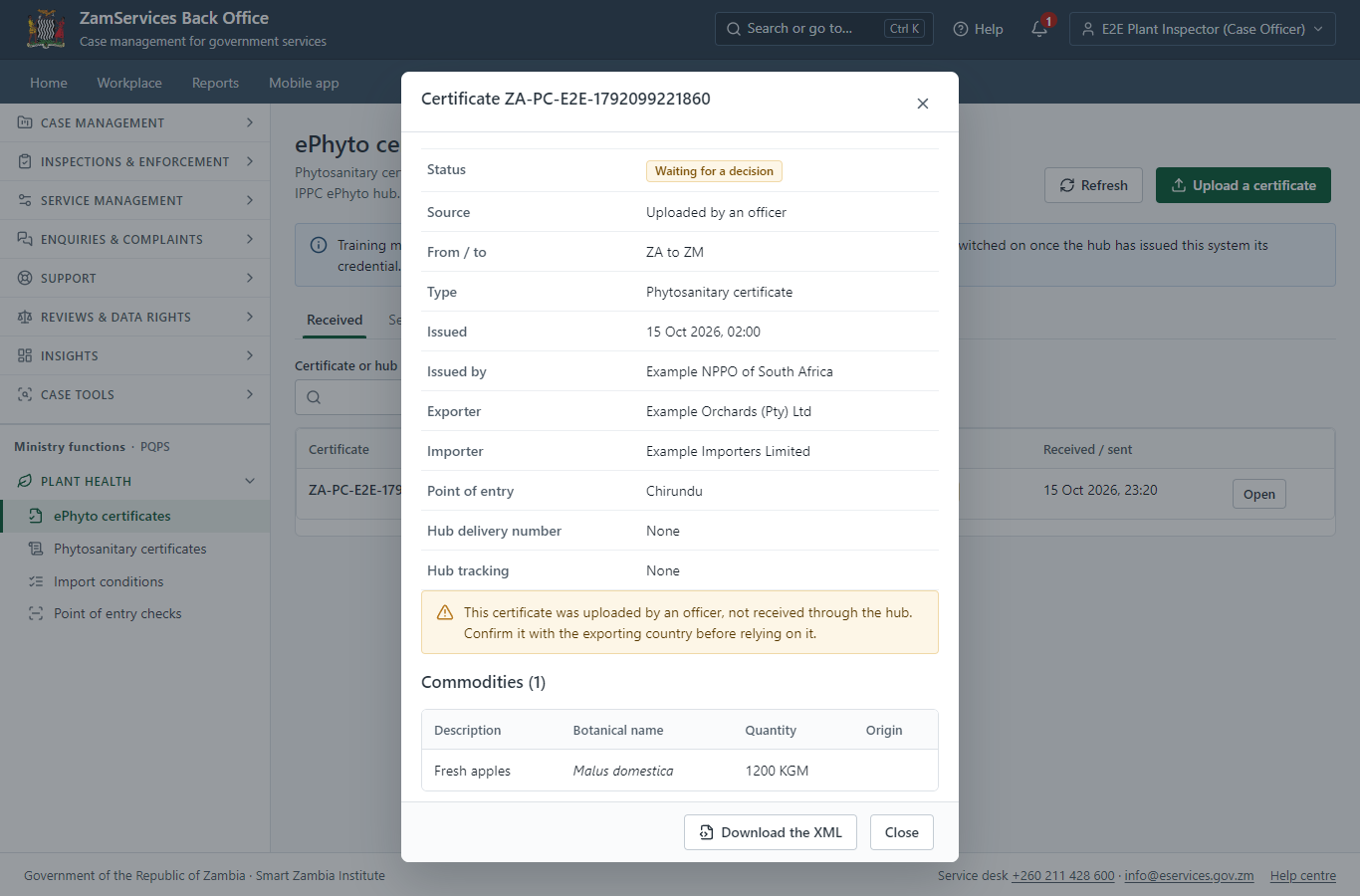
Ministry functions, Plant health, ePhyto certificates: a certificate from another country (here uploaded by the officer; with the live hub it arrives by itself) is read safely, checked against its envelope and listed with its commodities. The officer accepts the consignment (optionally drawing it on the importer's import permit) or rejects it with a reason.
Step 16. The certificate in My permits
Citizen · National e-Services portal
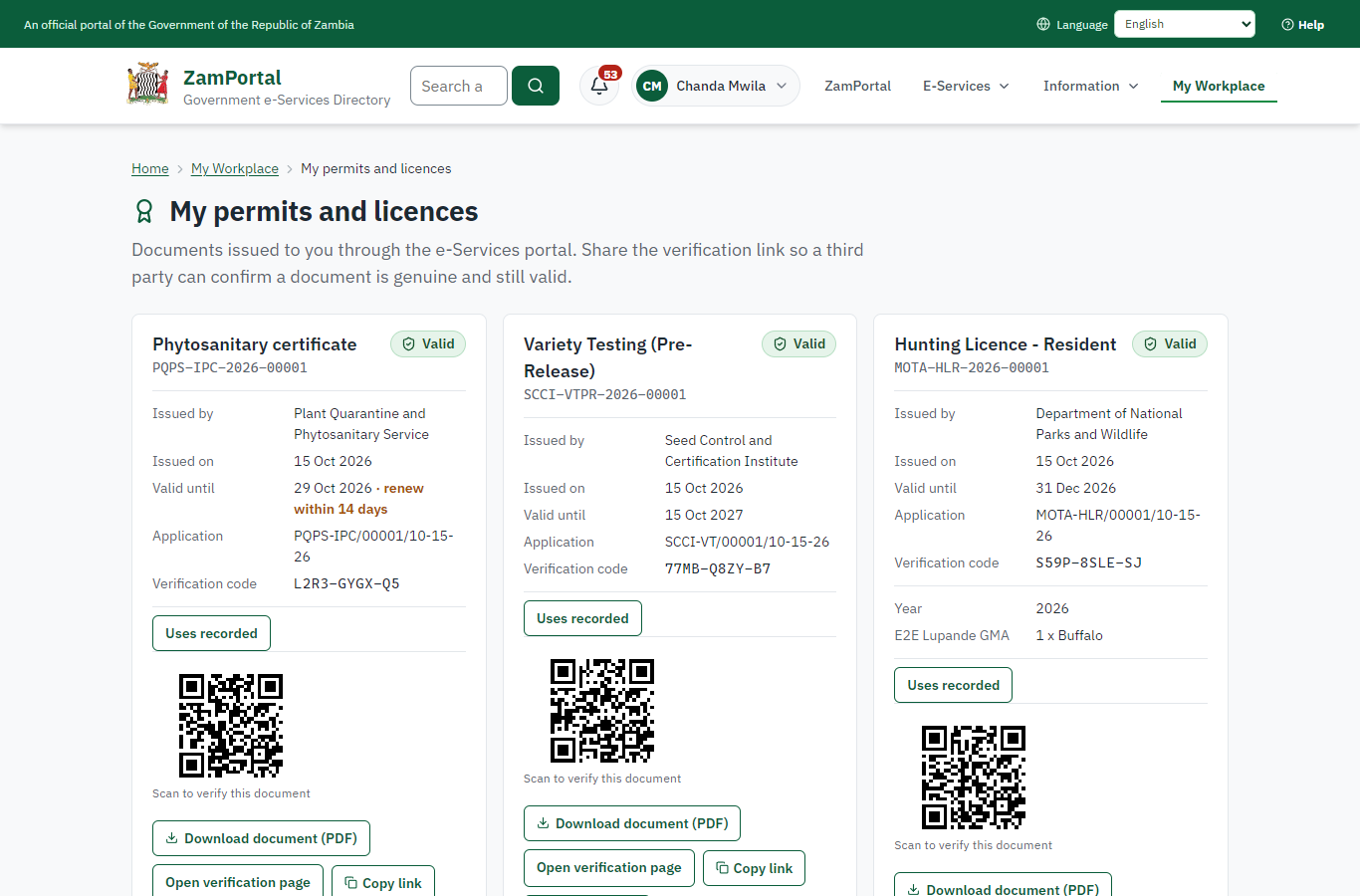
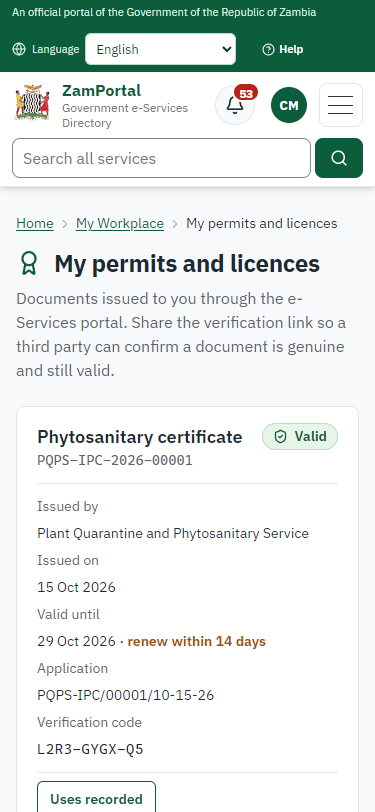
The phytosanitary certificate (PQPS-IPC-2026-00001 in this run) is in "My permits and licences" with its validity (14 days) and the sealed PDF.
Step 17. Verify the certificate
Anyone (public) · Public verification page
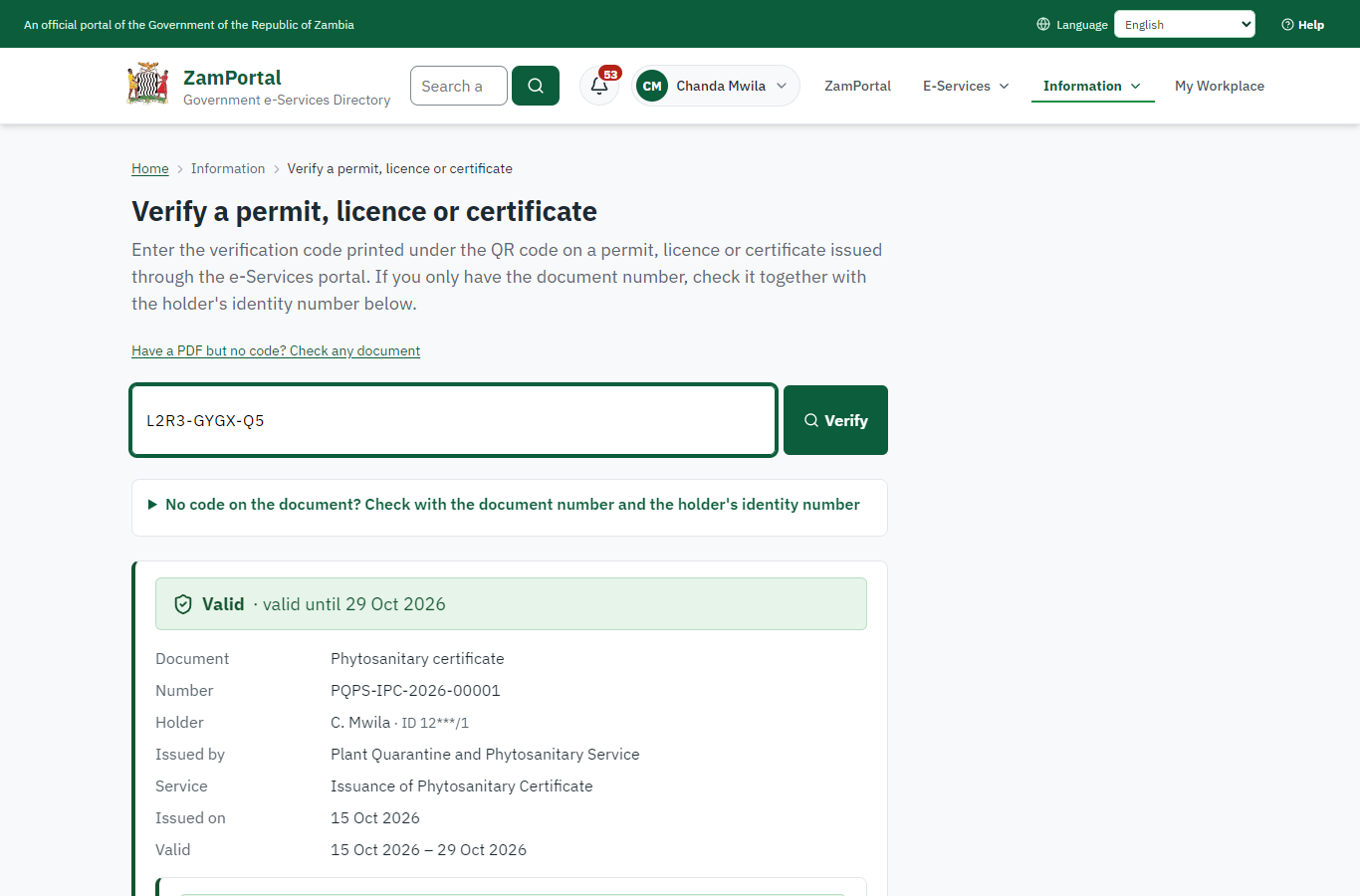
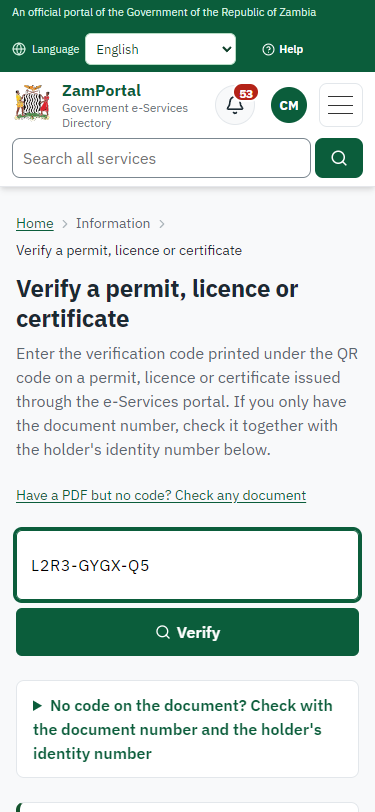
The QR code on the certificate opens the public verification page: genuine and current, to whom it was issued, and whether the electronic seal is valid. The importing country checks the ePhyto through the hub.
3. Payment
| Item | In the test run |
|---|---|
| Fee | ZMW 260.00: the inspection fee of the legacy service, from the imported fee schedule on the server |
| When it is paid | With the application (the invoice is raised when the application is submitted) |
| Invoice number | 2215280372083266 |
| Paid through | ZamPay (the ZamPay test double in this run) |
| Receipt number | 2215280372083266 |
On screen: step 9 (Pay the inspection fee) in section 2.
4. Output documents
Phytosanitary certificate (sealed PDF)
Issued when the executive approves the application, from the platform's certificate (the legacy service had no certificate template of its own: input.md, lane phyto). The particulars completed by the inspector are on the case and in the ePhyto sent to the importing country; the PDF is sealed with the platform's electronic seal and verifies on the public page.
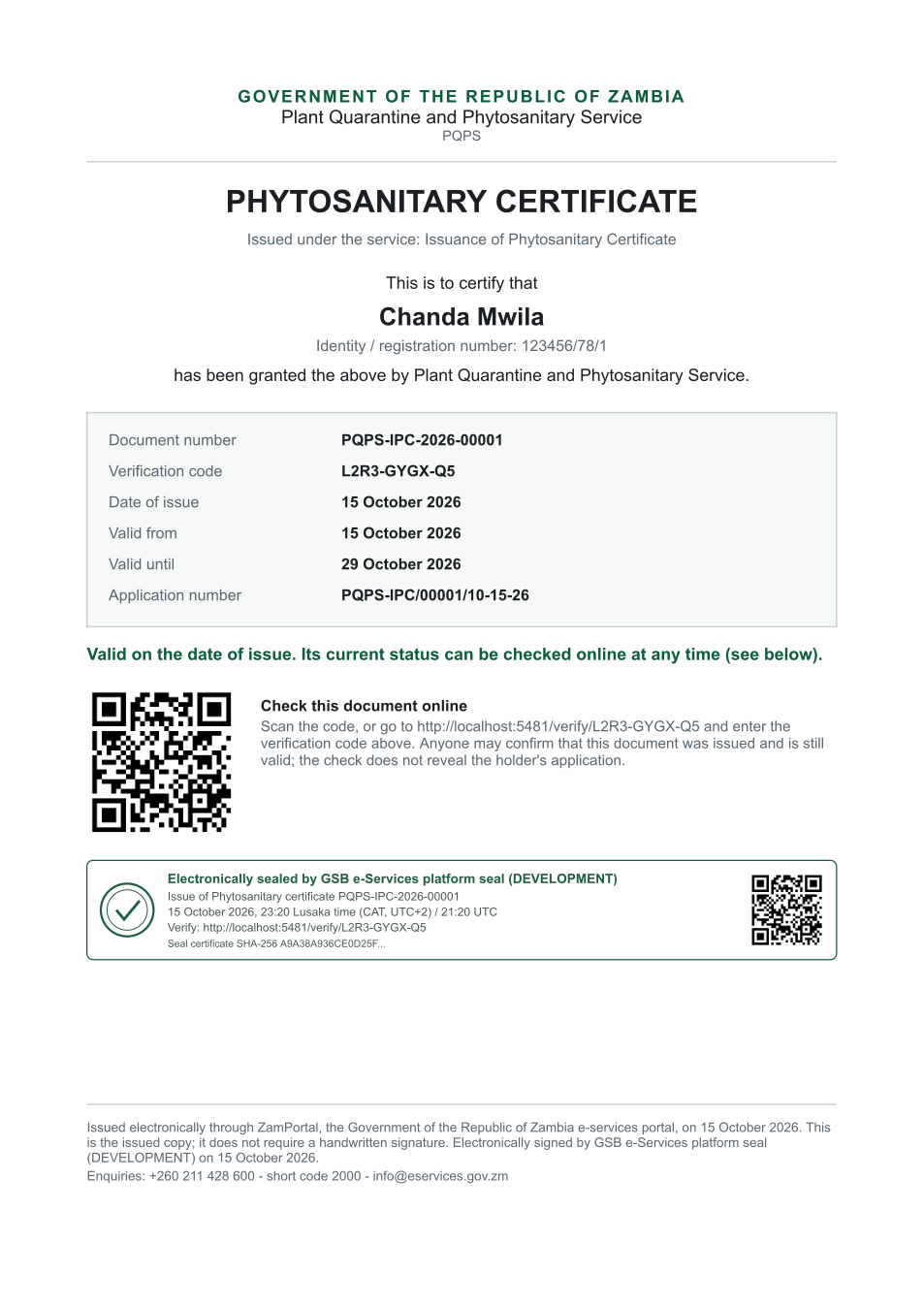
The issued PDF has 1 page; the image shows the first.
Fields
| Field | Value in the test run |
|---|---|
| Document title | Phytosanitary certificate |
| Permit / licence number | PQPS-IPC-2026-00001 |
| Holder | Chanda Mwila |
| Valid from | 2026-10-15 |
| Valid until | 2026-10-29 |
| Status | active |
| Verification code (printed with a QR code) | L2R3-GYGX-Q5 |
Seal
| Item | Detail |
|---|---|
| Seal status | sealed |
| Signature level | PAdES-B-T |
| Sealed by | the platform seal (development key in the test run) |
| Signed at | 2026-10-15T21:20:16.512Z |
| Trusted time-stamp | 2026-10-15T21:20:16.822Z (time-stamping authority) |
| Document fingerprint (SHA-256) | 23ccc1f2887af906... |
Verification
| Item | Detail |
|---|---|
| Where | The public verification page of the national portal, <portal>/verify/<verification code>, opened by scanning the QR code on the document. |
| What it shows | Whether the document is genuine and current, its holder and validity, and whether the electronic seal is valid and who sealed it. |
| Checking a copy | Anyone can upload a PDF they were given; the page says whether it is exactly the document that was issued. A changed copy is reported as not matching. |
On screen: step 16 (The certificate in My permits), step 17 (Verify the certificate) in section 2.
5. Notifications
| When | Channel | To | Message | Delivery |
|---|---|---|---|---|
| Payment due (invoice raised) | in-app (portal bell) | the applicant | Payment due for application PQPS-IPC/00001/10-15-26 - The fee of ZMW 260.00 for Issuance of Phytosanitary Certificate (PQPS-IPC/00001/10-15-26) is now due. Invoice 2215280372083266. | shown |
| Application received | in-app (portal bell) | the applicant | Application PQPS-IPC/00001/10-15-26 received - Your application PQPS-IPC/00001/10-15-26 for Issuance of Phytosanitary Certificate has been received by Plant Quarantine and Phytosanitary Service. | shown |
| Payment received | in-app (portal bell) | the applicant | Payment received for PQPS-IPC/00001/10-15-26 - Your payment of ZMW 260.00 for PQPS-IPC/00001/10-15-26 (Issuance of Phytosanitary Certificate) has been received. Receipt: <ZamPay>/pdf?documentType=receipt&invoiceNumber=2215280372083266 | shown |
| Licence / permit issued | in-app (portal bell) | the applicant | Your Issuance of Phytosanitary Certificate document has been issued - PQPS-IPC-2026-00001 has been issued for Issuance of Phytosanitary Certificate and is valid until 29/10/2026. | shown |
| Invitation to rate the service | in-app (portal bell) | the applicant | How was Issuance of Phytosanitary Certificate? - How was Issuance of Phytosanitary Certificate? Tell us in about a minute. | shown |
| Decision: approved | in-app (portal bell) | the applicant | Application PQPS-IPC/00001/10-15-26 completed - PQPS-IPC/00001/10-15-26 (Issuance of Phytosanitary Certificate) is complete. Your documents are ready. | shown |
| Payment due (invoice raised) | e2e.c***@example.test | Payment due for application PQPS-IPC/00001/10-15-26 | skipped | |
| Application received | e2e.c***@example.test | Application PQPS-IPC/00001/10-15-26 received | skipped | |
| Payment due (invoice raised) | sms | +260 97* *** 567 | Fee of ZMW 260.00 due for PQPS-IPC/00001/10-15-26. Invoice 2215280372083266. Pay: <ZamPay>/pay-for-service/get-invoice/2215280372083266 | delivered |
| Application received | sms | +260 97* *** 567 | Application PQPS-IPC/00001/10-15-26 for Issuance of Phytosanitary Certificate has been received. Track it: <portal>/my-workplace | delivered |
| Payment received | sms | +260 97* *** 567 | delivered | |
| Invitation to rate the service | sms | +260 97* *** 567 | skipped | |
| Licence / permit issued | e2e.c***@example.test | Your Issuance of Phytosanitary Certificate document has been issued | skipped | |
| Invitation to rate the service | e2e.c***@example.test | How was Issuance of Phytosanitary Certificate? | skipped | |
| Licence / permit issued | sms | +260 97* *** 567 | delivered | |
| Decision: approved | sms | +260 97* *** 567 | delivered | |
| Decision: approved | e2e.c***@example.test | Application PQPS-IPC/00001/10-15-26 completed | skipped |
Delivery: shown = in the portal's notification bell; delivered = the SMS gateway (a test double in this run) reported the text delivered; skipped = not sent on that channel (e-mail is not configured on the test installation, and some notices go out on one channel only); sent by the national portal = a ministry node handed the notice to the national portal, which texts and e-mails the citizen under its own name and the citizen's preferences. Addresses written <portal>, <ZamPay> stand for the national portal and ZamPay.
6. Legacy mapping
| Item | Detail |
|---|---|
| Legacy system | ZambiaPQPS (ZIGS satellite back office) |
| Legacy service | ZIGS 339, Issuance of Phytosanitary Certificate |
| ePhyto | legacy PQPS Ephyto-* workflows through ZamConnect /t/pqps/hub/*; here the plant-health module's hub connector |
7. Version and date
| Item | Detail |
|---|---|
| Document version | service v1, platform 9e8768d3 |
| Generated | 2026-10-15T21:20:27Z (by the end-to-end run, not edited by hand) |
| Service version | not versioned (configured directly) |
| Platform snapshot | backend 9e8768d3 portal b47ff71 back office 548d2d6 |
| Test suite | e2e ca5e2ed; one installation (combined); seed profile mihud |
| Journeys | 21-phytosanitary-certificate.spec.js: citizen applies: the consignment, the produce from the HS-code list, the documents - passed 21-phytosanitary-certificate.spec.js: citizen pays the inspection fee with ZamPay - passed 21-phytosanitary-certificate.spec.js: officer: inspection steps; the decision is refused until the certificate particulars are complete - passed 21-phytosanitary-certificate.spec.js: executive decides: the phytosanitary certificate is issued - passed 21-phytosanitary-certificate.spec.js: supervisor sends it to the importing country as an ePhyto - passed 21-phytosanitary-certificate.spec.js: officer at the point of entry: an ePhyto received from another country is accepted - passed 21-phytosanitary-certificate.spec.js: the citizen has the sealed certificate; it verifies on the public page - passed |
| Result | 7 of 7 journey tests passed |
| Data | Synthetic test data on a local test installation; provider test doubles for ZamPass, ZamPay, SMS and signing. |