
Application for Authorization - Mergers
| Form | Workflow | Outputs | E2E test | Docs |
|---|---|---|---|---|
| Passed | Passed | Passed | Passed | Passed |
- End-to-end test
- 5/5 passed 2026-10-17 (mihud, combined)
- Documentation
- 13 steps, 10 images · Download the DOCX
- Who can apply
- Organization, Individual
- Catalogue ID
- 300
Fees
| Fee | Case | Amount (ZMW) |
|---|---|---|
| Application for Authorization - Mergers Fee | New | 0 |
Required documents
- National Registration Card (NRC) (New)
- Company Registration details that show the Shareholders and the Directors (New)
- Annual Reports and strategic plans (New)
- Latest Audited books of Accounts to check the Annual Turnover or Assets (New)
- Board Minutes and resolutions (New)
- Motive for the transaction, if not in the strategic plan (New)
- Letter of Power of Attorney where applicable (New)
- A Copy of Agreement or other documents relating to the transaction (New)
- Other Industry or study reports that support the transaction (New)
- Current organogram(s) of the parties operating in Zambia showing full staff and indicating their nationalities/positions (New)
- Proposed Staffing levels and positions post transaction indicating their nationalities/positions (New)
- List of Company Directors and Shareholders indicating their nationalities/positions (New)
Output documents
- Notice of Action (notice-of-action)
- Application form (application)
- Certificate (certificate)
Test evidence
Application for Authorization - Mergers
Service documentation · Republic of Zambia · GSB e-Services
| Owner | Competition and Consumer Protection Commission |
| Service key | CCPC/merger-authorisation |
| Version | service v1, platform 306adc9e |
| Date | 2026-10-17 |
Generated automatically by the service's end-to-end test run. Every screenshot shows synthetic test data on a local test installation, never real personal data.
This document describes the Application for Authorization - Mergers service of Competition and Consumer Protection Commission as the platform runs it today. It is generated by the service's end-to-end test: every step below was performed by the test, and every screenshot was taken during that run with synthetic data. Regenerate it with npm run docs:services in the e2e suite; do not edit it by hand.
1. Service summary
| Item | Detail |
|---|---|
| Service | Application for Authorization - Mergers |
| Owner (MDA) | Competition and Consumer Protection Commission (CCPC) |
| Purpose | Service offered to merging parties pursuant to Section 26 as read together with Section 24 of the Competition and Consumer Protection Act No. 24 of 2010 as amended by Act No. 21 of 2023. It is a mandatory requirement that all merging parties seek authorization for their proposed transactions if such transactions meet the required conditions as set out in the Act and SI No.97 of 2011. |
| Who can apply | Organization; Individual |
| How to apply | Online on the national e-Services portal, signed in with ZamPass; pay with ZamPay. |
| Fees | Application for Authorization - Mergers Fee: ZMW 0.00 |
| Turnaround | 90 – 120 days |
| Validity of the output | Valid for that particular transaction |
| Required documents | National Registration Card (NRC) (required) Company Registration details that show the Shareholders and the Directors (required) Annual Reports and strategic plans (required) Latest Audited books of Accounts to check the Annual Turnover or Assets (required) Board Minutes and resolutions (required) Motive for the transaction, if not in the strategic plan (required) Letter of Power of Attorney where applicable (optional) A Copy of Agreement or other documents relating to the transaction (required) Other Industry or study reports that support the transaction (optional) Current organogram(s) of the parties operating in Zambia showing full staff and indicating their nationalities/positions (required) Proposed Staffing levels and positions post transaction indicating their nationalities/positions (required) List of Company Directors and Shareholders indicating their nationalities/positions (required) |
| Output documents | Notice of Action Application form Application for Authorization - Mergers |
| Legal basis | Competition and Consumer Protection Act No. 24 of 2010 as amended by Act No. 21 of 2023 (https://www.ccpc.org.zm/media/policy/CCPC-ACT-2010.pdf) SI. No.97 of 2011 (https://www.ccpc.org.zm/media/guide/Guidelines-For-Merger-Regulations.pdf) |
2. Application process, step by step
The process as configured in the back office:
| Step | Role | Task | Type |
|---|---|---|---|
| 1 | Applicant | Apply | form |
| 2 | Case Officer | Review | review |
| 3 | Case Officer | Review | review |
| 4 | Case Officer | Generate Payment | generate-payment |
| 5 | Applicant | Payment | payment |
| 6 | Case Officer | Verify Payment | verify-payment |
| 7 | Supervisor | Review | review |
| 8 | Executive | Decision | decision |
| 9 | System | Generate Document | generate-document |
| 10 | System | Notify Client | notify |
Who takes part in this journey: Citizen, Case Officer, Accountant (finance), Supervisor, Executive.
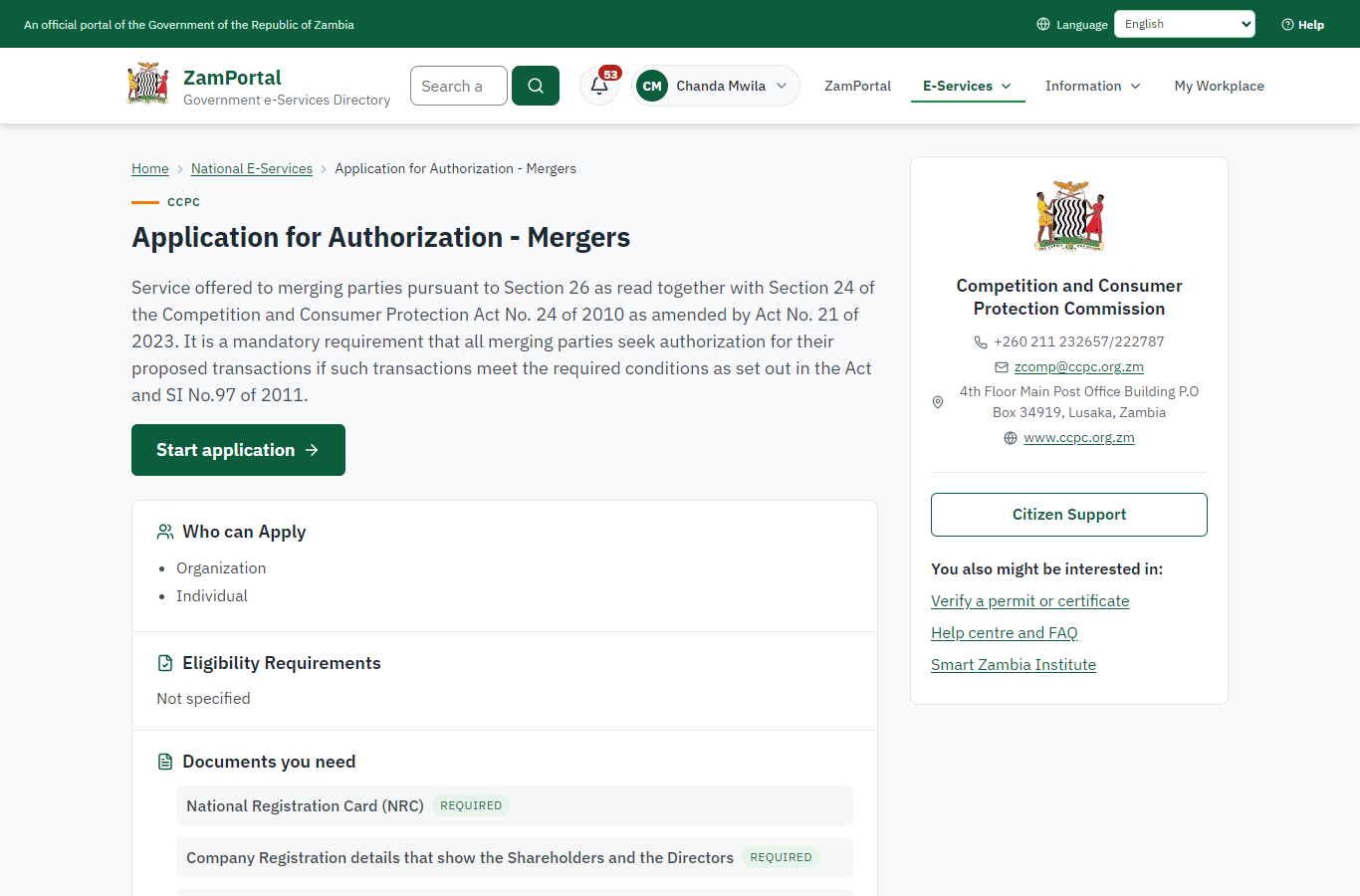
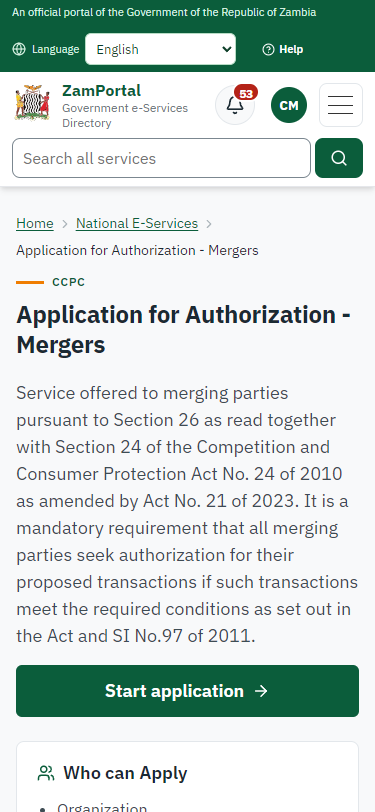
Step 1. Find the service and read its page
Citizen · National e-Services portal
The citizen finds "Application for Authorization - Mergers" in the national directory and opens its page: the Commission, the fees, the documents to have ready (company registration details, annual reports, the merger agreement).
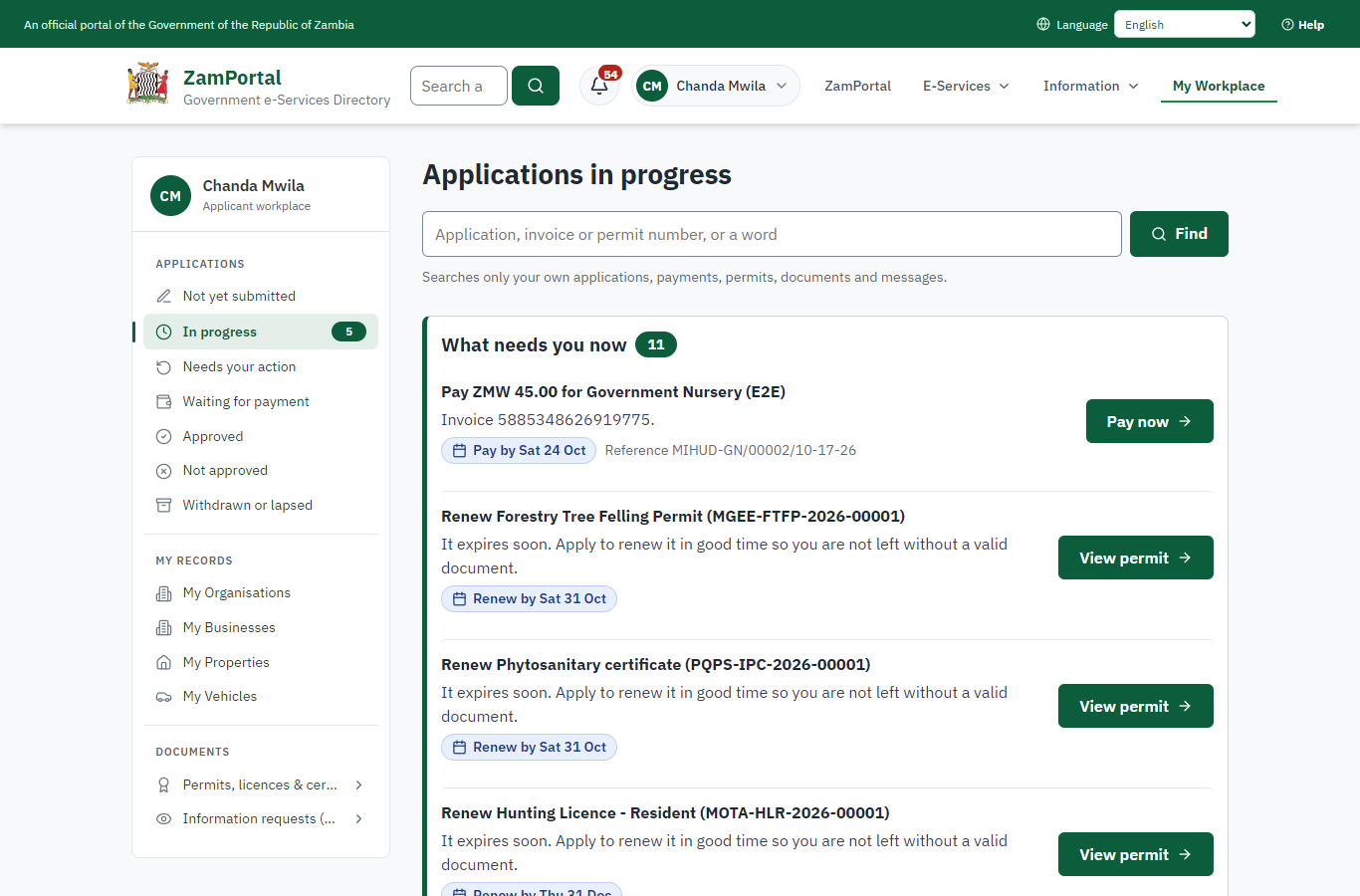
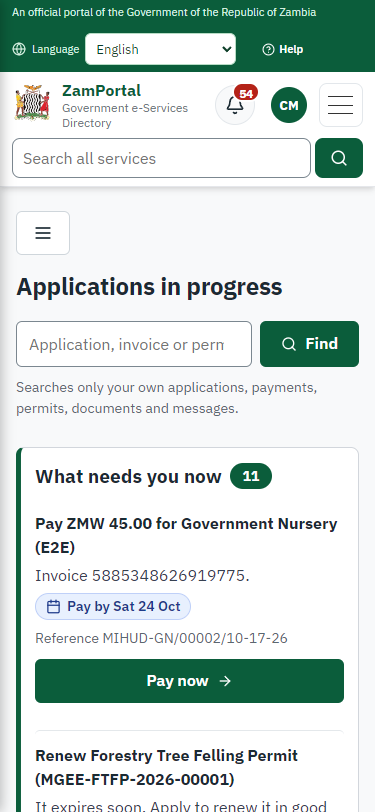
Step 2. Application sent
Citizen · National e-Services portal
The application (CCPC-AAM/00001/10-17-26 in this run) is in My Workplace. The parties named in the form are recorded for the Commission: names only, no identity numbers.
Step 3. Take the application on
Case Officer · Back office (done through its case API in the test run: no screenshot)
The Case Officer takes the new application on (assigned to them). The case moves from "Submitted" to "CO Review".
Step 4. Record the merging parties' audited figures
Case Officer · Back office
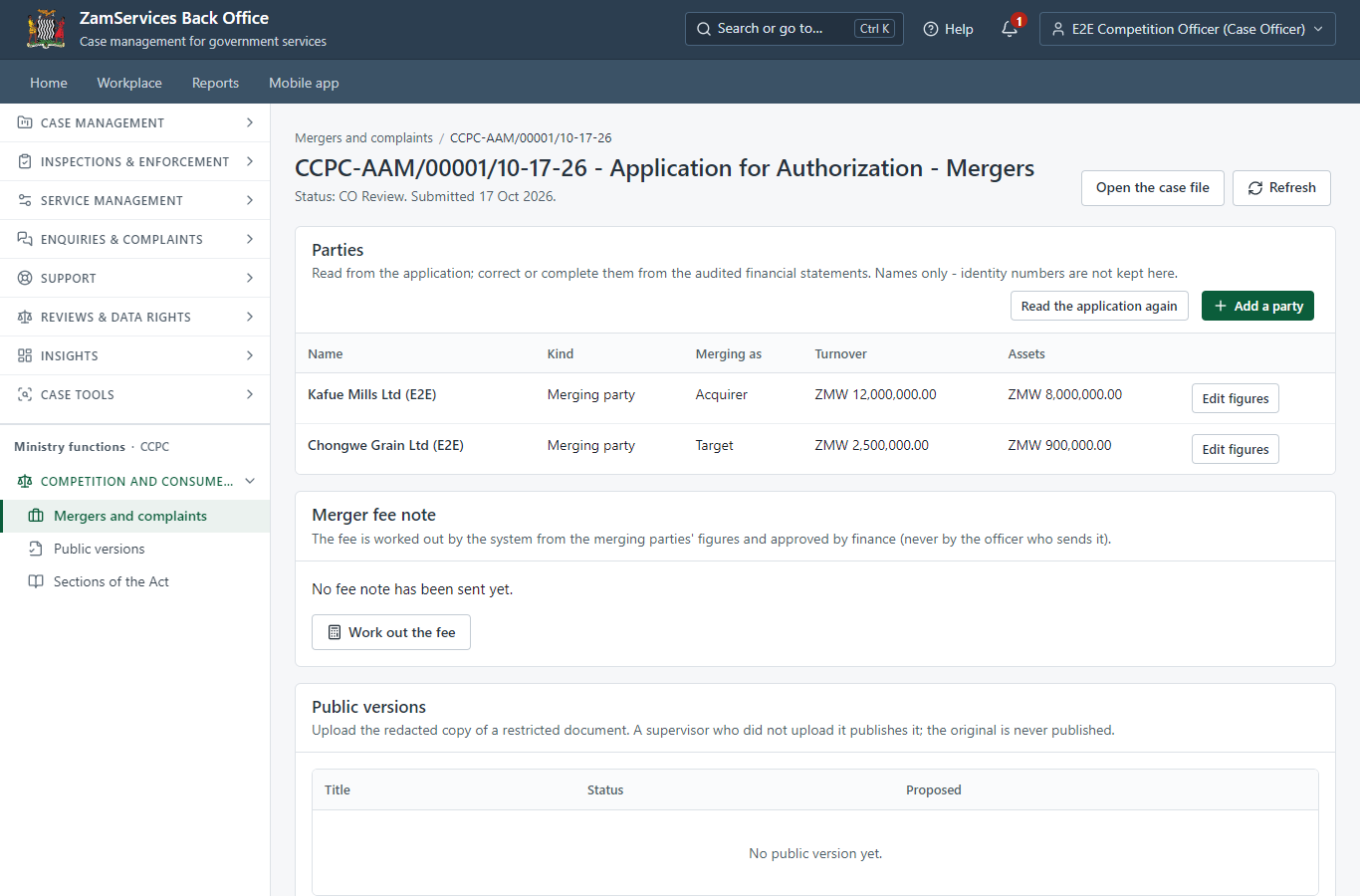
Ministry functions -> Competition and consumer protection -> Mergers and complaints -> the case. The officer records each merging party's annual turnover and value of assets from the audited financial statements (legacy "Review Audited Financial Reports"). These figures are the fee basis.
Step 5. Work the fee out and send the fee note to finance
Case Officer · Back office
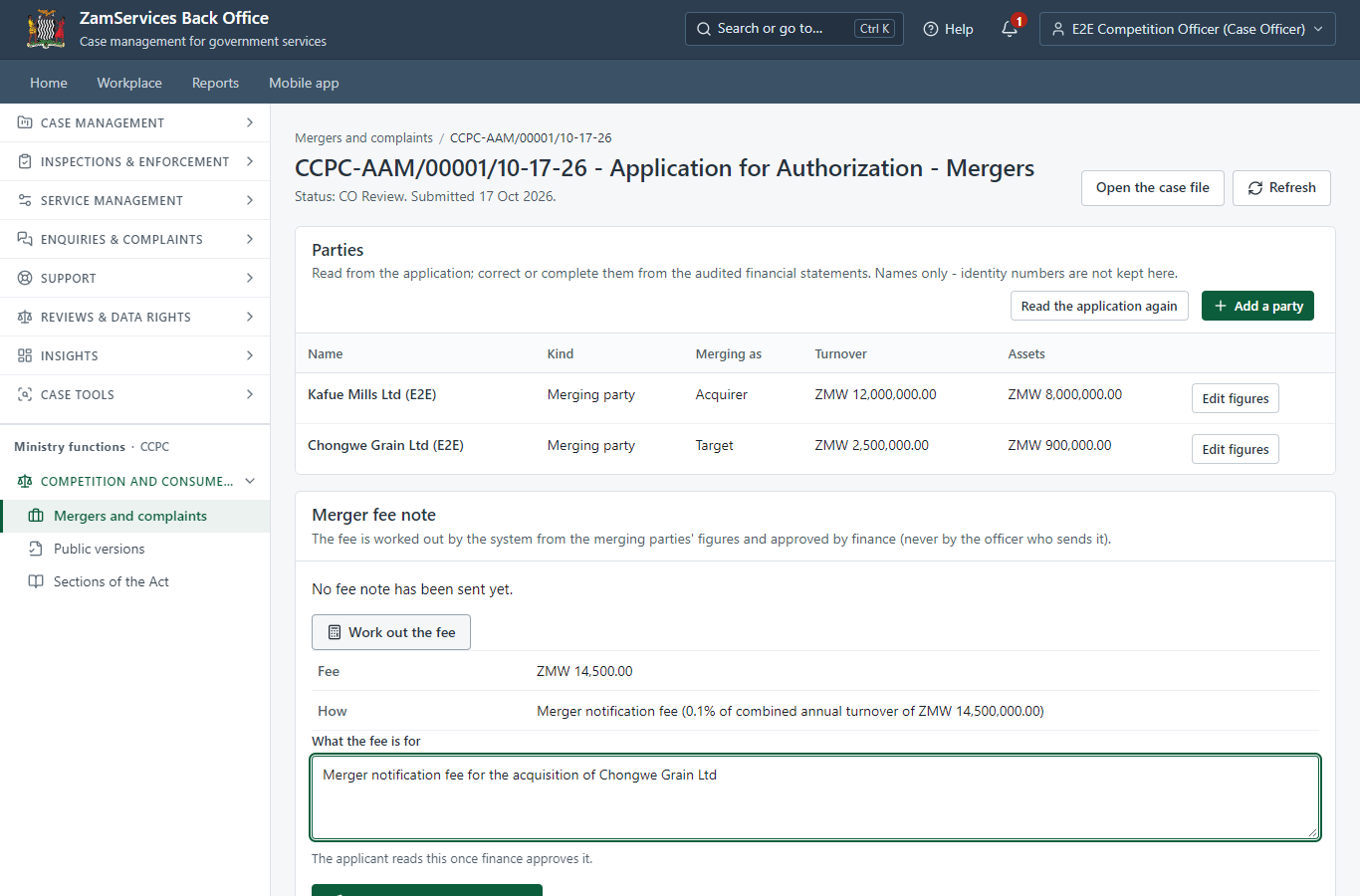
The system works the fee out from the recorded figures: 0.1 % of the higher of the combined annual turnover (ZMW 14,500,000) and the combined assets (ZMW 8,900,000), within the minimum and maximum - ZMW 14,500.00. The officer cannot type another amount. "Send the fee note to finance" sends it for approval.
Step 6. Approve the fee note
Accountant (finance) · Back office (done through its case API in the test run: no screenshot)
Finance (the Accountant of the Commission) reads how the fee was worked out and approves it. The officer who sent it cannot approve it; if a merging party's figures changed after the fee was worked out, the approval is refused.
Step 7. Review Audited Financial Reports, Send Fee Note
Case Officer · Back office (done through its case API in the test run: no screenshot)
The Case Officer completes "Review Audited Financial Reports, Send Fee Note". The case moves from "CO Review" to "CO Generate Payment".
Step 8. Invoice the approved fee note
Case Officer · Back office (done through its case API in the test run: no screenshot)
The Case Officer completes "Invoice the approved fee note". The case moves from "CO Generate Payment" to "AP Payment".
Step 9. The approved fee is due
Citizen · National e-Services portal
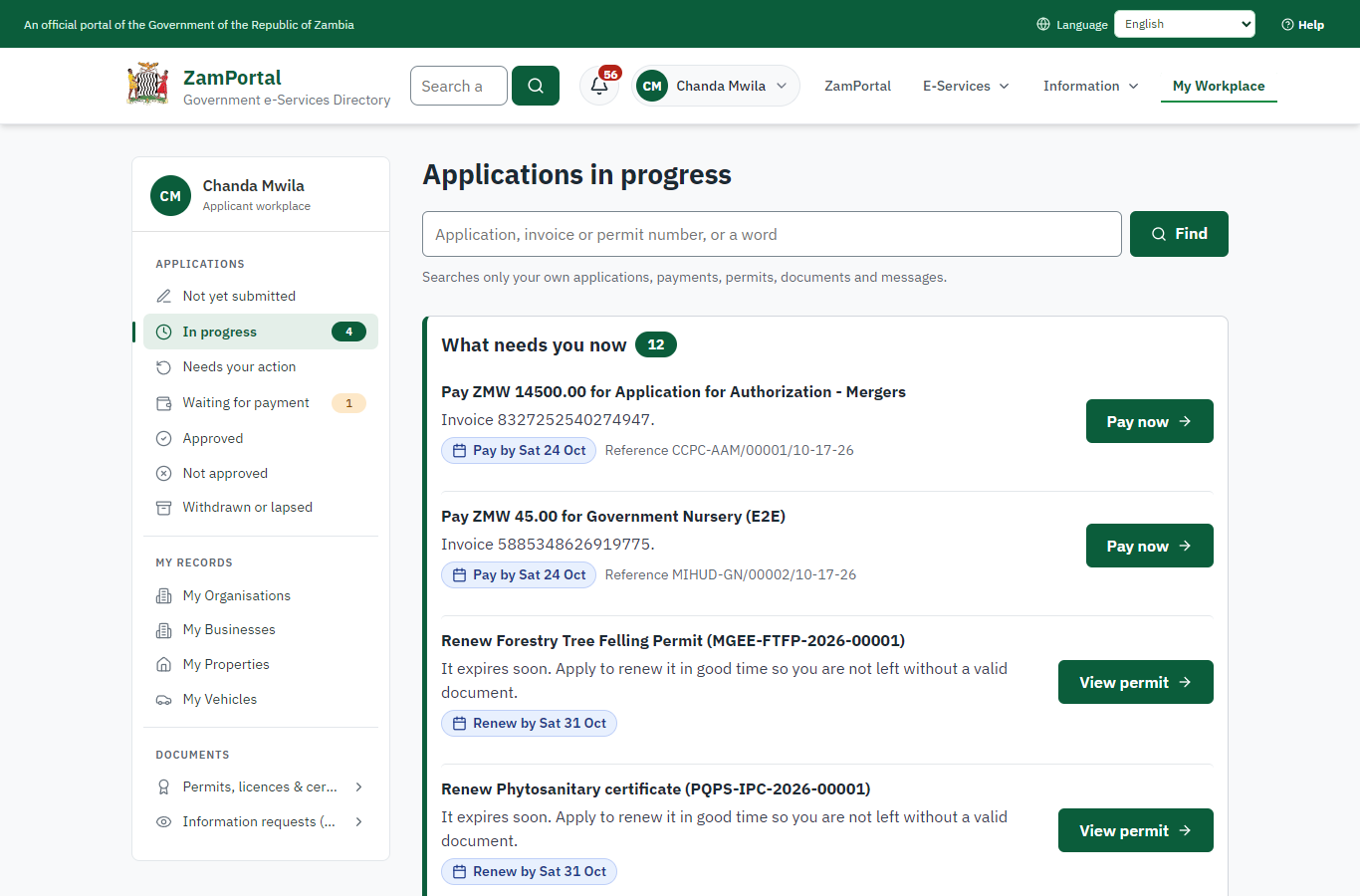
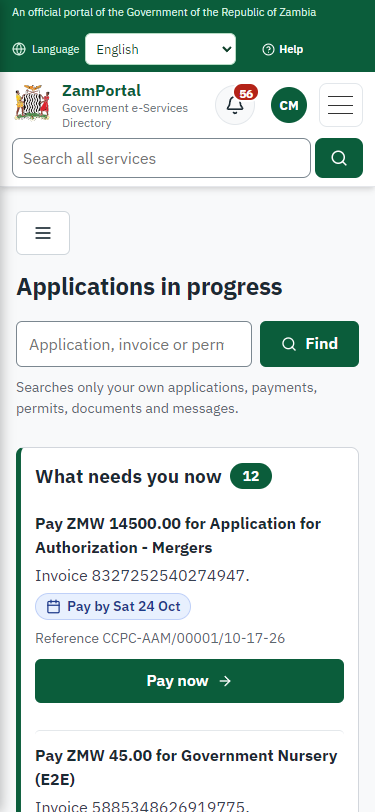
The application waits for the citizen's payment of the approved fee (ZMW 14,500.00) in My Workplace, with a Pay button (ZamPay: mobile money or bank card).
Step 10. Verify Payment Completion
Case Officer · Back office (done through its case API in the test run: no screenshot)
The Case Officer completes "Verify Payment Completion". The case moves from "CO Verify Payment" to "SV Review".
Step 11. Review, Add Comments, Send for Decision
Supervisor · Back office (done through its case API in the test run: no screenshot)
The Supervisor completes "Review, Add Comments, Send for Decision". The case moves from "SV Review" to "EX Decision".
Step 12. Review Case, e-Sign output
Executive · Back office (done through its case API in the test run: no screenshot)
The Executive decides: approve ("Review Case, e-Sign output"). The case moves from "EX Decision" to "Completed".
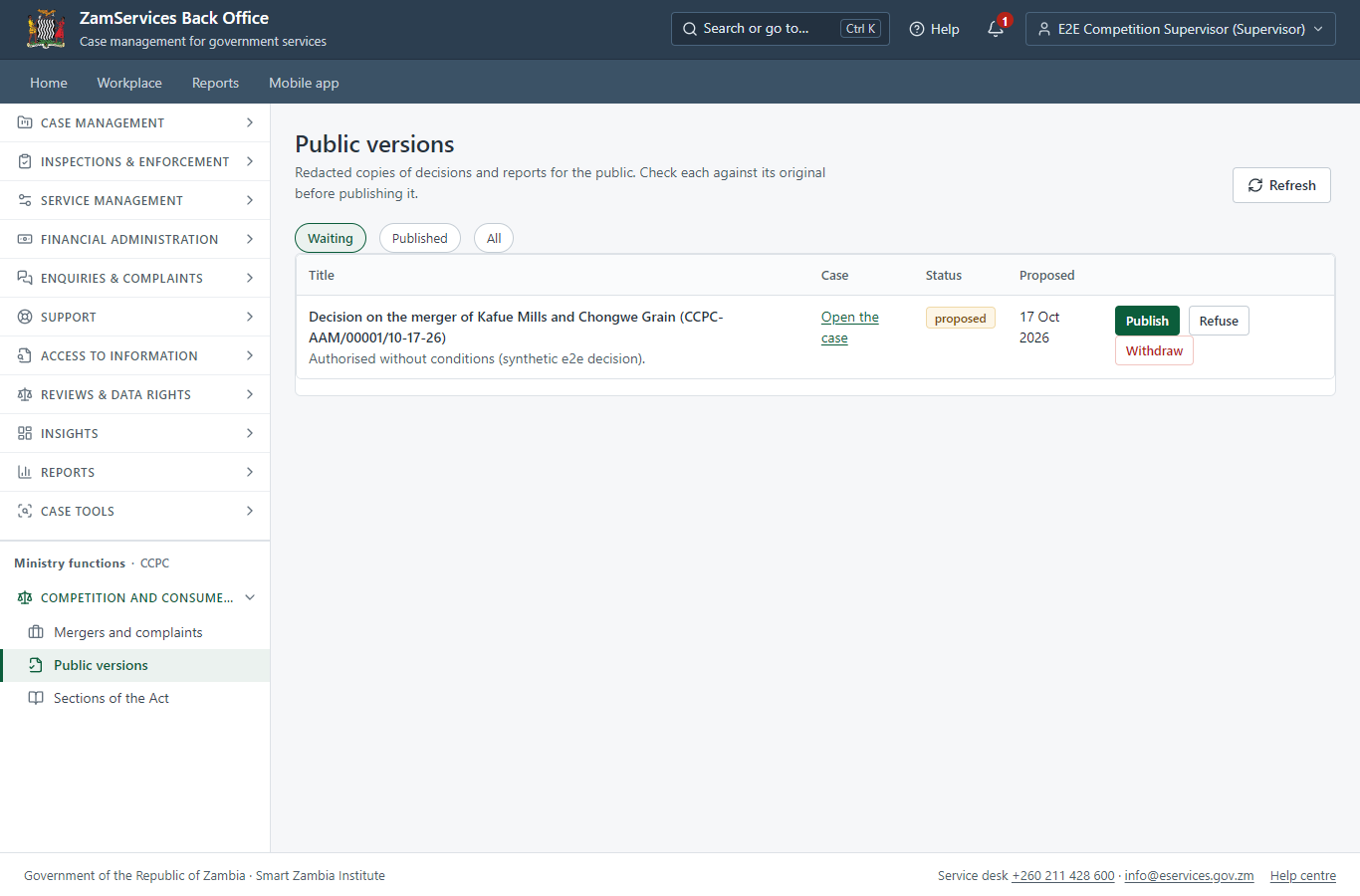
Step 13. Publish the public version of the decision
Supervisor · Back office
Ministry functions -> Competition and consumer protection -> Public versions. The officer uploaded the redacted copy of the decision (the original is refused); a supervisor who did not upload it checks it and publishes it. It can be withdrawn at once.
3. Payment
| Item | In the test run |
|---|---|
| Fee | ZMW 14,500.00: 0.1 % of the higher of the merging parties' combined annual turnover and combined assets (settings of the competition module; maximum ZMW 5,000,000), worked out by the system from the audited figures the officer recorded |
| Approval | A fee note approved by finance (the Accountant), never by the officer who sent it |
| When it is paid | After review, once finance approved the fee note (legacy "Review & Send Fee Note", "Fee Note Approval") |
| Invoice number | 8327252540274947 |
| Paid through | ZamPay (the ZamPay test double in this run) |
On screen: step 5 (Work the fee out and send the fee note to finance), step 6 (Approve the fee note), step 9 (The approved fee is due) in section 2.
4. Output documents
Application for Authorization - Mergers (sealed PDF)
The authorisation issued when the Executive decides, sealed with the platform's electronic seal; it verifies on the public page.
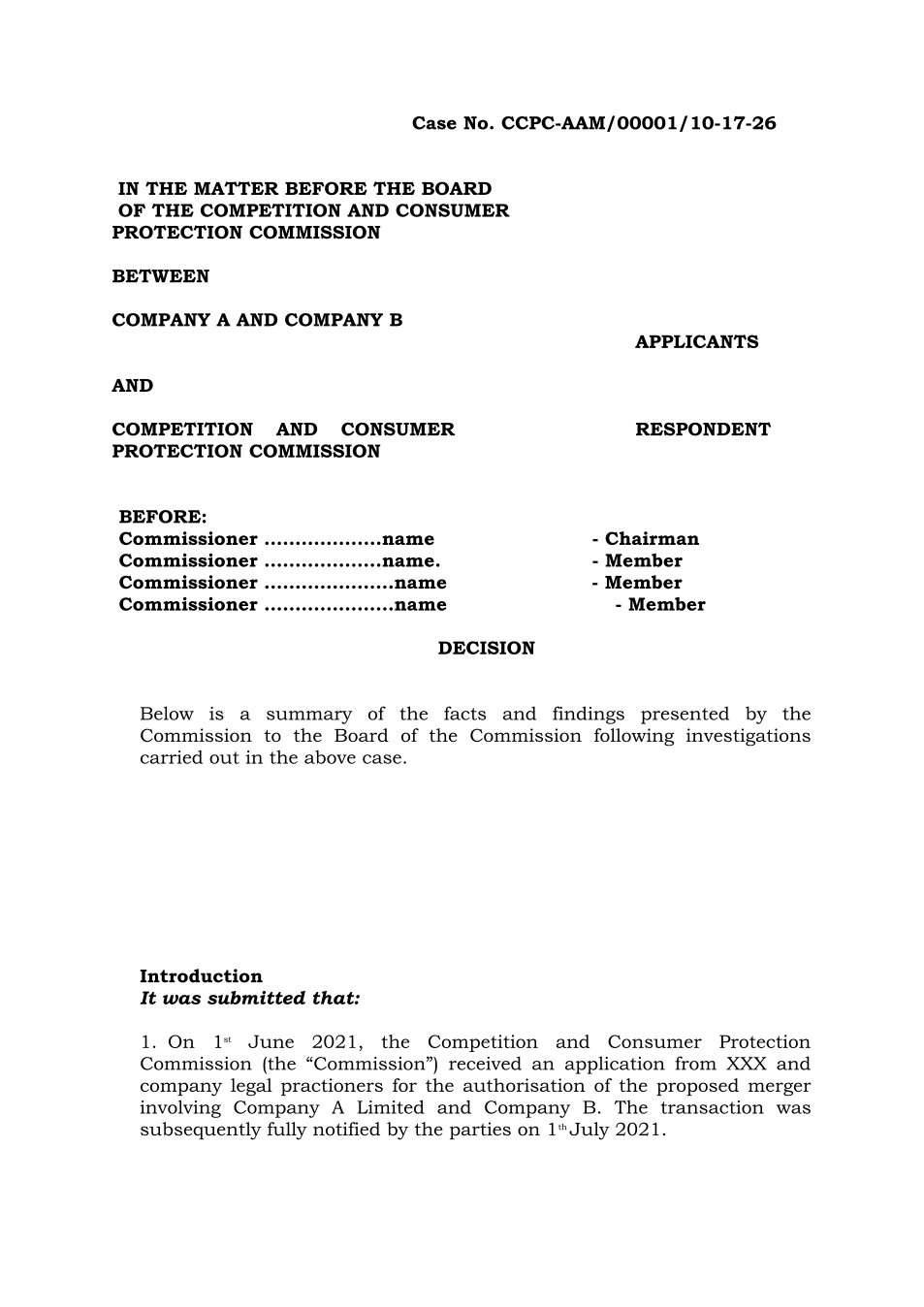
The issued PDF has 6 pages; the image shows the first.
Fields
| Field | Value in the test run |
|---|---|
| Document title | Application for Authorization - Mergers |
| Permit / licence number | CCPC-AAM-2026-00001 |
| Holder | Chanda Mwila |
| Valid from | 2026-10-17 |
| Valid until | |
| Status | active |
| Verification code (printed with a QR code) | FZZB-6BM6-ZX |
Seal
| Item | Detail |
|---|---|
| Seal status | sealed |
| Signature level | PAdES-B-T |
| Sealed by | the platform seal (development key in the test run) |
| Signed at | 2026-10-17T07:37:33.376Z |
| Trusted time-stamp | 2026-10-17T07:37:33.366Z (time-stamping authority) |
| Document fingerprint (SHA-256) | 6797383792aed233... |
Verification
| Item | Detail |
|---|---|
| Where | The public verification page of the national portal, <portal>/verify/<verification code>, opened by scanning the QR code on the document. |
| What it shows | Whether the document is genuine and current, its holder and validity, and whether the electronic seal is valid and who sealed it. |
| Checking a copy | Anyone can upload a PDF they were given; the page says whether it is exactly the document that was issued. A changed copy is reported as not matching. |
On screen: step 13 (Publish the public version of the decision) in section 2.
5. Notifications
| When | Channel | To | Message | Delivery |
|---|---|---|---|---|
| Application received | in-app (portal bell) | the applicant | Application CCPC-AAM/00001/10-17-26 received - Your application CCPC-AAM/00001/10-17-26 for Application for Authorization - Mergers has been received by Competition and Consumer Protection Commission. | shown |
| Status changed | in-app (portal bell) | the applicant | Update on application CCPC-AAM/00001/10-17-26 - CCPC-AAM/00001/10-17-26 (Application for Authorization - Mergers) is now: With the office - being reviewed. | shown |
| fee.approval_requested | in-app (portal bell) | the applicant | Fee to approve on CCPC-AAM/00001/10-17-26 - Hello E2E Competition Accountant, E2E Competition Officer proposed a fee of ZMW 14500.00 on case CCPC-AAM/00001/10-17-26 (Application for Authorization - Mergers). Approve or refuse it in the back office: <back office>/finance/fee-approvals | shown |
| fee.decided | in-app (portal bell) | the applicant | Fee on CCPC-AAM/00001/10-17-26 approved - Hello E2E Competition Officer, the fee of ZMW 14500.00 you proposed on case CCPC-AAM/00001/10-17-26 (Application for Authorization - Mergers) was approved. Note: Checked against the audited statements (e2e) Open the case: <back office>/cases/ff092997-7f18-4e4e-9283-0112550c53ce | shown |
| Payment due (invoice raised) | in-app (portal bell) | the applicant | Payment due for application CCPC-AAM/00001/10-17-26 - The fee of ZMW 14500.00 for Application for Authorization - Mergers (CCPC-AAM/00001/10-17-26) is now due. Invoice 8327252540274947. | shown |
| Payment received | in-app (portal bell) | the applicant | Payment received for CCPC-AAM/00001/10-17-26 - Your payment of ZMW 14500.00 for CCPC-AAM/00001/10-17-26 (Application for Authorization - Mergers) has been received. Receipt: <ZamPay>/pdf?documentType=receipt&invoiceNumber=8327252540274947 | shown |
| Licence / permit issued | in-app (portal bell) | the applicant | Your Application for Authorization - Mergers document has been issued - CCPC-AAM-2026-00001 has been issued for Application for Authorization - Mergers. | shown |
| Invitation to rate the service | in-app (portal bell) | the applicant | How was Application for Authorization - Mergers? - How was Application for Authorization - Mergers? Tell us in about a minute. | shown |
| Decision: approved | in-app (portal bell) | the applicant | Application CCPC-AAM/00001/10-17-26 completed - CCPC-AAM/00001/10-17-26 (Application for Authorization - Mergers) is complete. Your documents are ready. | shown |
| Application received | e2e.c***@example.test | Application CCPC-AAM/00001/10-17-26 received | skipped | |
| Application received | sms | +260 97* *** 567 | Application CCPC-AAM/00001/10-17-26 for Application for Authorization - Mergers has been received. Track it: <portal>/my-workplace | delivered |
| Status changed | sms | +260 97* *** 567 | delivered | |
| fee.approval_requested | e2e.c***@example.test | Fee to approve on CCPC-AAM/00001/10-17-26 | skipped | |
| fee.decided | e2e.c***@example.test | Fee on CCPC-AAM/00001/10-17-26 approved | skipped | |
| Payment due (invoice raised) | sms | +260 97* *** 567 | Fee of ZMW 14500.00 due for CCPC-AAM/00001/10-17-26. Invoice 8327252540274947. Pay: <ZamPay>/pay-for-service/get-invoice/8327252540274947 | delivered |
| Payment due (invoice raised) | e2e.c***@example.test | Payment due for application CCPC-AAM/00001/10-17-26 | skipped | |
| Payment received | sms | +260 97* *** 567 | delivered | |
| Invitation to rate the service | sms | +260 97* *** 567 | skipped | |
| Invitation to rate the service | e2e.c***@example.test | How was Application for Authorization - Mergers? | skipped | |
| Licence / permit issued | e2e.c***@example.test | Your Application for Authorization - Mergers document has been issued | skipped | |
| Decision: approved | e2e.c***@example.test | Application CCPC-AAM/00001/10-17-26 completed | skipped | |
| Licence / permit issued | sms | +260 97* *** 567 | delivered | |
| Decision: approved | sms | +260 97* *** 567 | delivered |
Delivery: shown = in the portal's notification bell; delivered = the SMS gateway (a test double in this run) reported the text delivered; skipped = not sent on that channel (e-mail is not configured on the test installation, and some notices go out on one channel only); sent by the national portal = a ministry node handed the notice to the national portal, which texts and e-mails the citizen under its own name and the citizen's preferences. Addresses written <portal>, <ZamPay> stand for the national portal and ZamPay.
6. Legacy mapping
| Item | Detail |
|---|---|
| Replaces | Application for Authorization - Mergers in the legacy ZIGS e-Services directory (ZIGS_Services) |
| Legacy service id | 300 |
| Legacy provider | Competition and Consumer Protection Commission (CCPC) under Ministry of Commerce, Trade and Industry |
| Legacy process | not recorded |
| Fee in the legacy system | Application for Authorization - Mergers Fee: ZMW 0 (New) |
| Fee taken before submission | yes (as in ZIGS) |
| Time to issue (legacy) | New: 120 working days |
| Legacy output templates | Notice of Action: ZIGS_Forms_Notices / GS-2.NoticeOfAction Application form: ZIGS_Forms_CCPC / CCPC_FormI.Application Application for Authorization - Mergers: ZIGS_Forms_CCPC / CCPC_BoardDecisionReportMerger |
| Legacy address | none recorded |
| How it was brought over | Imported by the platform's legacy catalogue importer (zcm-backend scripts/zigs/importLegacy.js) from the ZIGS snapshot: form, case types, fees, documents, process and output templates, then served by the new platform. |
7. Version and date
| Item | Detail |
|---|---|
| Document version | service v1, platform 306adc9e |
| Generated | 2026-10-17T07:37:34Z (by the end-to-end run, not edited by hand) |
| Service version | not versioned (configured directly) |
| Platform snapshot | backend 306adc9e portal 58dcdd6 back office 72d5902 |
| Test suite | e2e 9e64a04; one installation (combined); seed profile mihud |
| Journeys | 22-competition-merger.spec.js: citizen: finds the service and applies, naming the merging parties - passed 22-competition-merger.spec.js: officers take it on; the officer records the audited figures and sends the fee note - passed 22-competition-merger.spec.js: finance approves the fee note; the officer invoices it; the citizen pays - passed 22-competition-merger.spec.js: officers verify the payment and decide; the authorisation is issued - passed 22-competition-merger.spec.js: the public version of the decision: uploaded by the officer, published by a supervisor, listed for anyone - passed |
| Result | 5 of 5 journey tests passed |
| Data | Synthetic test data on a local test installation; provider test doubles for ZamPass, ZamPay, SMS and signing. |