
Market Ablution Fees
| Form | Workflow | Outputs | E2E test | Docs |
|---|---|---|---|---|
| Passed | Passed | Passed | Passed | Passed |
- End-to-end test
- 3/3 passed 2026-10-21 (mihud, combined)
- Documentation
- 8 steps, 14 images · Download the DOCX
- Catalogue ID
- 607
Output documents
- GS-1 Application for a Government Service (application)
- GS-2 Notice of Government Action (notice-of-action)
Test evidence
Market Ablution Fees
Service documentation · Republic of Zambia · GSB e-Services
| Owner | Department of Local Government |
| Service key | LGD/market-ablution-fees |
| Version | service v1, platform 8787cde1 |
| Date | 2026-10-21 |
Generated automatically by the service's end-to-end test run. Every screenshot shows synthetic test data on a local test installation, never real personal data.
This document describes the Market Ablution Fees service of Department of Local Government as the platform runs it today. It is generated by the service's end-to-end test: every step below was performed by the test, and every screenshot was taken during that run with synthetic data. Regenerate it with npm run docs:services in the e2e suite; do not edit it by hand.
1. Service summary
| Item | Detail |
|---|---|
| Service | Market Ablution Fees |
| Owner (MDA) | Department of Local Government (LGD) |
| Purpose | To pay the Market Ablution Fee, please scan the QR code displayed at the facility |
| Who can apply | Anyone using the facility. |
| How to apply | At the place itself: scan the QR code of the payment point with a phone; the national e-Services portal shows the charge and the payer pays with ZamPay (mobile money or card). No sign-in, no application, no name. |
| Fees | Not set in the service configuration. |
| Turnaround | QR code based service |
| Validity of the output | Not applicable |
| Required documents | None |
| Output documents | GS-1 Application for a Government Service GS-2 Notice of Government Action |
2. Application process, step by step
The process as configured in the back office:
| Step | Role | Task | Type |
|---|---|---|---|
| 1 | Applicant | Apply | form |
| 2 | Applicant | Payment | payment |
| 3 | System | Generate Document | generate-document |
| 4 | System | Notify Client | notify |
Who takes part in this journey: Executive, Supervisor, Citizen, Anyone (public).
Step 1. The council offers the service
Executive · Back office
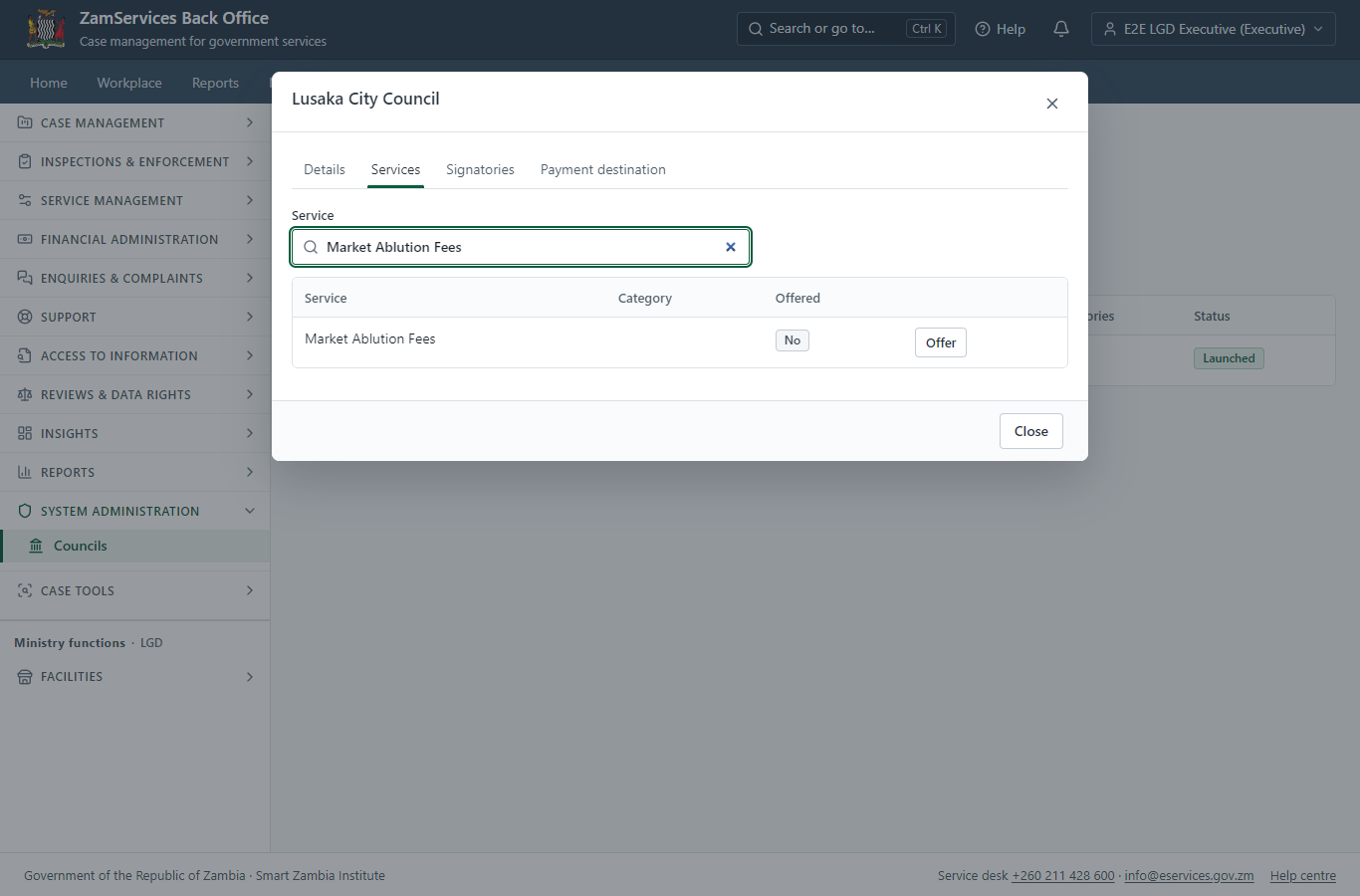
System administration -> Councils -> Lusaka City Council -> Services: the council's executive switches "Market Ablution Fees" on for the council ("Offer"). A payment point sells only what its site's council offers; switching the service off again stops every point of the council at once. The change is audited.
Step 2. Add a pay-at-point code
Supervisor · Back office
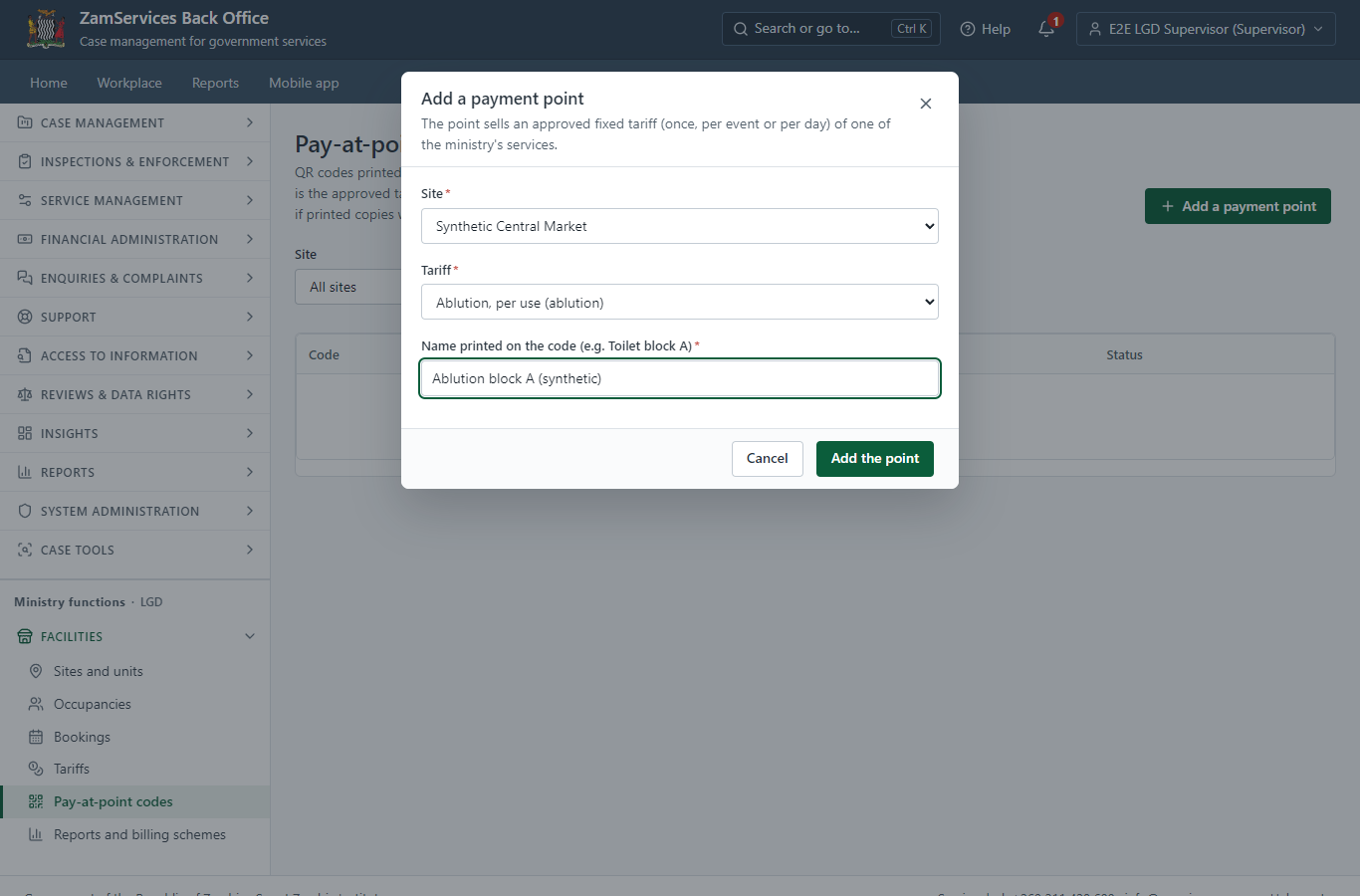
In Ministry functions -> Facilities -> Pay-at-point codes the supervisor adds a payment point for the site (Synthetic Central Market) and the service's approved tariff (Ablution, per use, K2.00). The QR code printed for it carries a random token, never an amount: the price is read from the approved tariff every time someone pays.
Step 3. Print the QR codes
Supervisor · Back office (done through its case API in the test run: no screenshot)
"Print sheet" on the same screen gives an A4 PDF with one QR code per active payment point of the site, each with its name, the site and the price, and the words "Scan to pay with your phone". The office prints it and fixes each code at its point. A code can be switched off, or renewed (every printed copy of the old one stops working) - both with a reason, kept in the audit trail.
Step 4. Scan the code: what is paid
Citizen · National e-Services portal
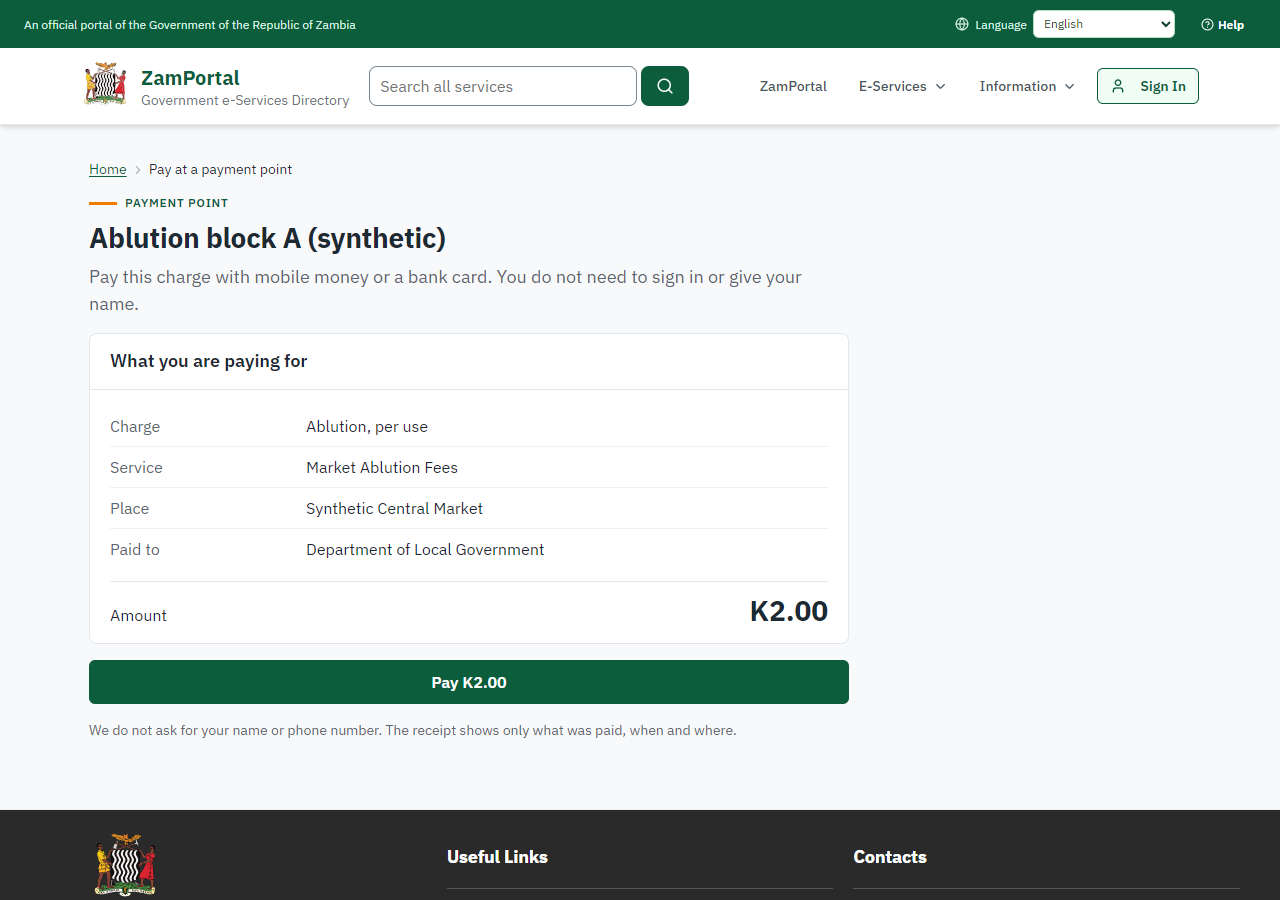
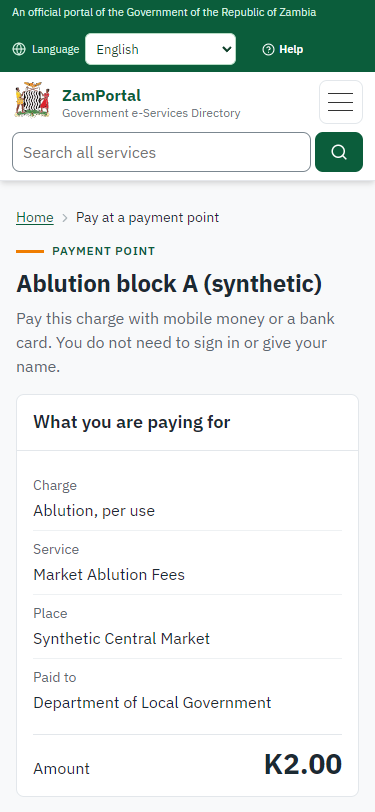
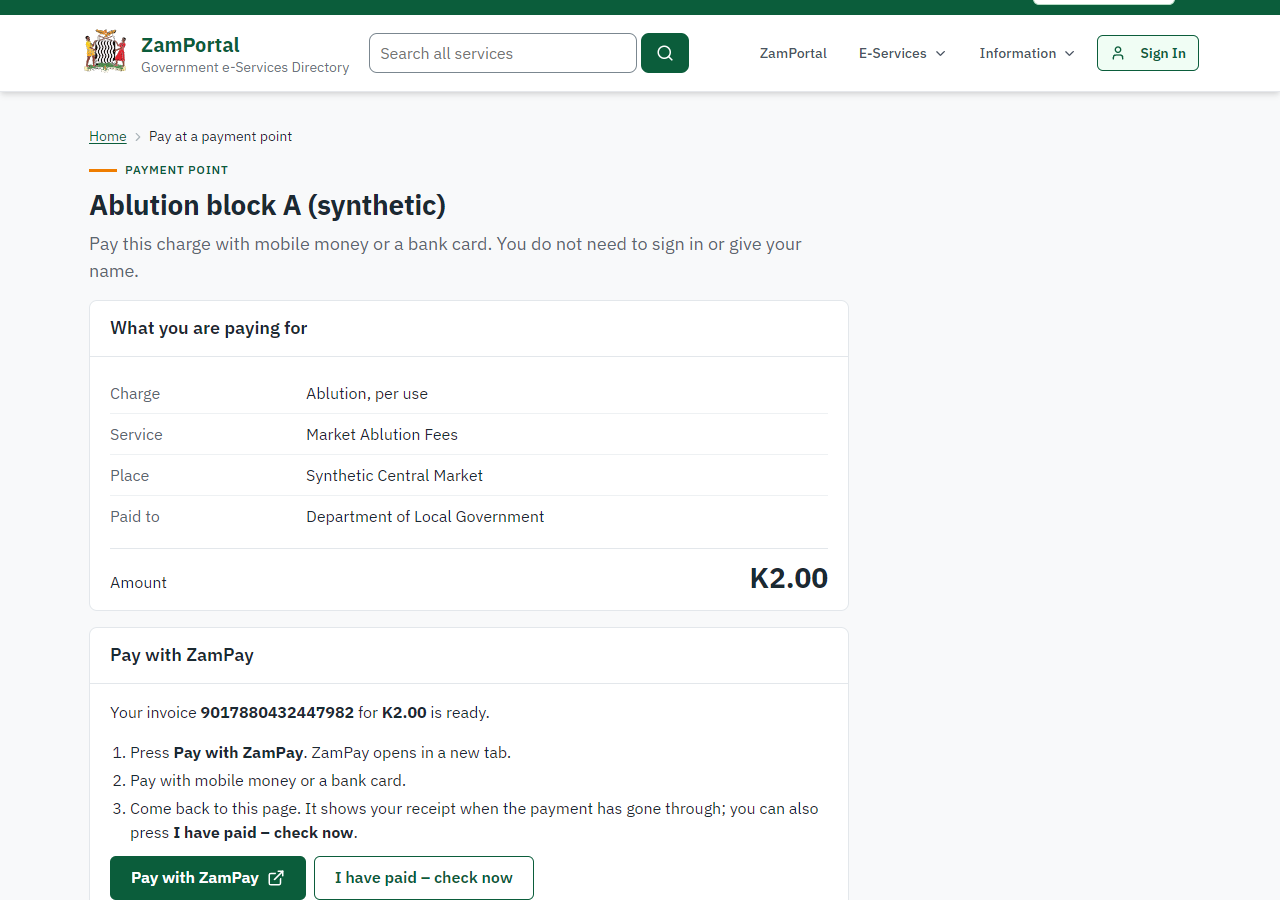
The QR code opens the portal's pay-at-point page (<portal>/pay/<token>; the token only names the point). It shows what is paid and the price the server works out from the approved tariff: Ablution, per use at Synthetic Central Market, K2.00, and who is paid. Nobody signs in and nobody is asked for a name or a number.
Step 5. Pay: the ticket invoice
Citizen · National e-Services portal
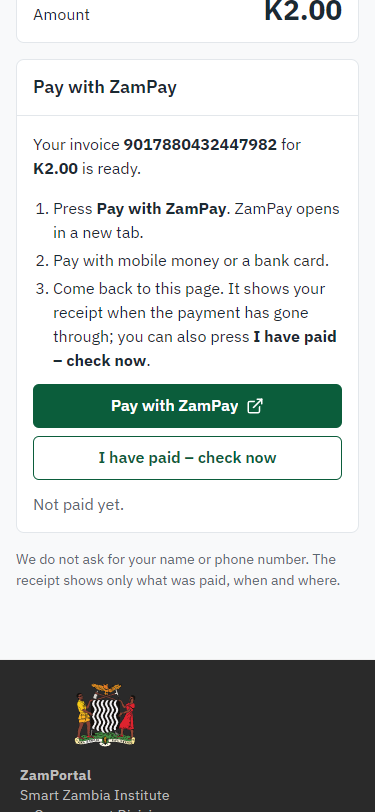
Pay raises a ZamPay invoice for this browser at the server's price (K2.00; the page sends no amount). Pressing Pay again, or reloading, hands out the same invoice while it is open, so nobody is charged twice. "Pay with ZamPay" opens ZamPay in a new tab.
Step 6. Pay at ZamPay
Citizen · National e-Services portal
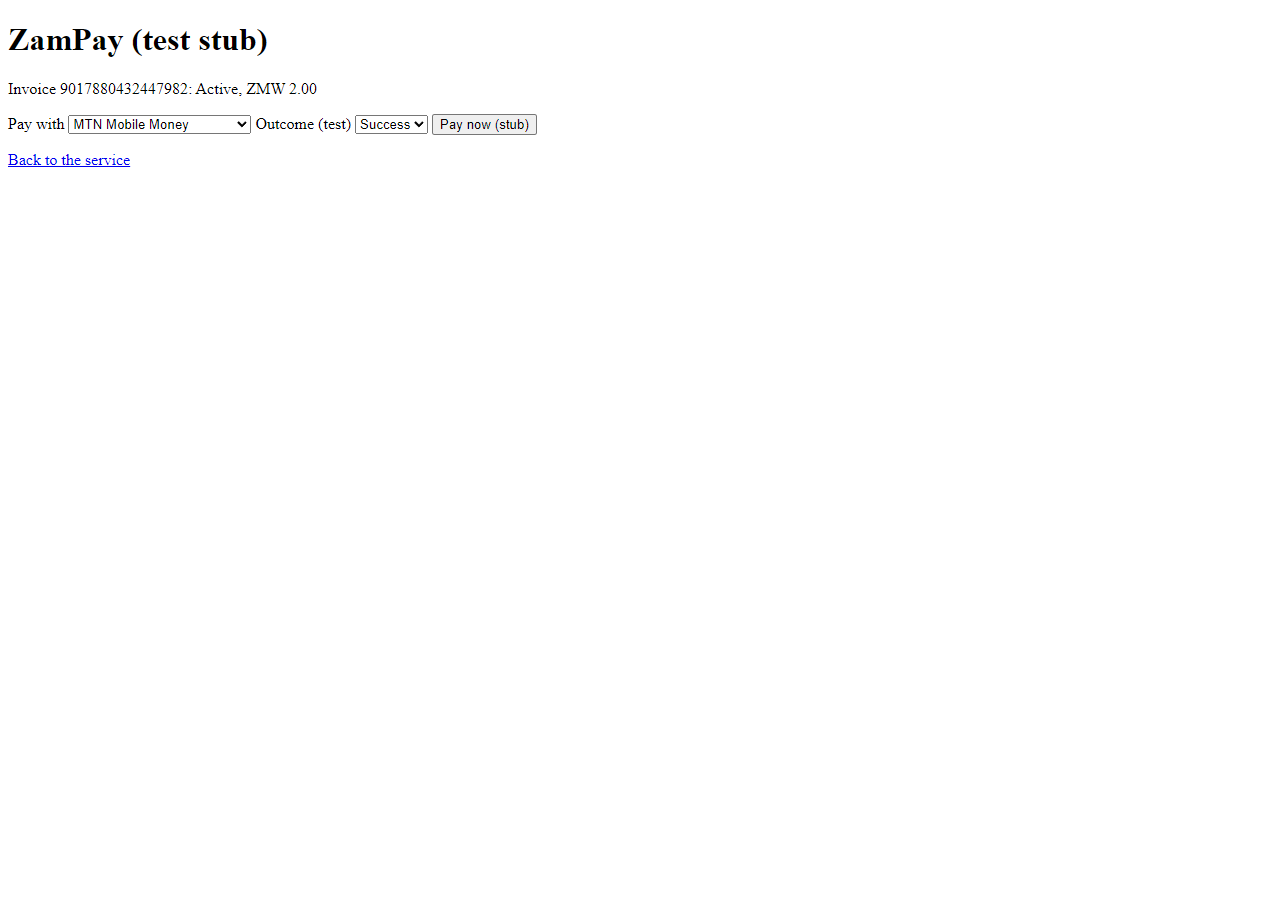
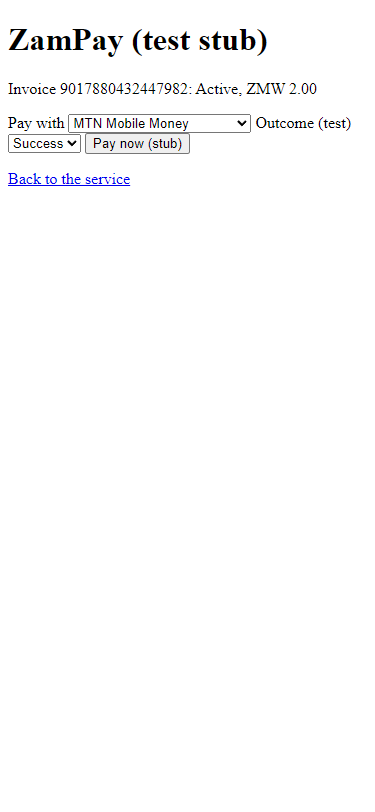
ZamPay shows the invoice and the amount; the payer chooses mobile money or a card and pays (here the provider test double, never the real gateway).
Step 7. The receipt
Citizen · National e-Services portal
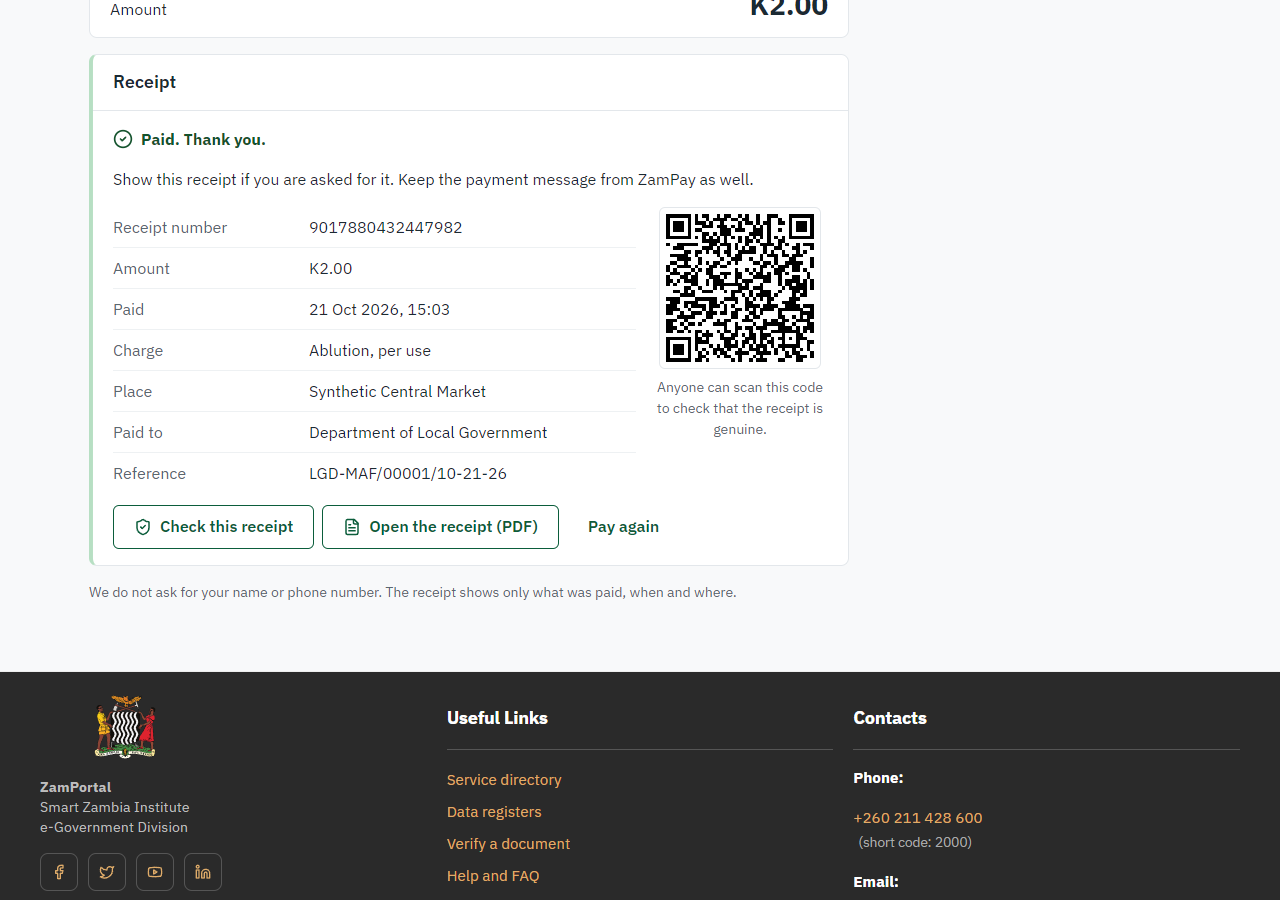
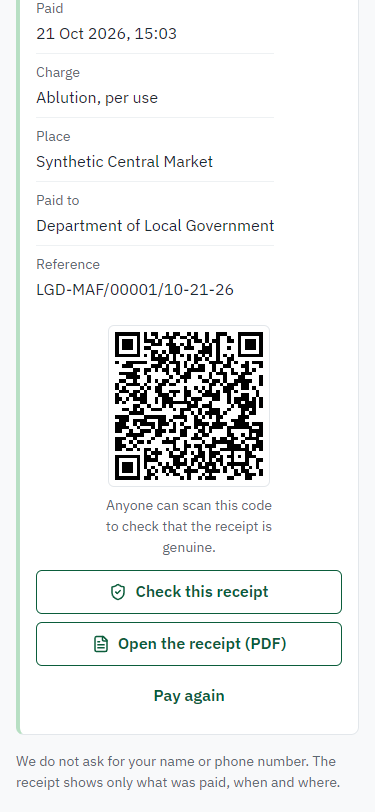
Once ZamPay's answer is recorded (through the platform's one payment path, never on the page's word) the page shows the receipt: its number (9017880432447982), the amount, when, what for, where and who was paid, with a QR code anyone can scan to check it. Coming back to the page from the same phone shows it again; "Pay again" starts a new payment.
Step 8. Verify the receipt
Anyone (public) · Public verification page
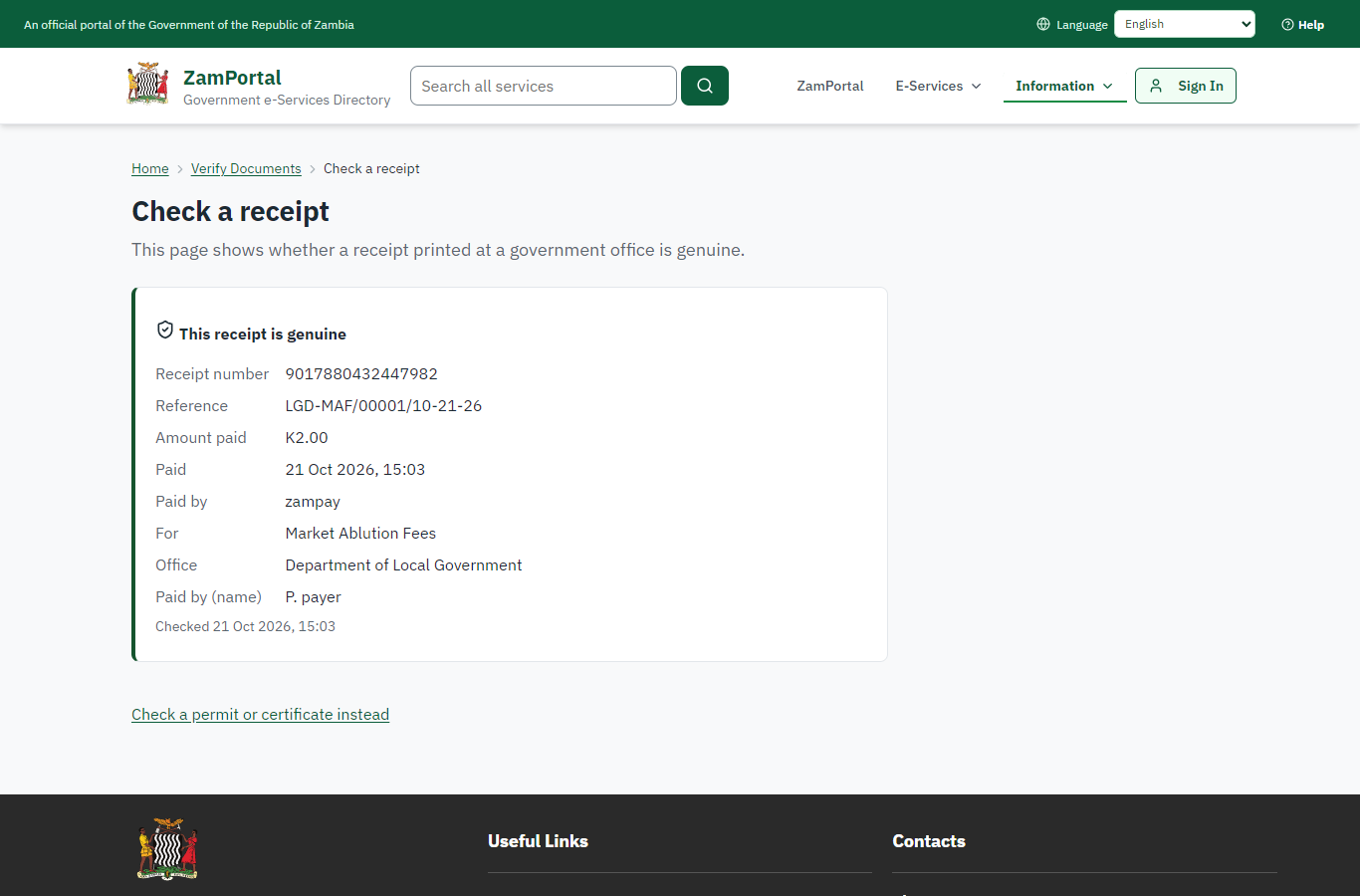
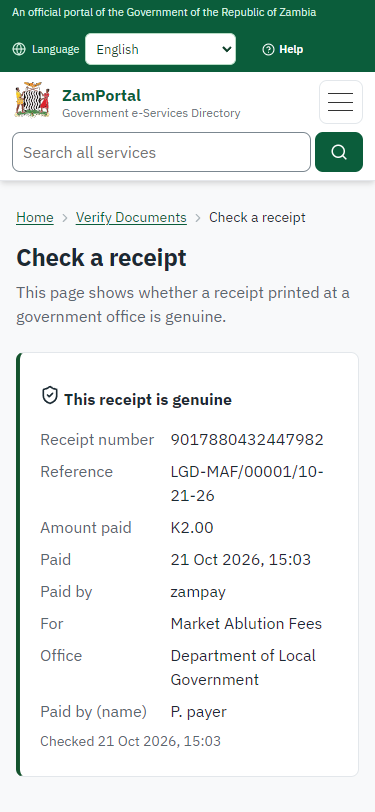
The receipt's QR code opens the public receipt page: genuine, its number, the amount, when, the service and the office. No sign-in is needed and no name is shown (the payer gave none). A wrong or made-up code gets the same "not found" answer.
3. Payment
| Item | In the test run |
|---|---|
| Fee (as published) | the point's tariff |
| Tariff | Ablution, per use (ablution) |
| Invoice | 9017880432447982 |
| Amount | ZMW 2.00 |
| Receipt | 9017880432447982 |
| Paid by | anyone at the point: no account, no name |
On screen: step 5 (Pay: the ticket invoice), step 6 (Pay at ZamPay), step 7 (The receipt) in section 2.
4. Output documents
Receipt on the payer's phone
The receipt the pay-at-point page shows once the payment is recorded. The payer keeps it on the phone (or ZamPay's own receipt PDF, offered on the same page); a market attendant scans its QR code to check it.
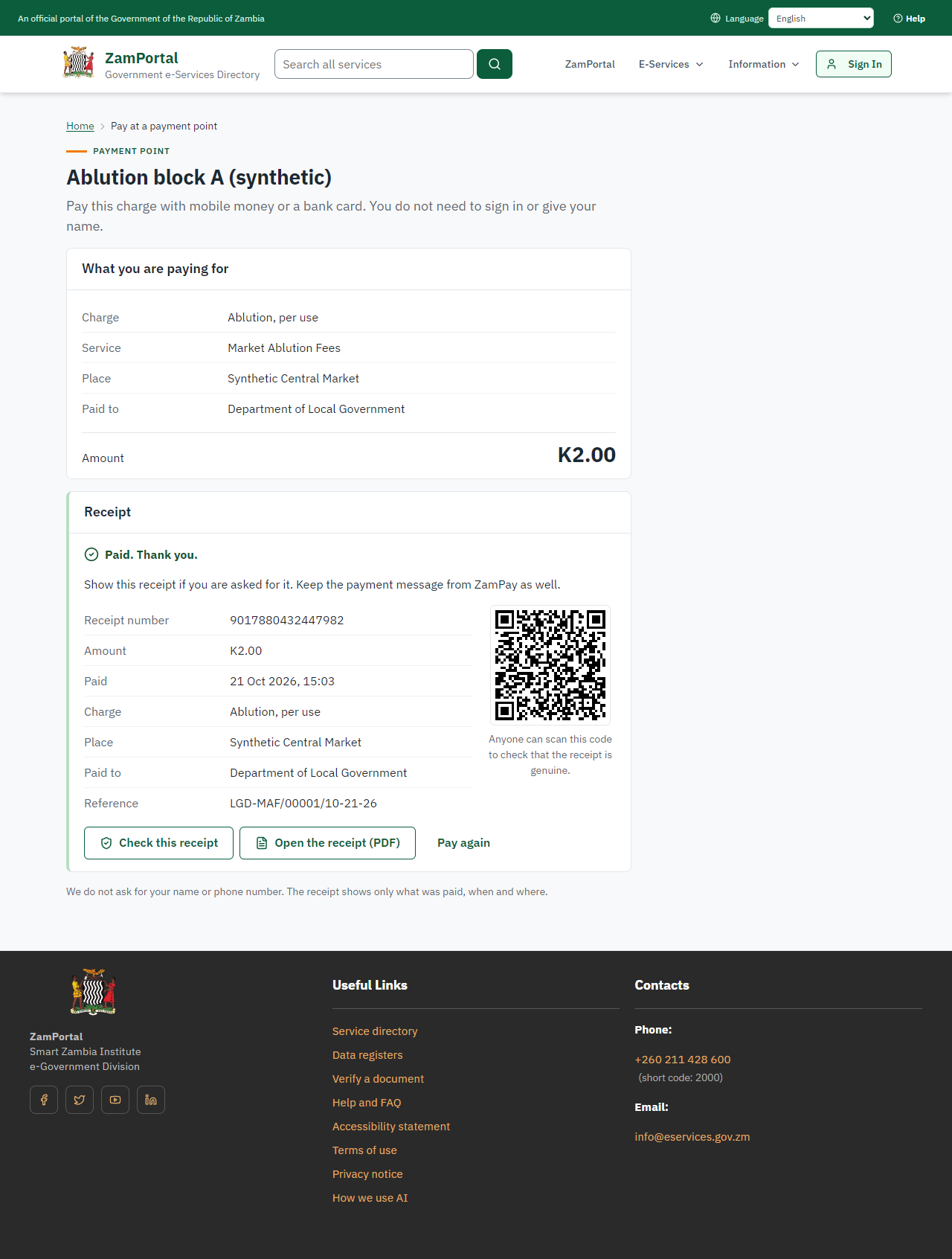
Fields
| Field | Value in the test run |
|---|---|
| Receipt number | 9017880432447982 |
| Amount | K2.00 |
| Charge | Ablution, per use |
| Place | Synthetic Central Market |
| Invoice | 9017880432447982 |
| Reference | LGD-MAF/00001/10-21-26 |
Verification
| Item | Detail |
|---|---|
| QR code | Opens the public receipt page (<portal>/verify/receipt/<reference>?sig=<signature>); the signature is made by the server, so a receipt cannot be forged or guessed |
| What it shows | Genuine, the receipt number, the amount, when, the service and the office; never a name |
Payment point sheet (QR codes to print)
The A4 sheet the office prints from Pay-at-point codes: one QR code per active payment point of the site, with its name, the site and the price. The code carries only a random token; the price is always the approved tariff on the server.
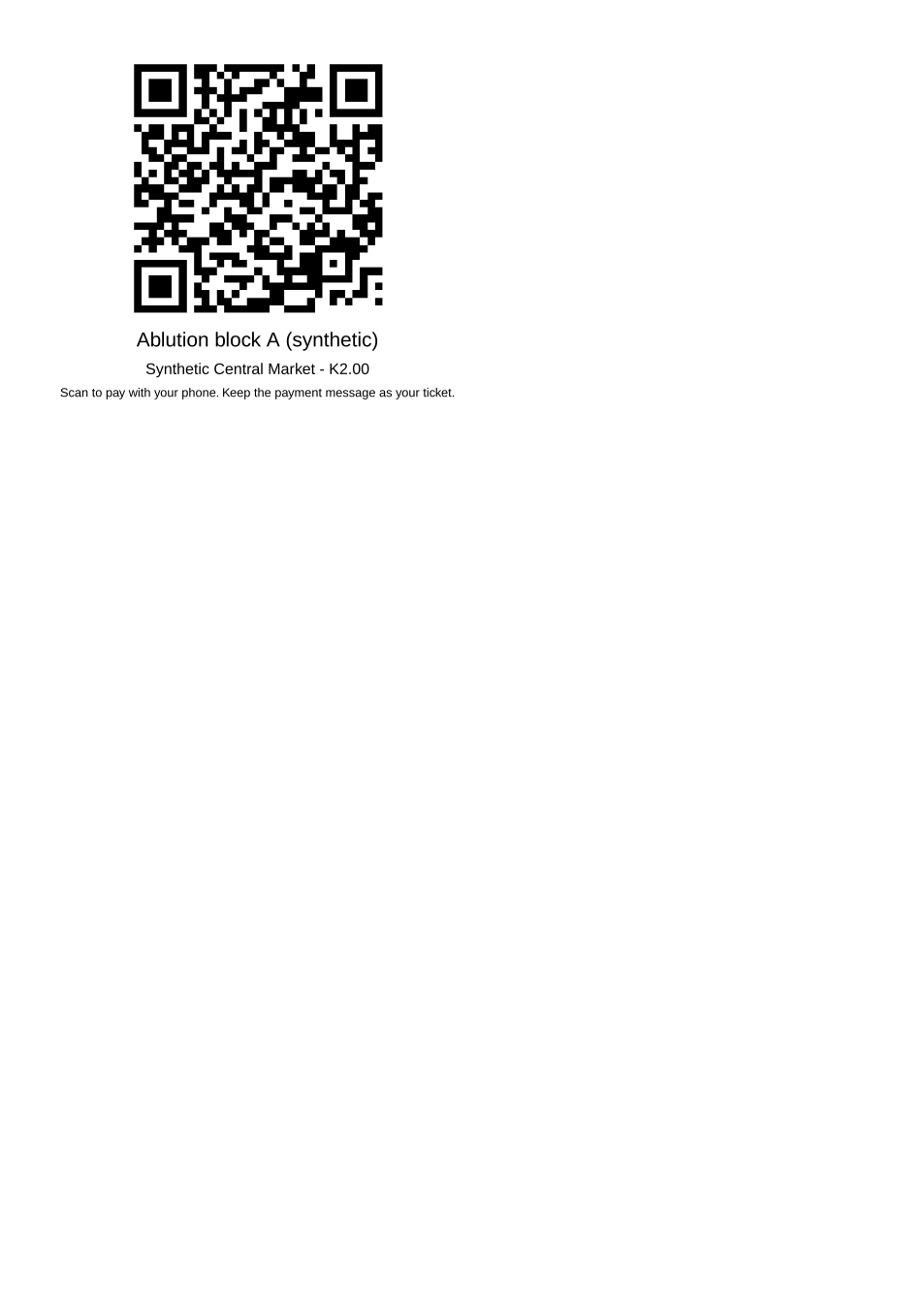
The issued PDF has 1 page; the image shows the first.
Fields
| Field | Value in the test run |
|---|---|
| Point | Ablution block A (synthetic) |
| Site | Synthetic Central Market |
| Price | K2.00 |
| Address in the QR code | <portal>/pay/<token> |
Verification
| Item | Detail |
|---|---|
| Renewing a code | A supervisor can renew a point's code (with a reason): every printed copy of the old code stops working at once |
| Switching off | A switched-off point, an unknown and a made-up code all answer "This payment point is not available" |
On screen: step 8 (Verify the receipt) in section 2.
5. Notifications
| When | Channel | To | Message | Delivery |
|---|---|---|---|---|
| Payment due (invoice raised) | in-app (portal bell) | the ticket (no person: nobody sees it) | Payment due for application LGD-MAF/00001/10-21-26 - The fee of ZMW 2.00 for Market Ablution Fees (LGD-MAF/00001/10-21-26) is now due. Invoice 9017880432447982. | shown |
| Payment received | in-app (portal bell) | the ticket (no person: nobody sees it) | Payment received for LGD-MAF/00001/10-21-26 - Your payment of ZMW 2.00 for LGD-MAF/00001/10-21-26 (Market Ablution Fees) has been received. Receipt: <ZamPay>/pdf?documentType=receipt&invoiceNumber=9017880432447982 | shown |
| Payment due (invoice raised) | sms | nobody (no contact details) | skipped | |
| Payment due (invoice raised) | nobody (no contact details) | Payment due for application LGD-MAF/00001/10-21-26 | skipped | |
| Payment received | sms | nobody (no contact details) | skipped | |
| Payment received | ZamPay | the payer | ZamPay confirms the payment to the phone or card used; the pay-at-point page shows the receipt. | sent by ZamPay |
Delivery: shown = in the portal's notification bell; delivered = the SMS gateway (a test double in this run) reported the text delivered; skipped = not sent on that channel (e-mail is not configured on the test installation, and some notices go out on one channel only); sent by the national portal = a ministry node handed the notice to the national portal, which texts and e-mails the citizen under its own name and the citizen's preferences. Addresses written <portal>, <ZamPay> stand for the national portal and ZamPay.
6. Legacy mapping
| Item | Detail |
|---|---|
| Replaces | Market Ablution Fees in the legacy ZIGS e-Services directory (ZIGS_Services) |
| Legacy service id | 607 |
| Legacy provider | Department of Local Government (LGD) under Ministry of Local Government and Rural Development |
| Legacy process | not recorded |
| Fee in the legacy system | none |
| Fee taken before submission | yes (as in ZIGS) |
| Time to issue (legacy) | not recorded |
| Legacy output templates | GS-1 Application for a Government Service: ZIGS_Forms_ZDA / GS1 GS-2 Notice of Government Action: ZIGS_Forms_Notices / GS-2.NoticeOfAction |
| Legacy address | https://ecouncils.gsb.gov.zm |
| How it was brought over | Imported by the platform's legacy catalogue importer (zcm-backend scripts/zigs/importLegacy.js) from the ZIGS snapshot: form, case types, fees, documents, process and output templates, then served by the new platform. |
7. Version and date
| Item | Detail |
|---|---|
| Document version | service v1, platform 8787cde1 |
| Generated | 2026-10-21T13:03:45Z (by the end-to-end run, not edited by hand) |
| Service version | not versioned (configured directly) |
| Platform snapshot | backend 8787cde1 portal 6762d63 back office 58e5946 |
| Test suite | e2e 50a3441; one installation (combined); seed profile mihud |
| Journeys | 30-catalogue-service.spec.js: the office adds a pay-at-point code for the service's approved tariff and prints its QR code - passed 30-catalogue-service.spec.js: the payer scans the code, sees what is paid, pays with ZamPay and gets the receipt - passed 30-catalogue-service.spec.js: the receipt verifies on the public receipt page - passed |
| Result | 3 of 3 journey tests passed |
| Data | Synthetic test data on a local test installation; provider test doubles for ZamPass, ZamPay, SMS and signing. |