
Driving Instructor Licence
| Form | Workflow | Outputs | E2E test | Docs |
|---|---|---|---|---|
| Passed | Passed | Passed | Passed | Passed |
- End-to-end test
- 3/3 passed 2026-10-21 (mihud, combined)
- Documentation
- 14 steps, 27 images · Download the DOCX
- Who can apply
- Individual
- Capabilities
rtsa-booking- Catalogue ID
- 131
Fees
| Fee | Case | Amount (ZMW) |
|---|---|---|
| Test of Competence Fee | New | 144 |
Required documents
- Personal ID (New)
- PSV Driver's Licence (New)
- Medical Report (New)
Output documents
- GS-2 Notice of Government Action (notice-of-action)
- Application form (application)
- GF-1 Treasury Invoice (invoice)
- GF-2 Treasury Receipt (receipt)
Test evidence
Driving Instructor Licence
Service documentation · Republic of Zambia · GSB e-Services
| Owner | Road Transport and Safety Agency |
| Service key | RTSA/driving-instructor-licence |
| Version | service v1, platform 9b8a591f |
| Date | 2026-10-17 |
Generated automatically by the service's end-to-end test run. Every screenshot shows synthetic test data on a local test installation, never real personal data.
This document describes the Driving Instructor Licence service of Road Transport and Safety Agency as the platform runs it today. It is generated by the service's end-to-end test: every step below was performed by the test, and every screenshot was taken during that run with synthetic data. Regenerate it with npm run docs:services in the e2e suite; do not edit it by hand.
1. Service summary
| Item | Detail |
|---|---|
| Service | Driving Instructor Licence |
| Owner (MDA) | Road Transport and Safety Agency (RTSA) |
| Purpose | Service covers the process of obtaining a Driving Instructor Licence - official document, permitting a specific individual to teach the driving of motor vehicles. |
| Who can apply | Individual |
| How to apply | Online on the national e-Services portal, signed in with ZamPass; pay with ZamPay. |
| Fees | Test of Competence Fee: ZMW 144.00 |
| Turnaround | Upon successful completion, the Driving Instructor Licence is issued instantly |
| Validity of the output | Three (3) years |
| Required documents | Personal ID (required) PSV Driver's Licence (required) Medical Report (required) |
| Output documents | GS-2 Notice of Government Action Application form GF-1 Treasury Invoice GF-2 Treasury Receipt |
| Legal basis | Road Traffic Act 11 of 2002 (https://www.rtsa.org.zm/wp-content/uploads/2019/09/The-Road-Traffic-Act-No-11-of-2002.pdf) SI-41 of 2015 (http://www.parliament.gov.zm/acts-of-parliament) |
2. Application process, step by step
The process as configured in the back office:
| Step | Role | Task | Type |
|---|---|---|---|
| 1 | Applicant | Apply | form |
| 2 | Applicant | Payment | payment |
| 3 | System | Generate Document | generate-document |
| 4 | Case Officer | Approve | approve |
| 5 | System | Generate Document | generate-document |
| 6 | System | Notify Client | notify |
Who takes part in this journey: Citizen, Case Officer, Anyone (public).
Step 1. Find the service
Citizen · National e-Services portal
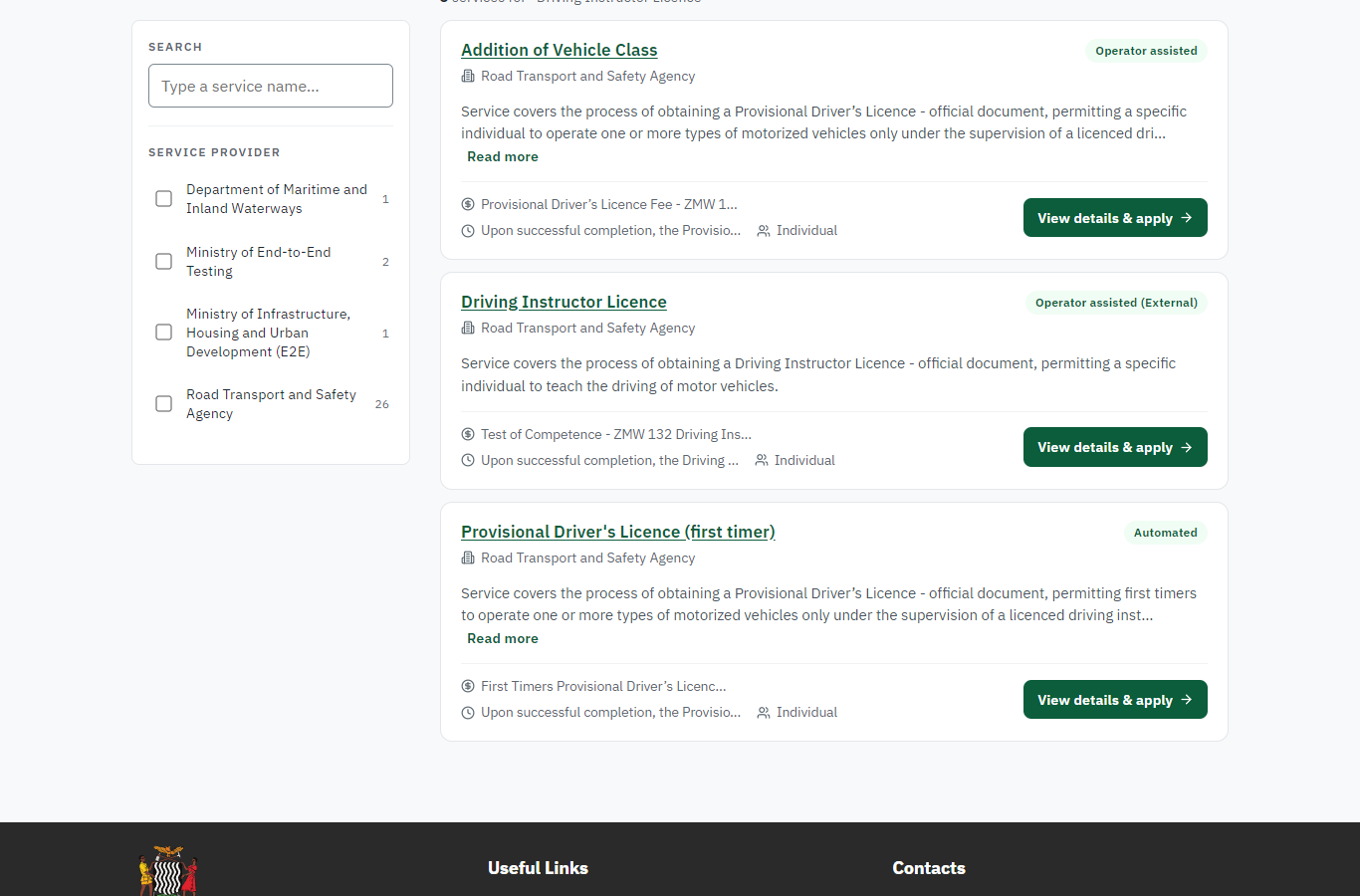
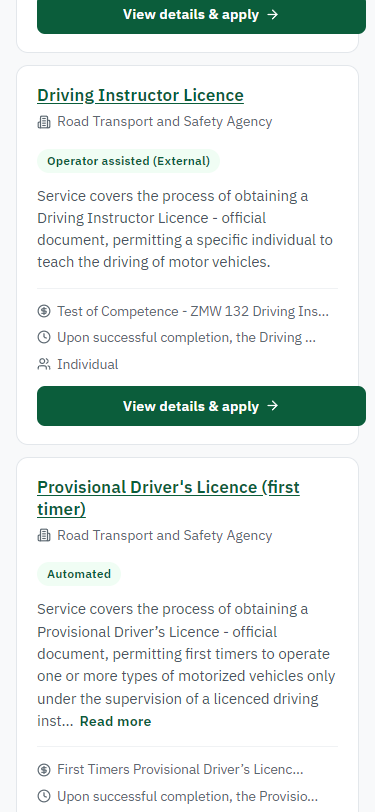
On the national e-Services portal the citizen opens All Services and searches for the service by name ("Driving Instructor Licence"). Each result names the service and the ministry that provides it.
Step 2. Read the service page
Citizen · National e-Services portal
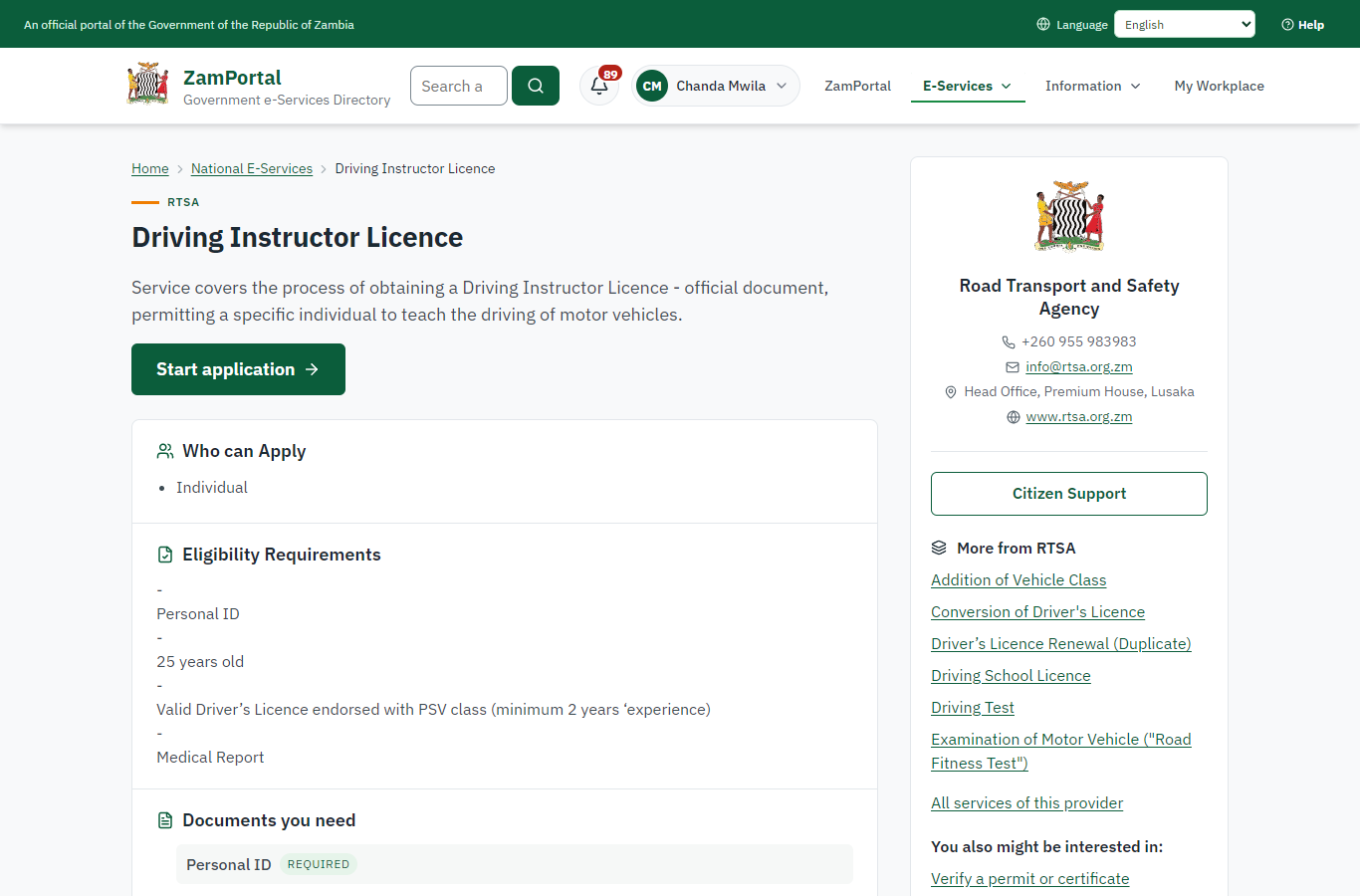
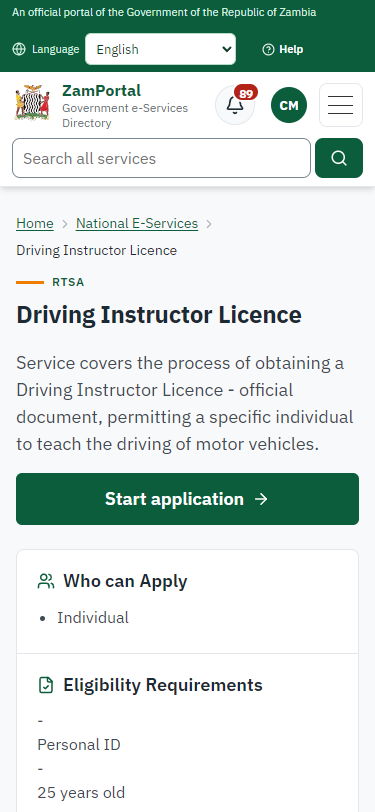
The service page sets out what the service is for, who provides it, the fee, how long it takes and the documents to have ready. "Start application" begins an application (the citizen is signed in with ZamPass).
Step 3. Confirm the applicant details
Citizen · National e-Services portal
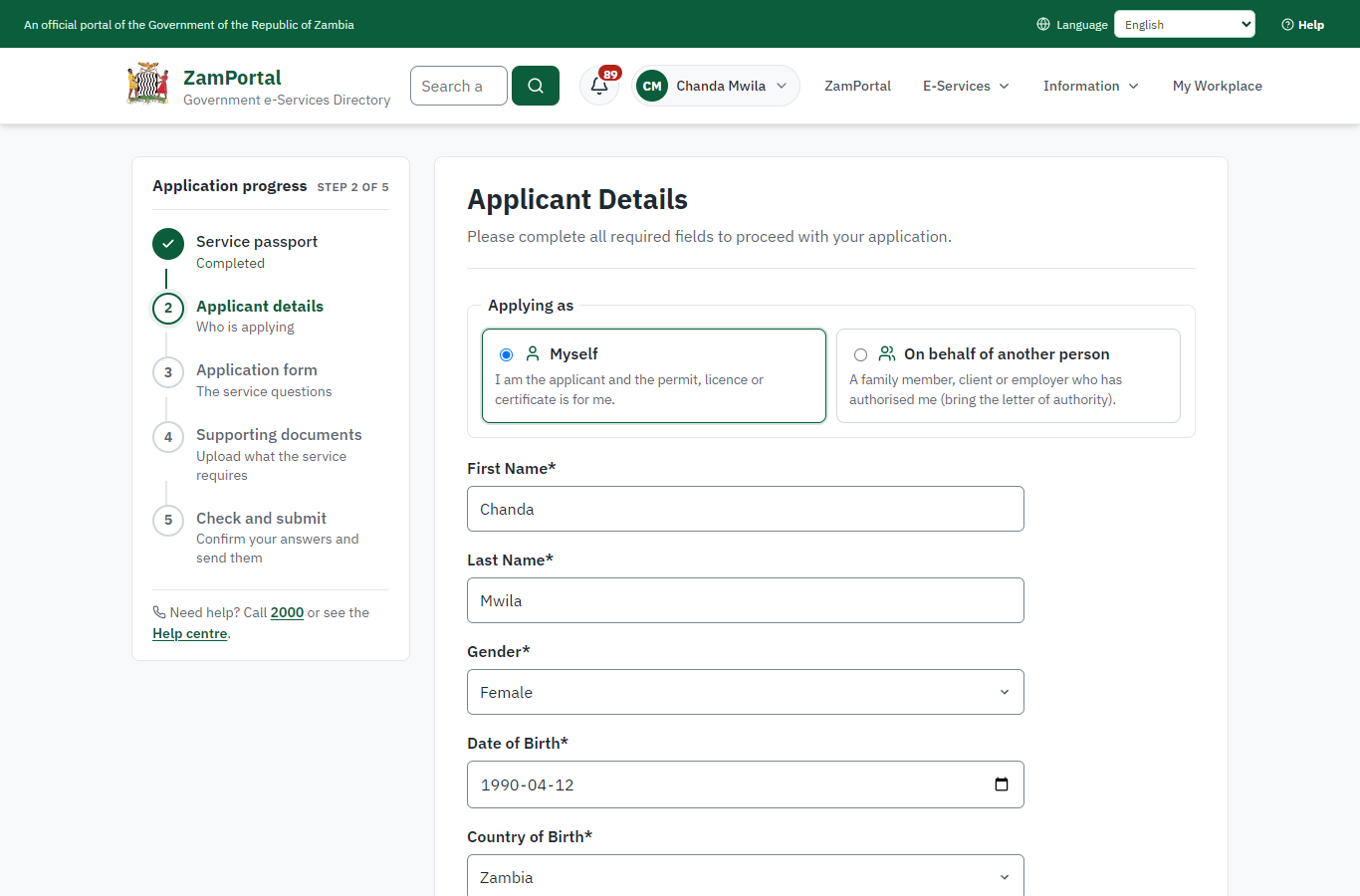
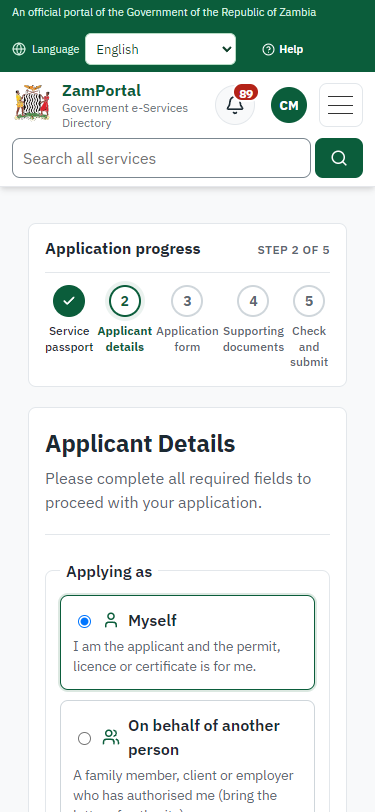
The applicant details are filled in from the citizen's ZamPass account. The citizen says whom they are applying for (themself) and continues with "Proceed to Application".
Step 4. Fill in the application form
Citizen · National e-Services portal
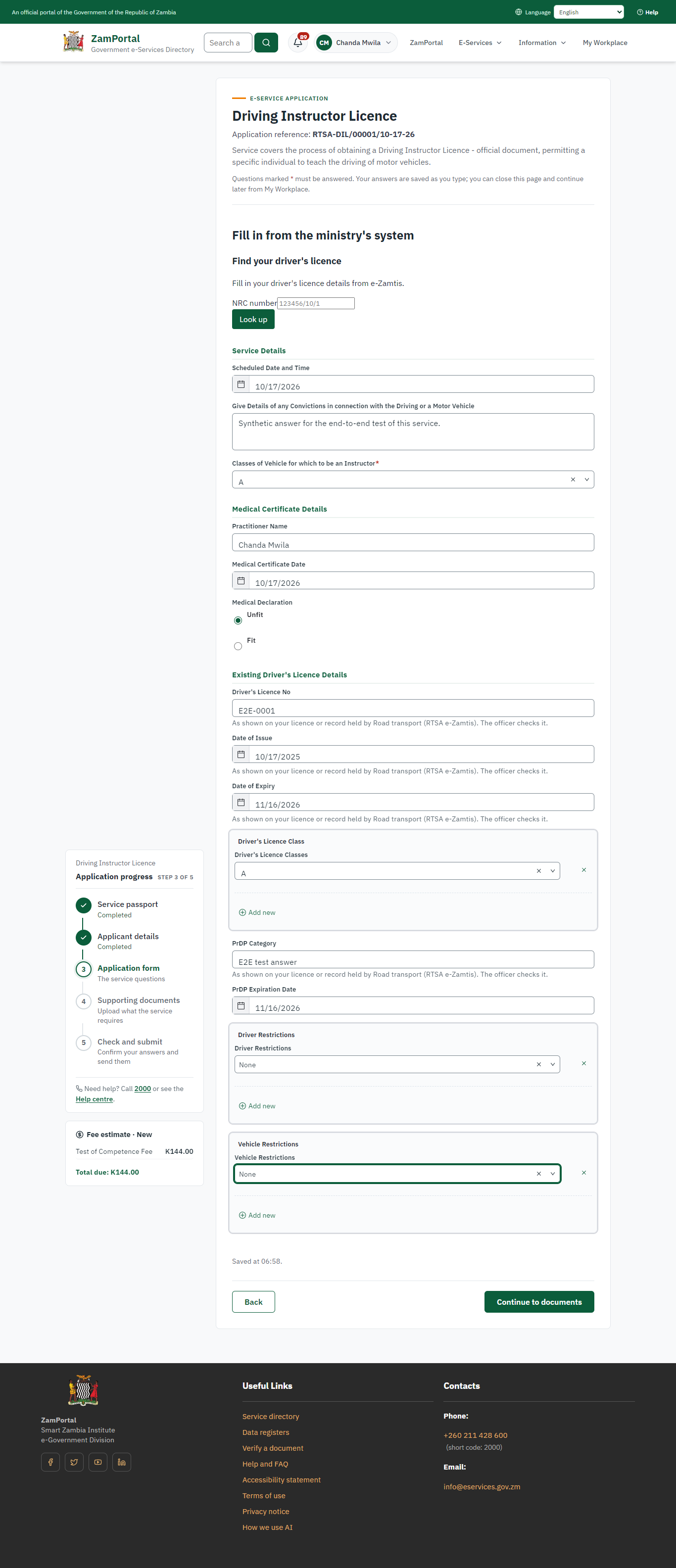
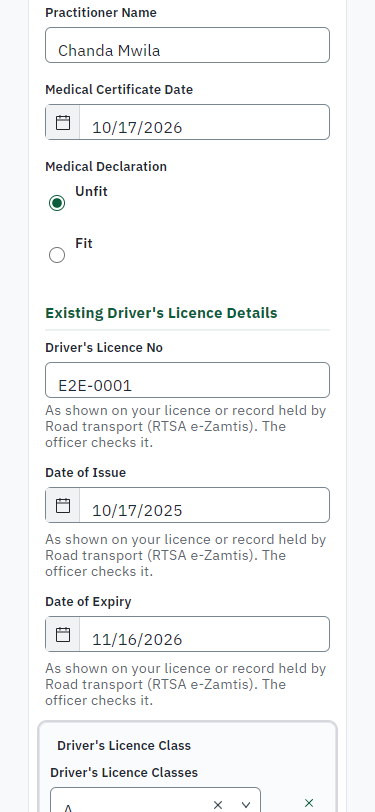
The citizen answers the service's own application form, converted from the legacy system (14 answers in this run, all synthetic), for the type of application "New". Questions marked * must be answered; some appear only after an earlier answer. Answers are saved as the citizen types, so an unfinished application can be reopened from My Workplace.
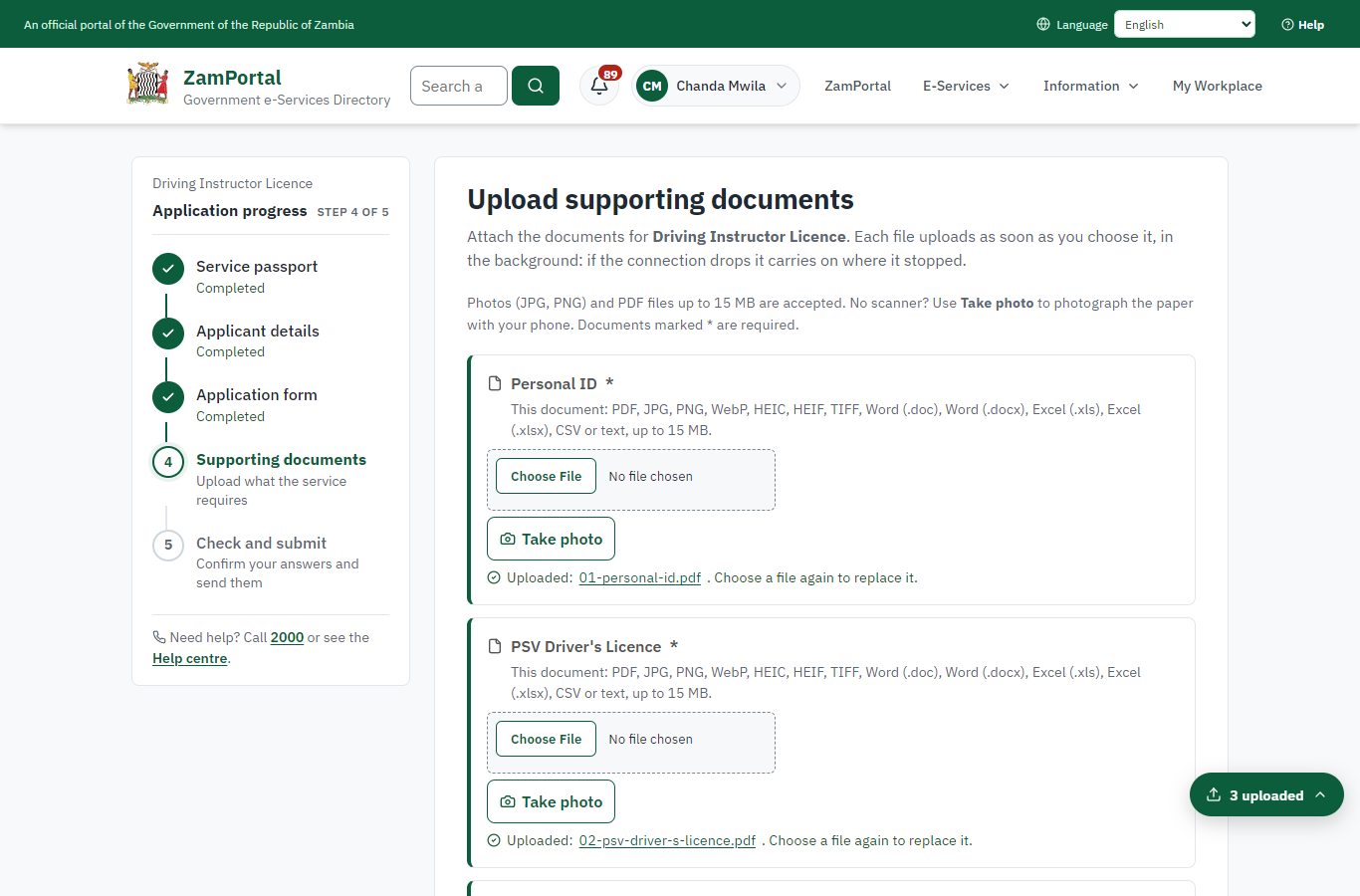
Step 5. Upload the supporting documents
Citizen · National e-Services portal
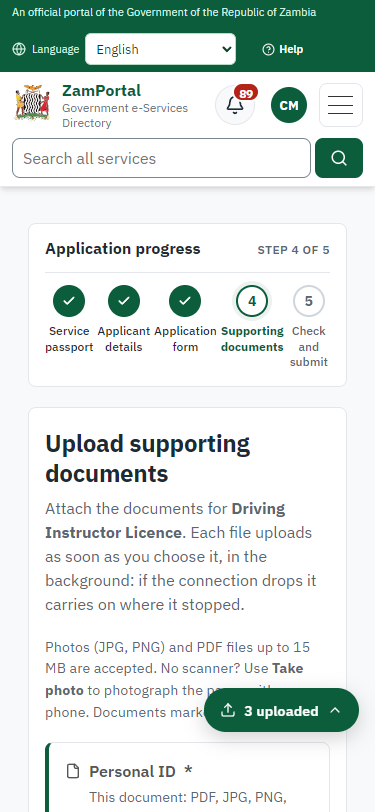
Each document the service asks for has its own upload (3 in this run: Personal ID, PSV Driver's Licence, Medical Report). The files are checked and stored with the application; the page confirms each upload.
Step 6. Check the answers and confirm the declaration
Citizen · National e-Services portal
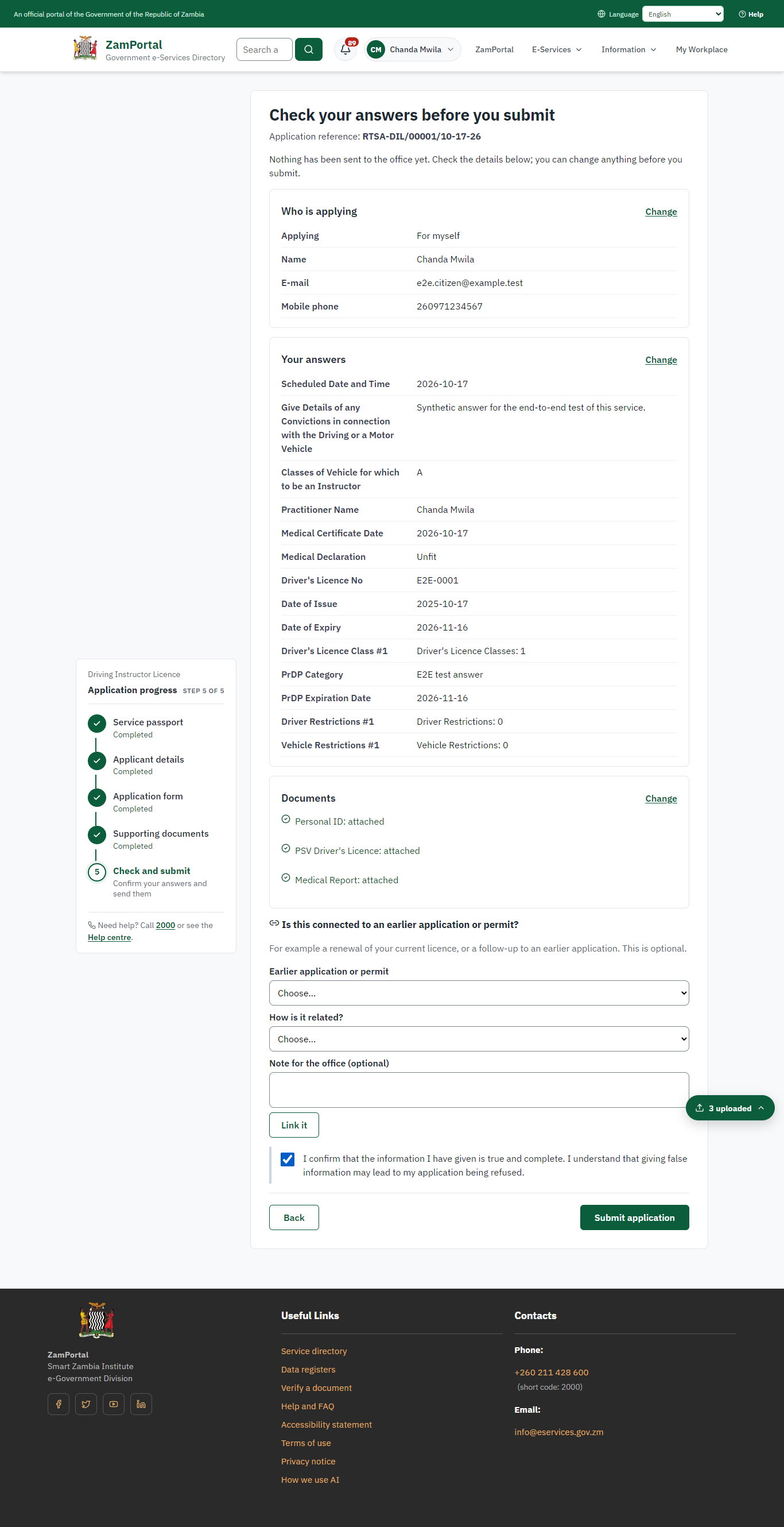
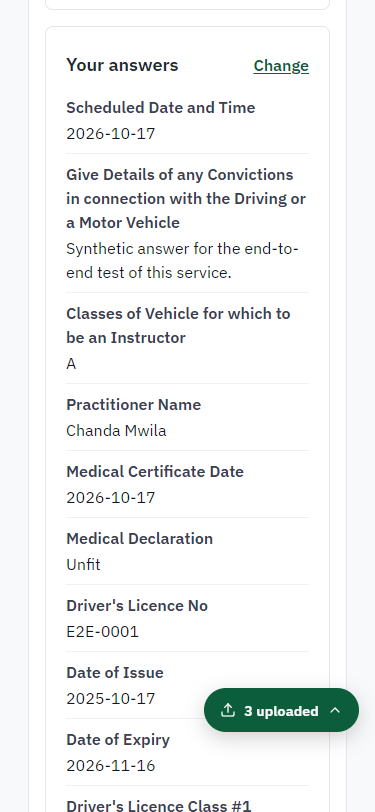
Before sending, the citizen sees every answer and document on one page and can go back to change them. The declaration that the information is true and complete must be ticked.
Step 7. Application sent
Citizen · National e-Services portal
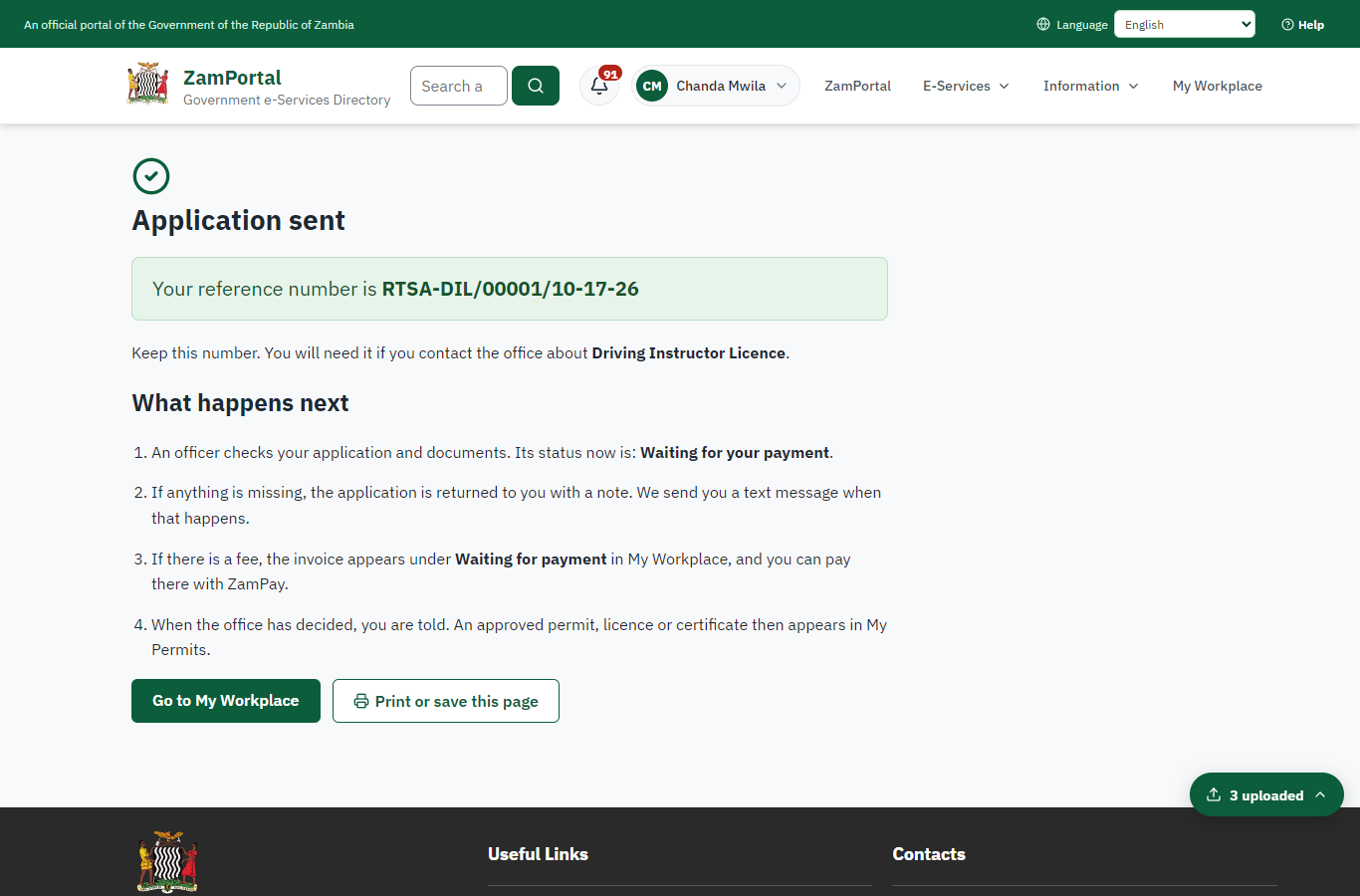
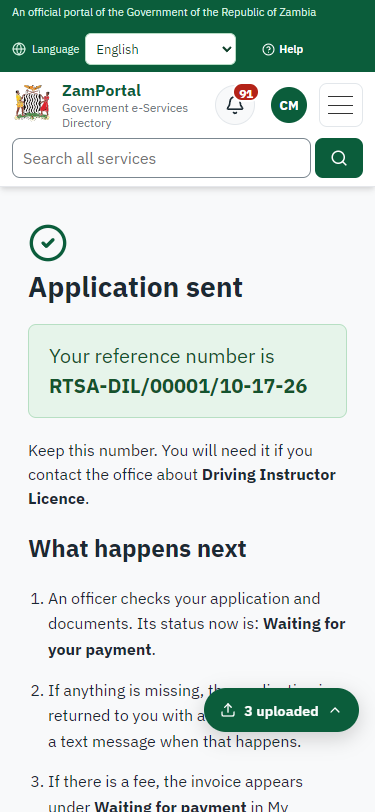
The portal confirms the application with the ministry's reference number (RTSA-DIL/00001/10-17-26 in this run). The fee is due now: it is taken with the application, so the invoice was raised when the application was sent.
Step 8. See that the fee is due
Citizen · National e-Services portal
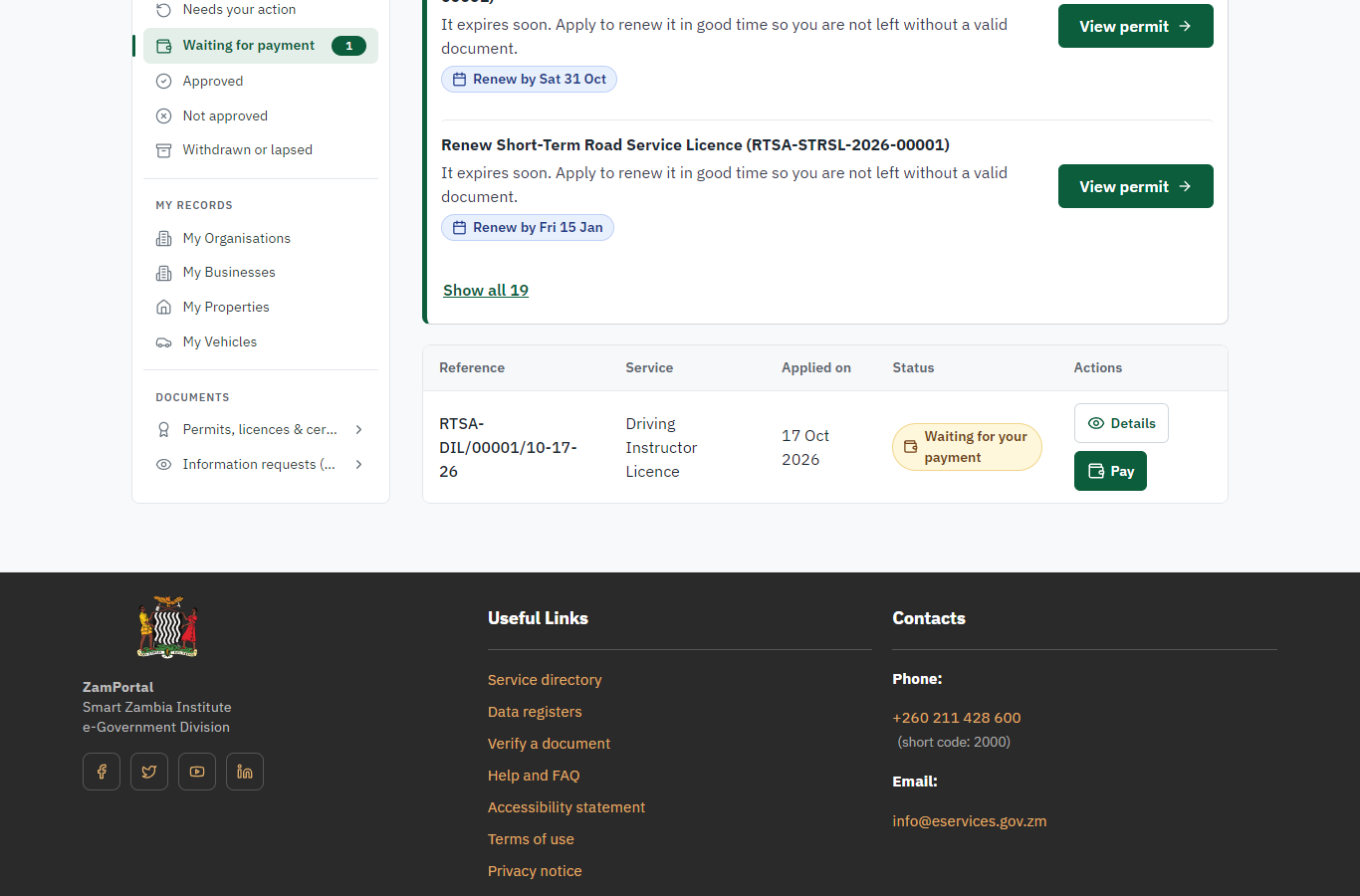
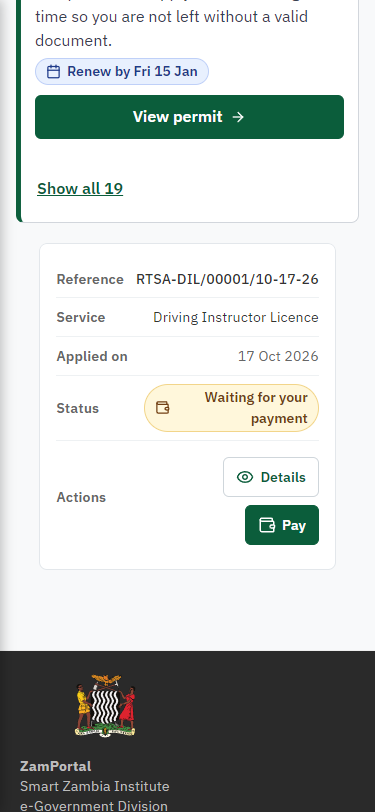
The application shows "Waiting for your payment" in My Workplace with a Pay button (K144.00). The fee is taken with the application; the invoice was raised on ZamPay.
Step 9. Pay with ZamPay
Citizen · National e-Services portal
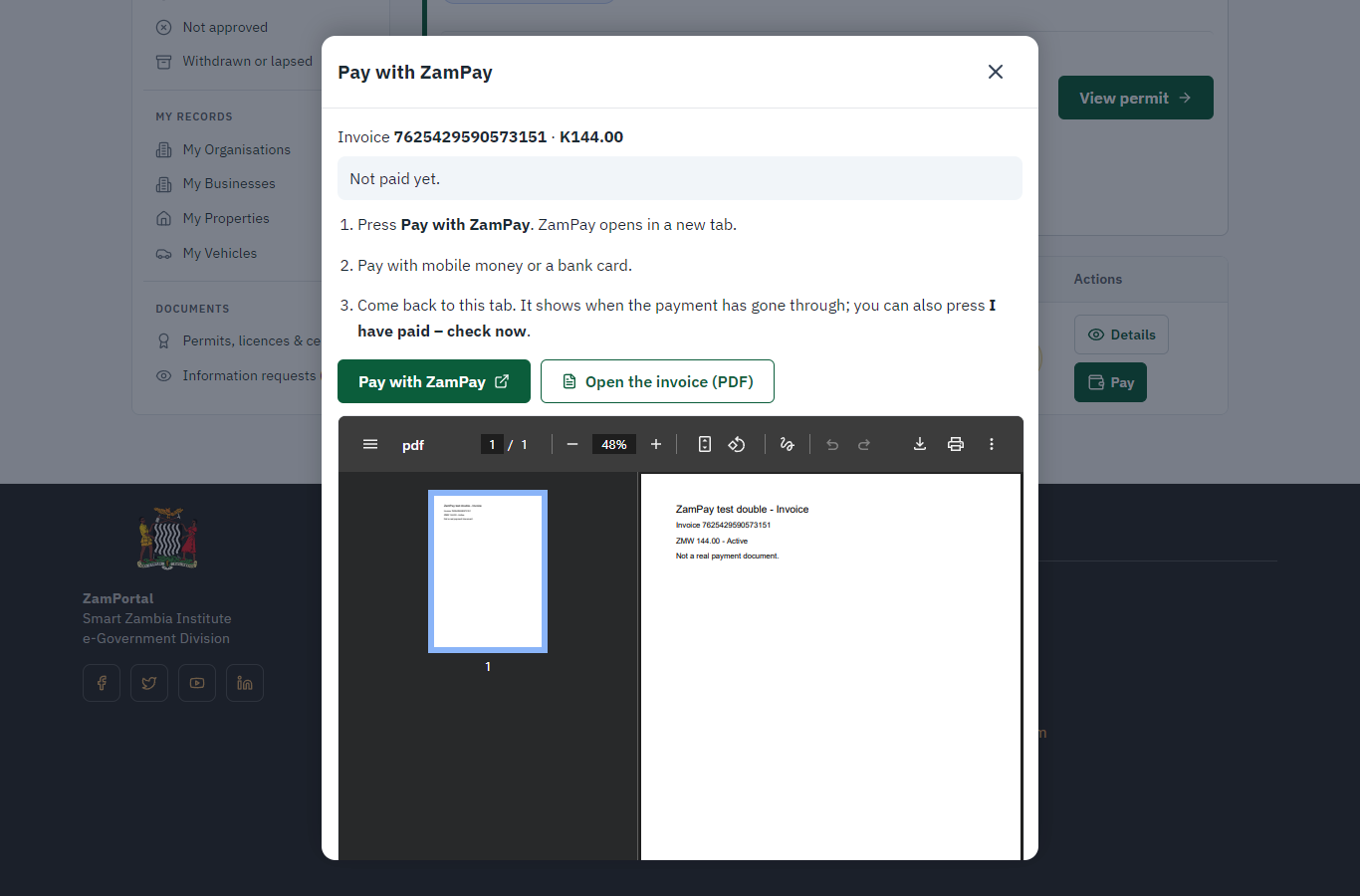
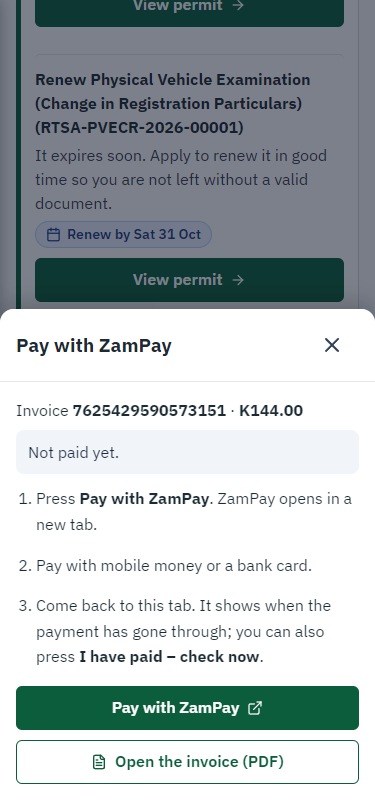
Pay opens the invoice (K144.00, the amount set by the platform, never by the page) with its PDF preview; the citizen pays at ZamPay by mobile money or bank card.
Step 10. Payment received
Citizen · National e-Services portal
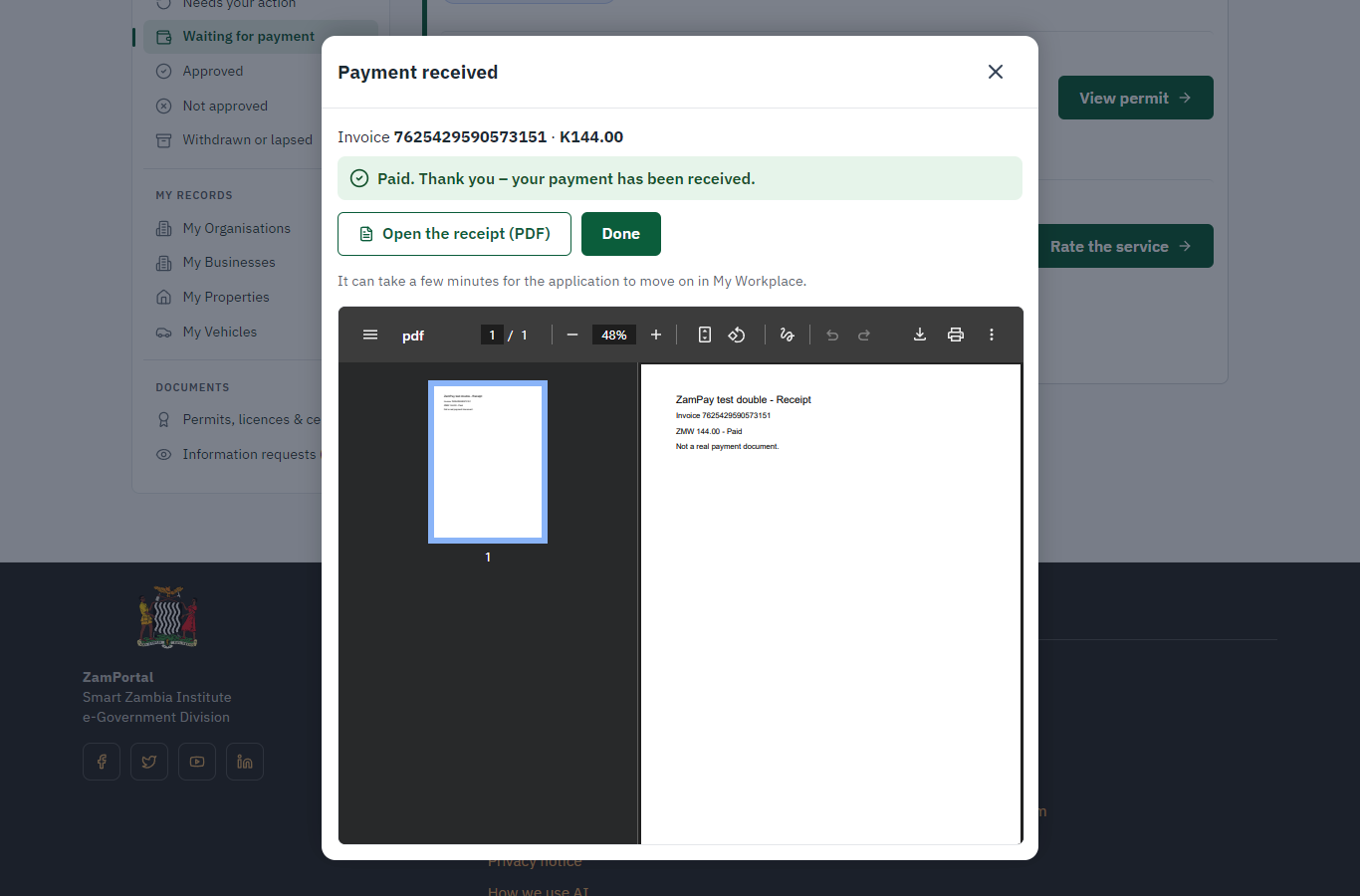
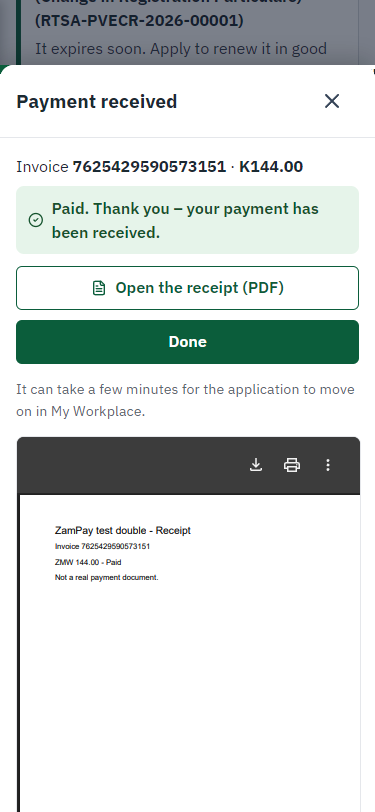
ZamPay reports the payment; the dialog says "Paid. Thank you" and the application moves on to the ministry's officers.
Step 11. Take the new application on
Case Officer · Back office
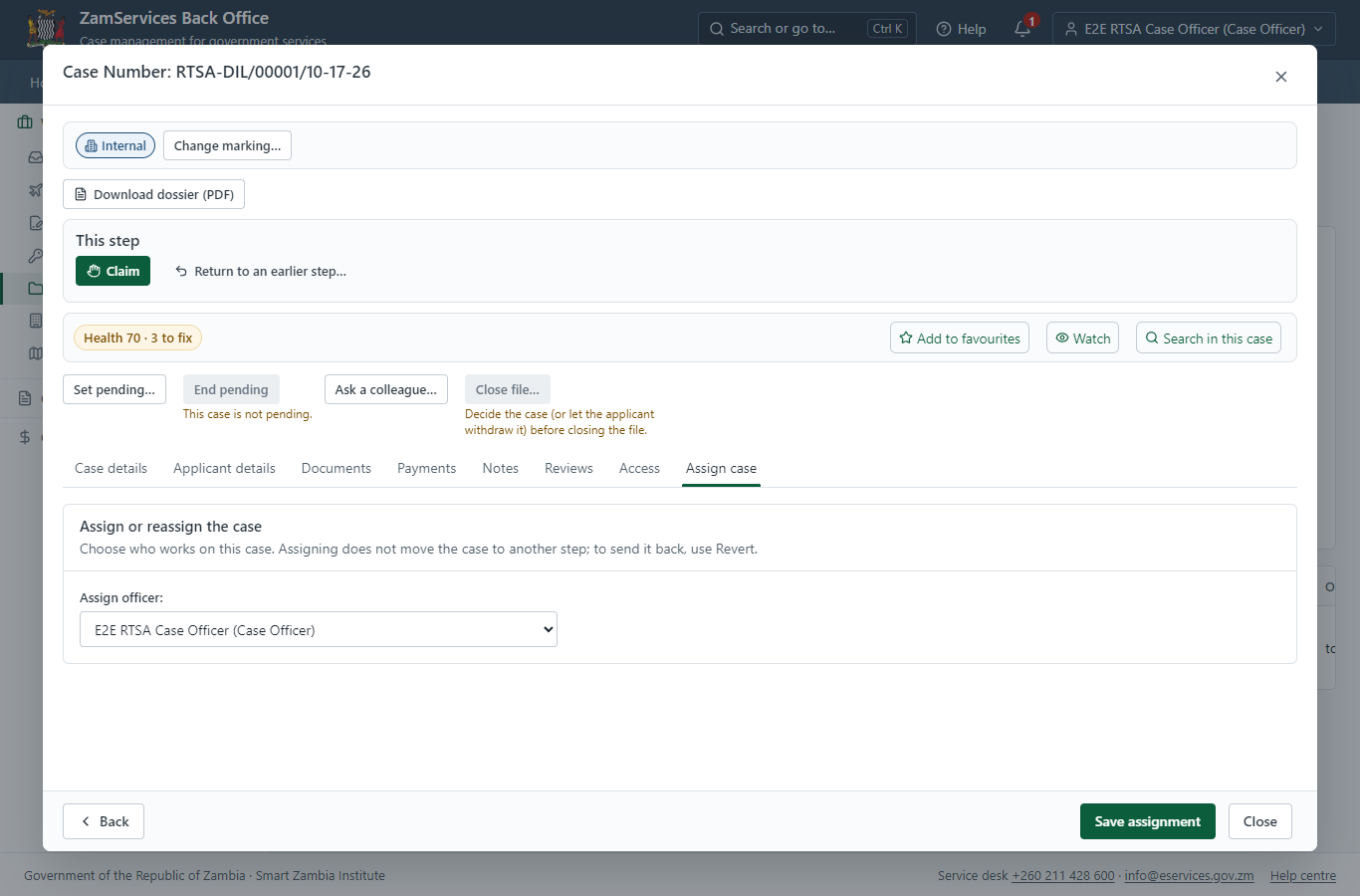
The application arrives in the case queue of the ministry that owns the service (Road Transport and Safety Agency); only its staff see it. The officer opens it by its reference number - answers, documents and process are on the case - assigns it to themself and takes it on.
Step 12. Decide: Review
Case Officer · Back office
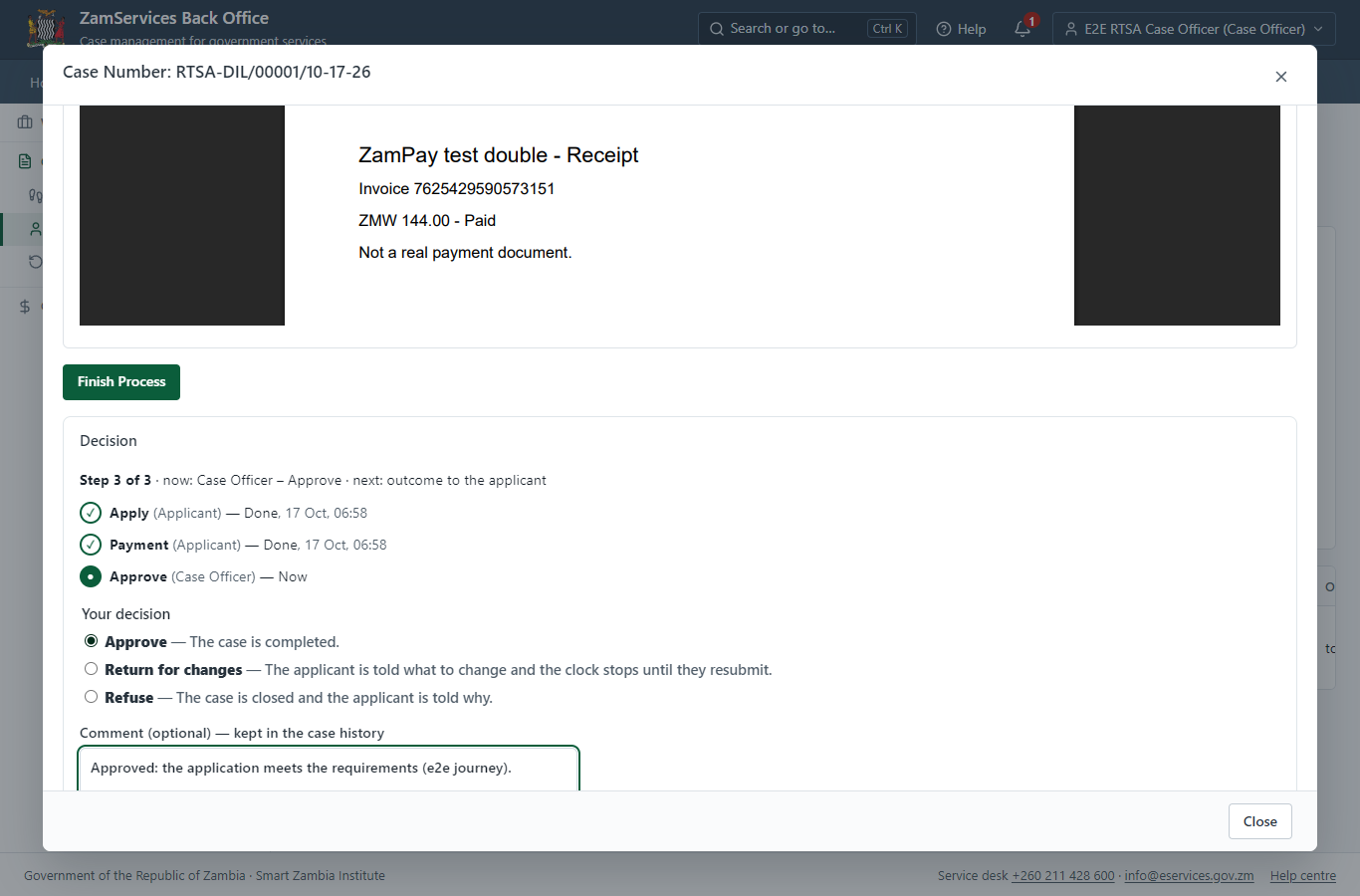
At "Review" the Case Officer records the decision: approve, with a comment kept in the case history. Approving moves the case on; the last decision completes it and issues the document.
Step 13. The document in My permits
Citizen · National e-Services portal
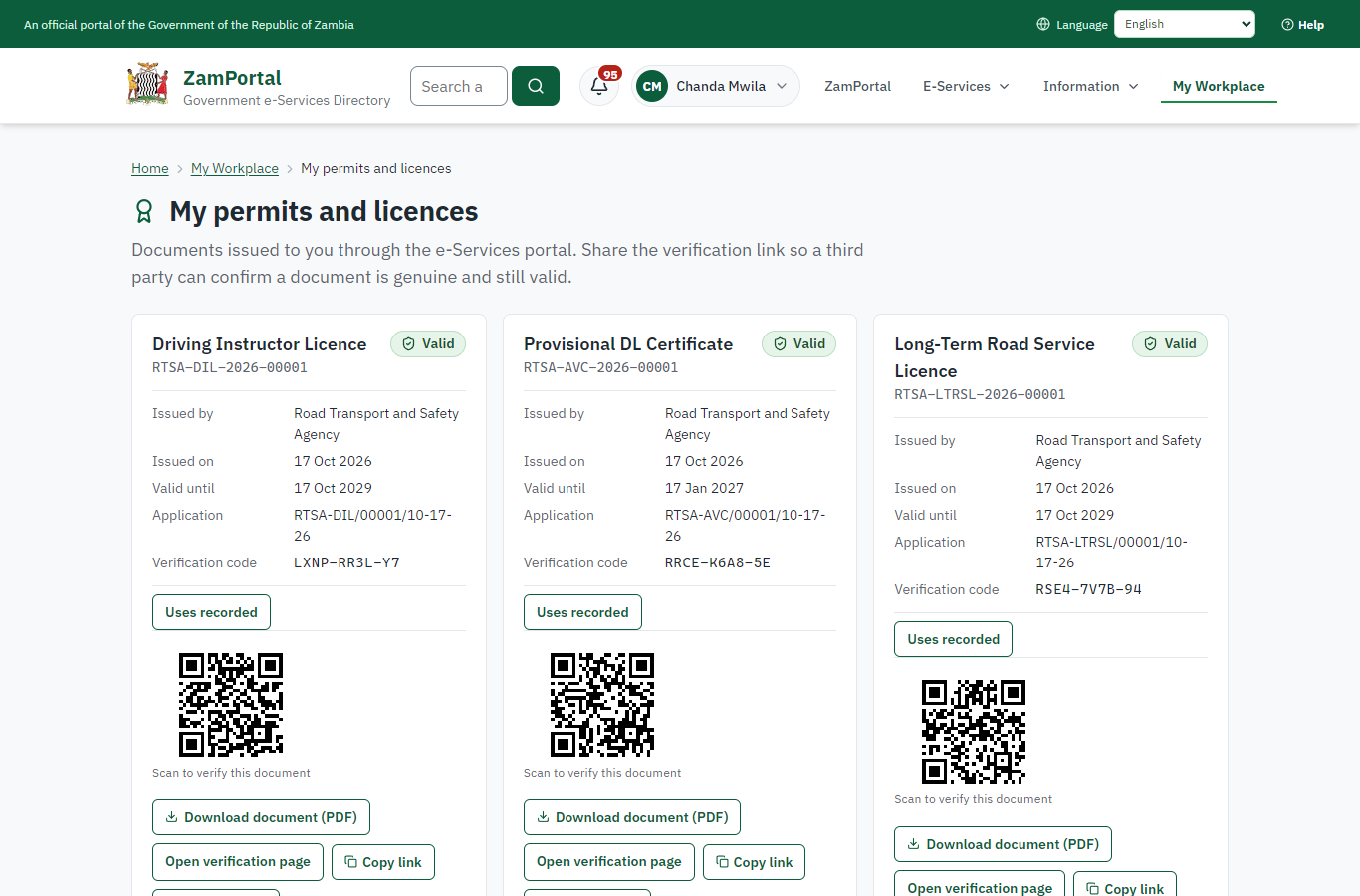
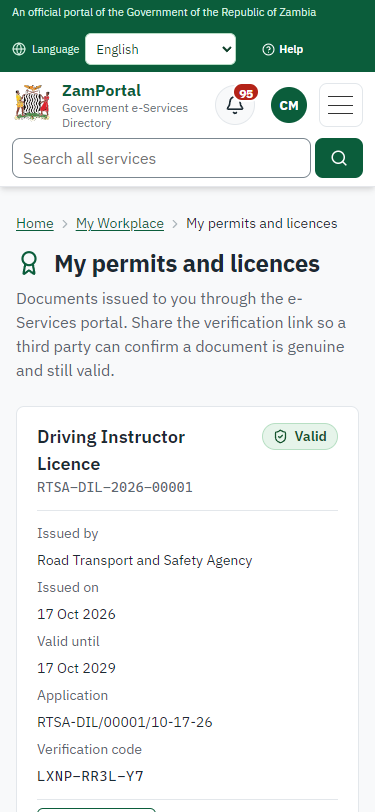
The issued document (RTSA-DIL-2026-00001 in this run: "Driving Instructor Licence") is listed in "My permits and licences" with its validity and a download of the sealed PDF.
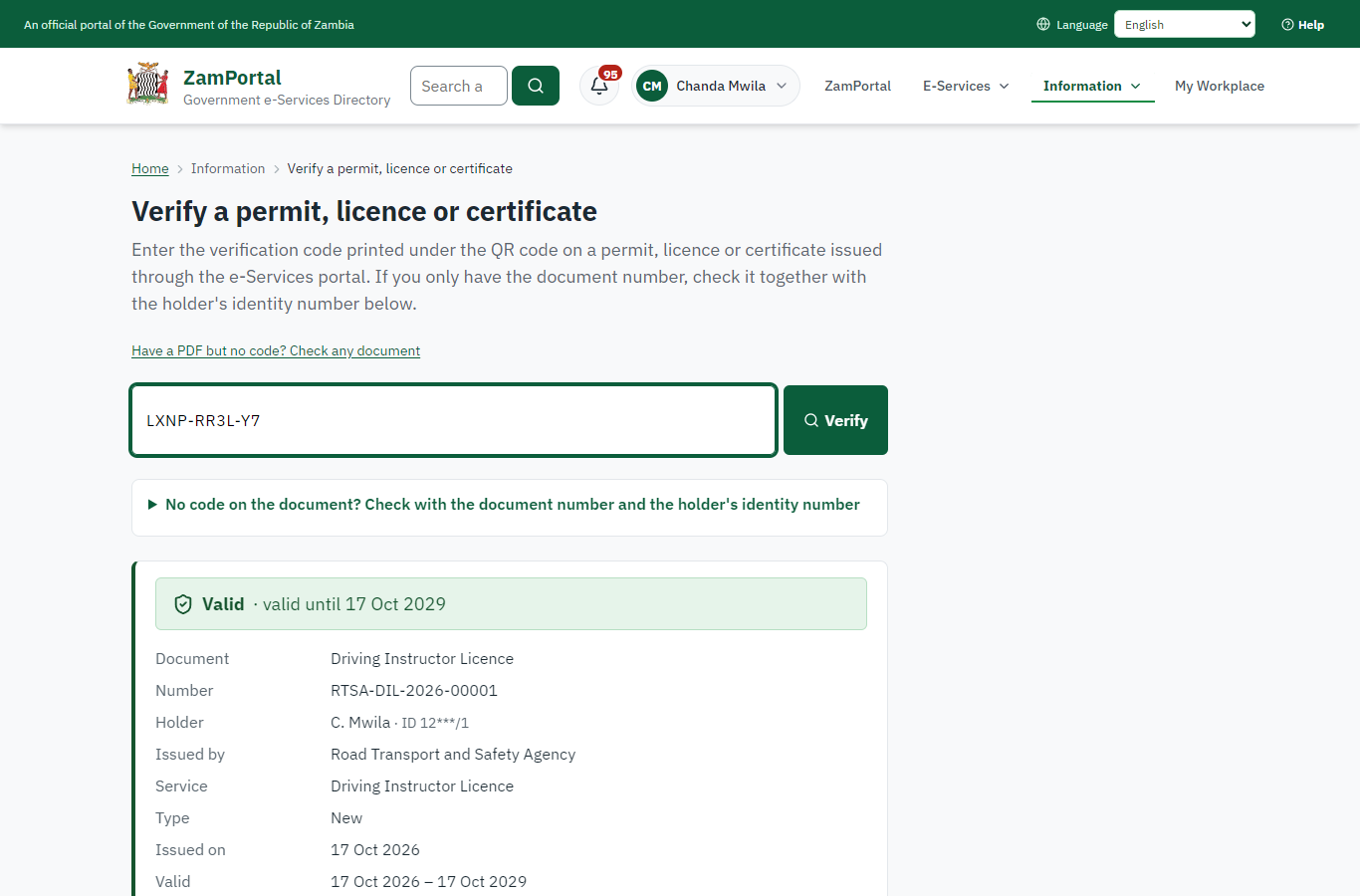
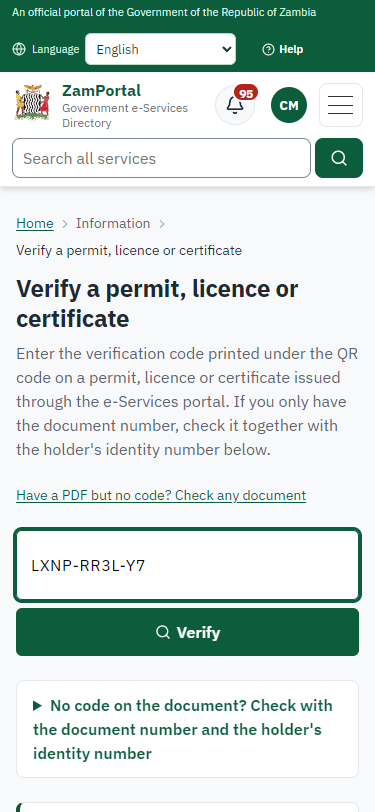
Step 14. Verify the document
Anyone (public) · Public verification page
The QR code on the document opens the public verification page: genuine and current, to whom it was issued, and whether the electronic seal is valid. No sign-in is needed.
3. Payment
| Item | In the test run |
|---|---|
| Fee (as published) | Test of Competence - ZMW 132 Driving Instructor Licence - ZMW 144 |
| Invoice 1 | 7625429590573151 |
| Amount 1 | ZMW 144.00 |
| Paid at 1 | with the application |
On screen: step 8 (See that the fee is due), step 9 (Pay with ZamPay), step 10 (Payment received) in section 2.
4. Output documents
Driving Instructor Licence (sealed PDF)
Issued when the case was approved, from the service's output configuration (permitDocument/issued@1), filled from the application and the decision, sealed with the platform's electronic seal and stored as the issued version. The holder downloads it from My permits; the verification page checks it.
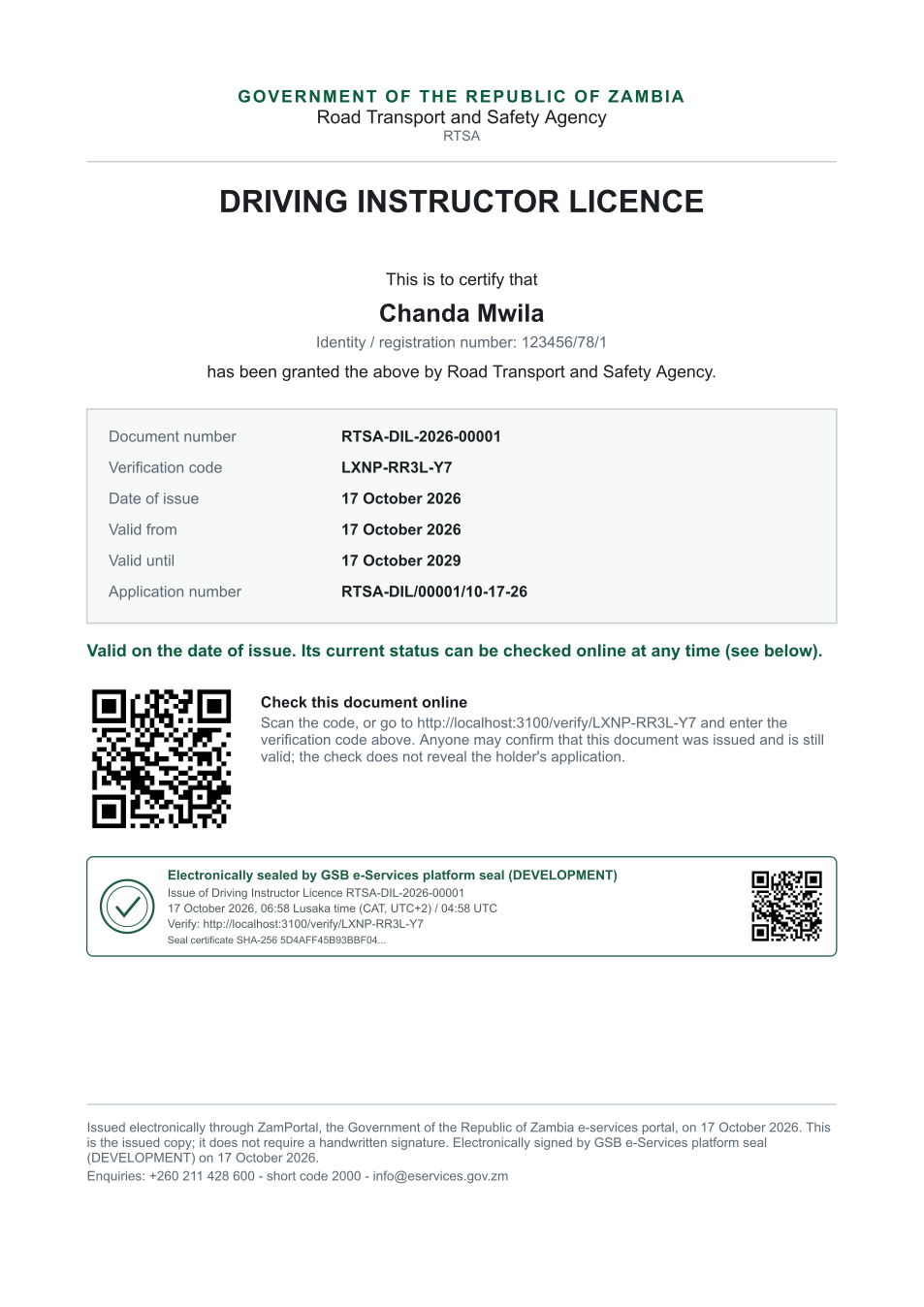
The issued PDF has 1 page; the image shows the first.
Fields
| Field | Value in the test run |
|---|---|
| Document title | Driving Instructor Licence |
| Permit / licence number | RTSA-DIL-2026-00001 |
| Holder | Chanda Mwila |
| Valid from | 2026-10-17 |
| Valid until | 2029-10-17 |
| Status | active |
| Verification code (printed with a QR code) | LXNP-RR3L-Y7 |
Seal
| Item | Detail |
|---|---|
| Seal status | sealed |
| Signature level | PAdES-B-T |
| Sealed by | the platform seal (development key in the test run) |
| Signed at | 2026-10-17T04:58:42.000Z |
| Trusted time-stamp | 2026-10-17T04:58:42.828Z (time-stamping authority) |
| Document fingerprint (SHA-256) | 8e2140c68a4815bc... |
Verification
| Item | Detail |
|---|---|
| Where | The public verification page of the national portal, <portal>/verify/<verification code>, opened by scanning the QR code on the document. |
| What it shows | Whether the document is genuine and current, its holder and validity, and whether the electronic seal is valid and who sealed it. |
| Checking a copy | Anyone can upload a PDF they were given; the page says whether it is exactly the document that was issued. A changed copy is reported as not matching. |
On screen: step 13 (The document in My permits), step 14 (Verify the document) in section 2.
5. Notifications
| When | Channel | To | Message | Delivery |
|---|---|---|---|---|
| Payment due (invoice raised) | in-app (portal bell) | the applicant | Payment due for application RTSA-DIL/00001/10-17-26 - The fee of ZMW 144.00 for Driving Instructor Licence (RTSA-DIL/00001/10-17-26) is now due. Invoice 7625429590573151. | shown |
| Application received | in-app (portal bell) | the applicant | Application RTSA-DIL/00001/10-17-26 received - Your application RTSA-DIL/00001/10-17-26 for Driving Instructor Licence has been received by Road Transport and Safety Agency. | shown |
| Payment received | in-app (portal bell) | the applicant | Payment received for RTSA-DIL/00001/10-17-26 - Your payment of ZMW 144.00 for RTSA-DIL/00001/10-17-26 (Driving Instructor Licence) has been received. Receipt: <ZamPay>/pdf?documentType=receipt&invoiceNumber=7625429590573151 | shown |
| Licence / permit issued | in-app (portal bell) | the applicant | Your Driving Instructor Licence document has been issued - RTSA-DIL-2026-00001 has been issued for Driving Instructor Licence and is valid until 17/10/2029. | shown |
| Invitation to rate the service | in-app (portal bell) | the applicant | How was Driving Instructor Licence? - How was Driving Instructor Licence? Tell us in about a minute. | shown |
| Decision: approved | in-app (portal bell) | the applicant | Application RTSA-DIL/00001/10-17-26 completed - RTSA-DIL/00001/10-17-26 (Driving Instructor Licence) is complete. Your documents are ready. | shown |
| Payment due (invoice raised) | sms | +260 97* *** 567 | Fee of ZMW 144.00 due for RTSA-DIL/00001/10-17-26. Invoice 7625429590573151. Pay: <ZamPay>/pay-for-service/get-invoice/7625429590573151 | delivered |
| Payment due (invoice raised) | e2e.c***@example.test | Payment due for application RTSA-DIL/00001/10-17-26 | skipped | |
| Application received | sms | +260 97* *** 567 | Application RTSA-DIL/00001/10-17-26 for Driving Instructor Licence has been received. Track it: <portal>/my-workplace | delivered |
| Application received | e2e.c***@example.test | Application RTSA-DIL/00001/10-17-26 received | skipped | |
| Payment received | sms | +260 97* *** 567 | delivered | |
| Invitation to rate the service | sms | +260 97* *** 567 | skipped | |
| Invitation to rate the service | e2e.c***@example.test | How was Driving Instructor Licence? | skipped | |
| Licence / permit issued | sms | +260 97* *** 567 | delivered | |
| Licence / permit issued | e2e.c***@example.test | Your Driving Instructor Licence document has been issued | skipped | |
| Decision: approved | sms | +260 97* *** 567 | delivered | |
| Decision: approved | e2e.c***@example.test | Application RTSA-DIL/00001/10-17-26 completed | skipped |
Delivery: shown = in the portal's notification bell; delivered = the SMS gateway (a test double in this run) reported the text delivered; skipped = not sent on that channel (e-mail is not configured on the test installation, and some notices go out on one channel only); sent by the national portal = a ministry node handed the notice to the national portal, which texts and e-mails the citizen under its own name and the citizen's preferences. Addresses written <portal>, <ZamPay> stand for the national portal and ZamPay.
6. Legacy mapping
| Item | Detail |
|---|---|
| Replaces | Driving Instructor Licence in the legacy ZIGS e-Services directory (ZIGS_Services) |
| Legacy service id | 131 |
| Legacy provider | Road Transport and Safety Agency (RTSA) under Ministry of Transport and Logistics |
| Legacy process | CaseOfficerReviewRTSA (process 2) |
| Fee in the legacy system | Test of Competence Fee: ZMW 144 (New) |
| Fee taken before submission | yes (as in ZIGS) |
| Time to issue (legacy) | New: 1 working day |
| Legacy output templates | GS-2 Notice of Government Action: ZIGS_Forms_Notices / GS-2.NoticeOfActionExam Application form: ZIGS_Forms_RTSA / RTSA_DrivingInstructors.Application GF-1 Treasury Invoice: ZIGS_CustomForms / GF-1 Invoice GF-2 Treasury Receipt: ZIGS_CustomForms / GF-2 Receipt |
| Legacy address | none recorded |
| How it was brought over | Imported by the platform's legacy catalogue importer (zcm-backend scripts/zigs/importLegacy.js) from the ZIGS snapshot: form, case types, fees, documents, process and output templates, then served by the new platform. |
7. Version and date
| Item | Detail |
|---|---|
| Document version | service v1, platform 9b8a591f |
| Generated | 2026-10-17T04:58:48Z (by the end-to-end run, not edited by hand) |
| Service version | not versioned (configured directly) |
| Platform snapshot | backend 9b8a591f portal dfd4933 back office a975a2c |
| Test suite | e2e 2b037bb; one installation (combined); seed profile mihud |
| Journeys | 30-catalogue-service.spec.js: citizen finds the service, answers its form, uploads its documents and sends the application - passed 30-catalogue-service.spec.js: the case goes through every step of its process: payments by the citizen, each officer step by its role - passed 30-catalogue-service.spec.js: the grant document is issued, sealed, filled in and verifiable; the citizen has it in My permits - passed |
| Result | 3 of 3 journey tests passed |
| Data | Synthetic test data on a local test installation; provider test doubles for ZamPass, ZamPay, SMS and signing. |