
Forestry Concession Licence
| Form | Workflow | Outputs | E2E test | Docs |
|---|---|---|---|---|
| Passed | Passed | Passed | Passed | Passed |
- End-to-end test
- 6/6 passed 2026-10-21 (mihud, combined)
- Documentation
- 14 steps, 12 images · Download the DOCX
- Who can apply
- Individual, Organization
- Catalogue ID
- 97
Fees
| Fee | Case | Amount (ZMW) |
|---|---|---|
| Small Scale Forestry Concession License | New | 1333 |
| Medium Scale Forestry Concession License | New | 6667 |
| Large Scale Forestry Concession License | New | 13333 |
Required documents
- Evidence of Legal Status of Entity to Operate in Zambia (New)
- Compliance to Labour Laws and Safety of Workers (New)
- Evidence of Tax Registration with Zambia Revenue Authority (New)
- Evidence of availability of sufficient financial resources and planned investments (New)
- Evidence of availability of logging and sawmilling machinery (New)
- Log Movement Commitment (New)
- Plan of Operation and Maps of Target Forest Concession Area (New)
- Forest Regeneration Management and Reforestation Plan (New)
- Letter of Consent and Recommendation (New)
- Evidence of employment of Qualified Forestry Staff (New)
- National Registration Card (NRC) (New)
- Certificate of Incorporation / ZDA (if company, church, society) (New)
Output documents
- Application form (application)
- Certificate (certificate)
- GS-2 Notice of Government Action (notice-of-action)
- GF-1 Treasury Invoice (invoice)
- GF-2 Treasury Receipt (receipt)
Test evidence
Forestry Concession Licence
Service documentation · Republic of Zambia · GSB e-Services
| Owner | Forestry Department |
| Service key | MGEE/concession-licence |
| Version | service v1, platform 86947eee |
| Date | 2026-10-21 |
Generated automatically by the service's end-to-end test run. Every screenshot shows synthetic test data on a local test installation, never real personal data.
This document describes the Forestry Concession Licence service of Forestry Department as the platform runs it today. It is generated by the service's end-to-end test: every step below was performed by the test, and every screenshot was taken during that run with synthetic data. Regenerate it with npm run docs:services in the e2e suite; do not edit it by hand.
1. Service summary
| Item | Detail |
|---|---|
| Service | Forestry Concession Licence |
| Owner (MDA) | Forestry Department (MGEE) |
| Purpose | To authorize a citizen to cut, fell or process timber from a specified forest area or to cut a certain number of trees or volume of timber for a period not exceeding five years. |
| Who can apply | Individual; Organization |
| How to apply | Online on the national e-Services portal, signed in with ZamPass; pay with ZamPay. |
| Fees | Small Scale Forestry Concession License: ZMW 1333.00 Medium Scale Forestry Concession License: ZMW 6667.00 Large Scale Forestry Concession License: ZMW 13333.00 Small Scale Forestry Concession License (renewal): ZMW 600.00 Medium Scale Forestry Concession License (renewal): ZMW 600.00 Large Scale Forestry Concession License (renewal): ZMW 600.00 |
| Turnaround | 30 days |
| Validity of the output | Large scale - 5 (five) years Medium scale - 3 (three) years Small scale - 2 (two) years |
| Required documents | National Registration Card (NRC) (required) Certificate of Incorporation / ZDA (if company, church, society) (required) Evidence of Legal Status of Entity to Operate in Zambia (required) Compliance to Labour Laws and Safety of Workers (required) Evidence of Tax Registration with Zambia Revenue Authority (required) Evidence of employment of Qualified Forestry Staff (required) Evidence of availability of logging and sawmilling machinery (required) Evidence of availability of sufficient financial resources and planned investments (required) Log Movement Commitment (required) Plan of Operation and Maps of Target Forest Concession Area (required) Forest Regeneration Management and Reforestation Plan (required) Letter of Consent and Recommendation (required) Consent from Traditional Leaders, if customary land (optional) |
| Output documents | Forestry Concession Licence Approval letter Application form GS-2 Notice of Government Action GF-1 Treasury Invoice GF-2 Treasury Receipt |
| Legal basis | The Forest Act No. 4 of 2015 (http://www.parliament.gov.zm/node/4535) SI no. 50 of 2016 Specifies the fee schedules (https://www.enotices.co.zm/download/statutory-instrument-no-050-of-2016-the-forest-concession-licence-regulations-pdf/) |
2. Application process, step by step
The process as configured in the back office:
| Step | Role | Task | Type |
|---|---|---|---|
| 1 | Applicant | Apply | form |
| 2 | System | Generate Document | generate-document |
| 3 | Case Officer | Review | review |
| 4 | Case Officer | Field Validation | forestry-field-validation |
| 5 | Supervisor | Review | review |
| 6 | Executive | Approve | approve |
| 7 | Applicant | Payment | payment |
| 8 | Case Officer | Verify Payment | verify-payment |
| 9 | Executive | Decision | decision |
| 10 | System | Generate Document | generate-document |
| 11 | System | Notify Client | notify |
Who takes part in this journey: Citizen, Case Officer, Supervisor, Executive, Anyone (public).
Step 1. Find the service and read its page
Citizen · National e-Services portal
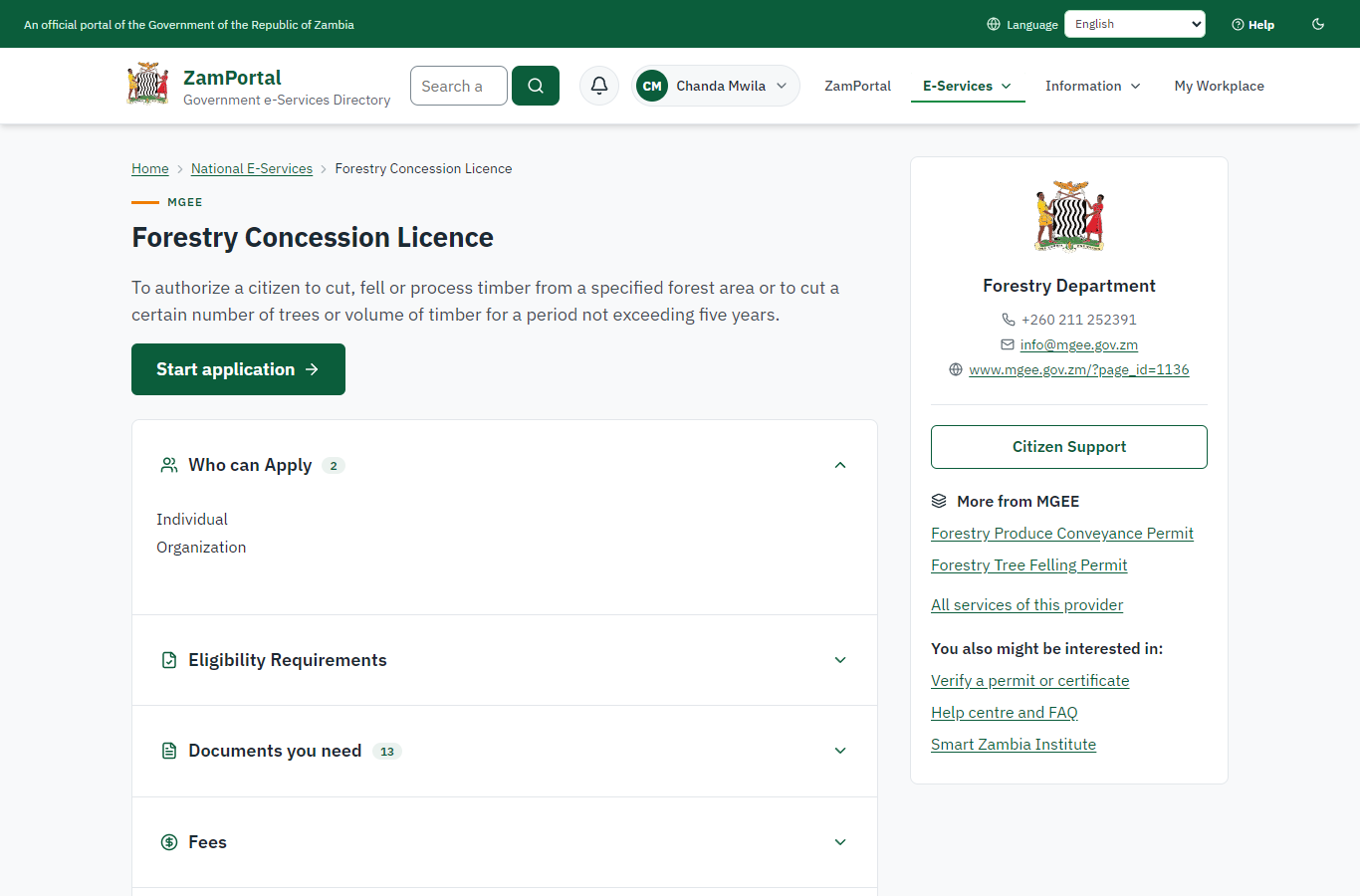
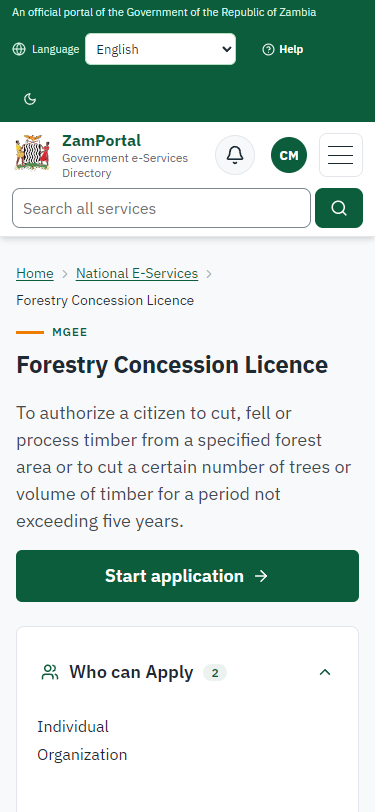
The citizen finds the Forestry Concession Licence in the national directory (All Services, search "Concession Licence") and opens its page: owner, purpose, fees by class, documents to have ready.
Step 2. Start the application: the area on the map
Citizen · National e-Services portal
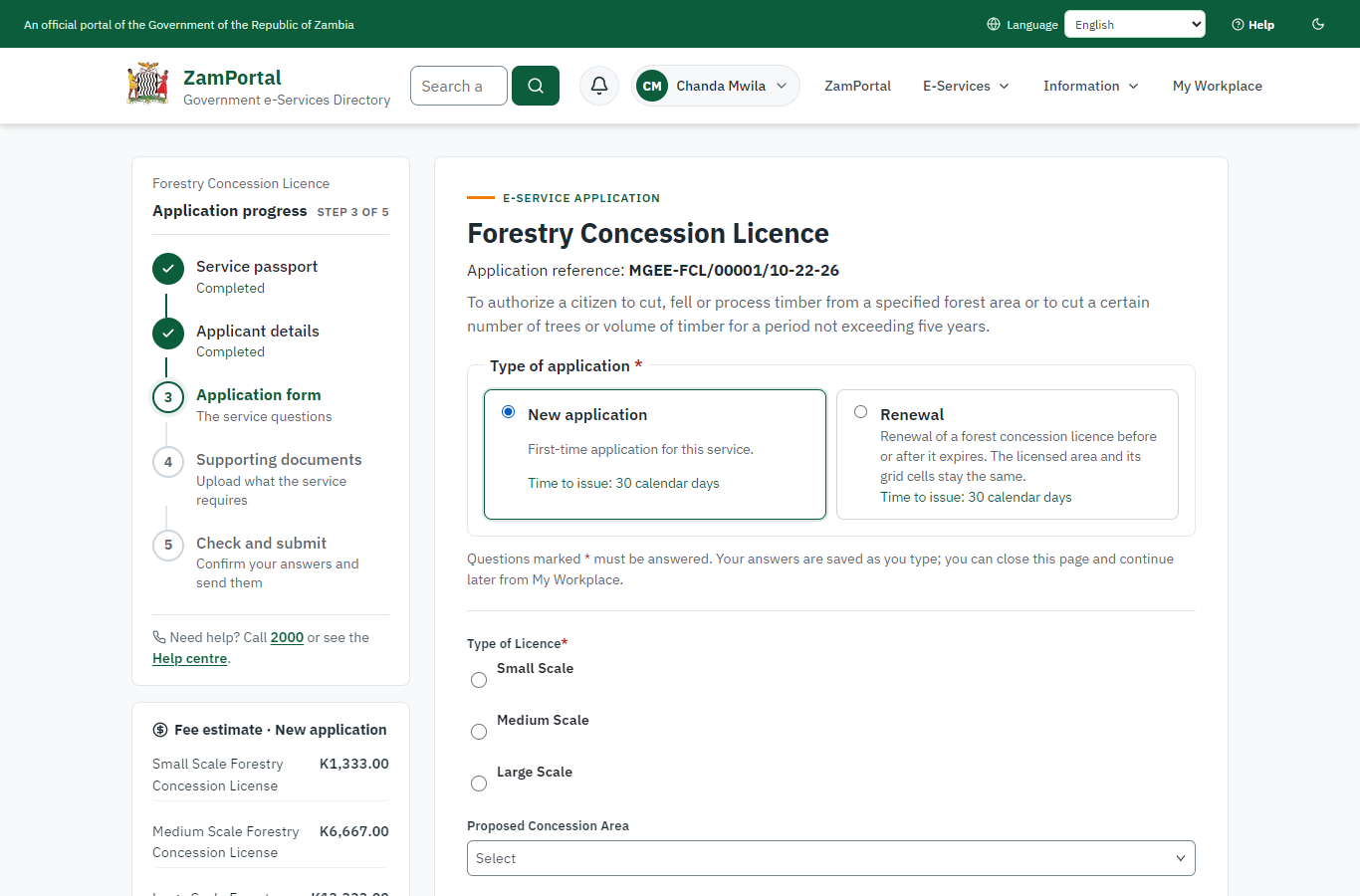
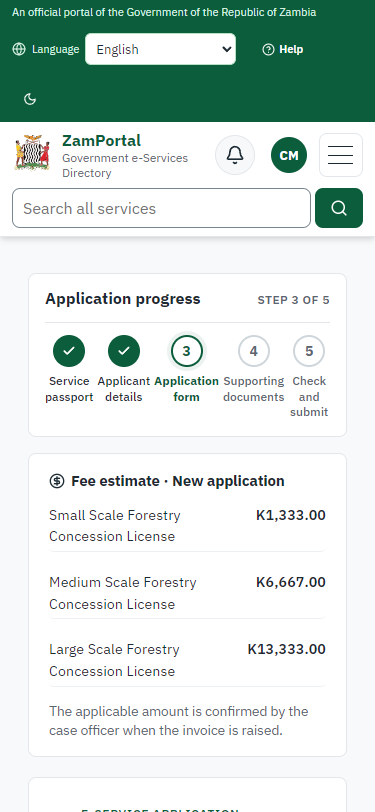
The service has two types of application (New, Renewal). A new application asks for the concession area as grid cells on the national concession grid map, the concession area name and the type of licence; the documents follow.
Step 3. Send the application with three grid cells and the documents
Citizen · National e-Services portal (sent through the API the portal uses in the test run: no screenshot)
The application is sent with three grid cells (about 1,200 ha: the Small class) and every required document (sent through the API the portal uses: choosing cells on the map is not automated yet). On submission the platform records the concession and holds its cells for the application (case MGEE-FCL/00001/10-22-26 in this run).
Step 4. Take the application on
Case Officer · Back office (done through its case API in the test run: no screenshot)
The Case Officer takes the new application on (assigned to them). The case moves from "Submitted" to "CO Review".
Step 5. Review, Report Findings, Draft Decision
Case Officer · Back office (done through its case API in the test run: no screenshot)
The Case Officer completes "Review, Report Findings, Draft Decision". The case moves from "CO Review" to "CO Field Validation".
Step 6. The concession on the concession register
Case Officer · Back office
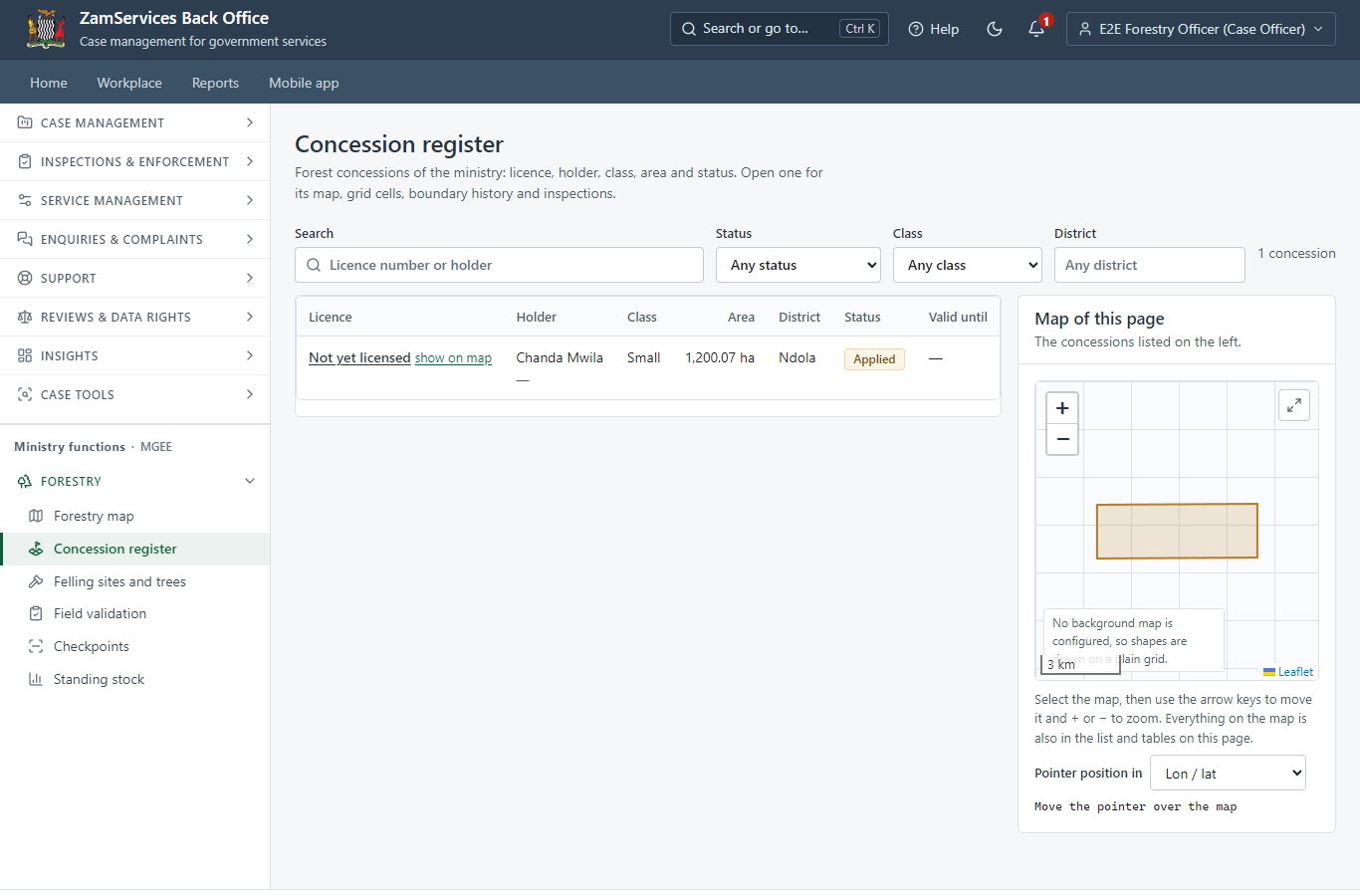
Ministry functions, Forestry, Concessions: the concession applied for is on the Forestry Department's register with its area and status. The Field Validation step cannot be left before the field expert's inspection has passed (the server refuses it).
Step 7. Field Validation
Case Officer · Back office (done through its case API in the test run: no screenshot)
The Case Officer records the field inspection (outcome: passed) and completes "Field Validation". The case moves from "CO Field Validation" to "SV Review".
Step 8. Review, Add Comments, Send for Signature
Supervisor · Back office (done through its case API in the test run: no screenshot)
The Supervisor completes "Review, Add Comments, Send for Signature". The case moves from "SV Review" to "EX Approve".
Step 9. Review, Inspect, e-Sign Executive
Executive · Back office (done through its case API in the test run: no screenshot)
The Executive completes "Review, Inspect, e-Sign Executive". The case moves from "EX Approve" to "AP Payment".
Step 10. Pay the class fee
Citizen · National e-Services portal
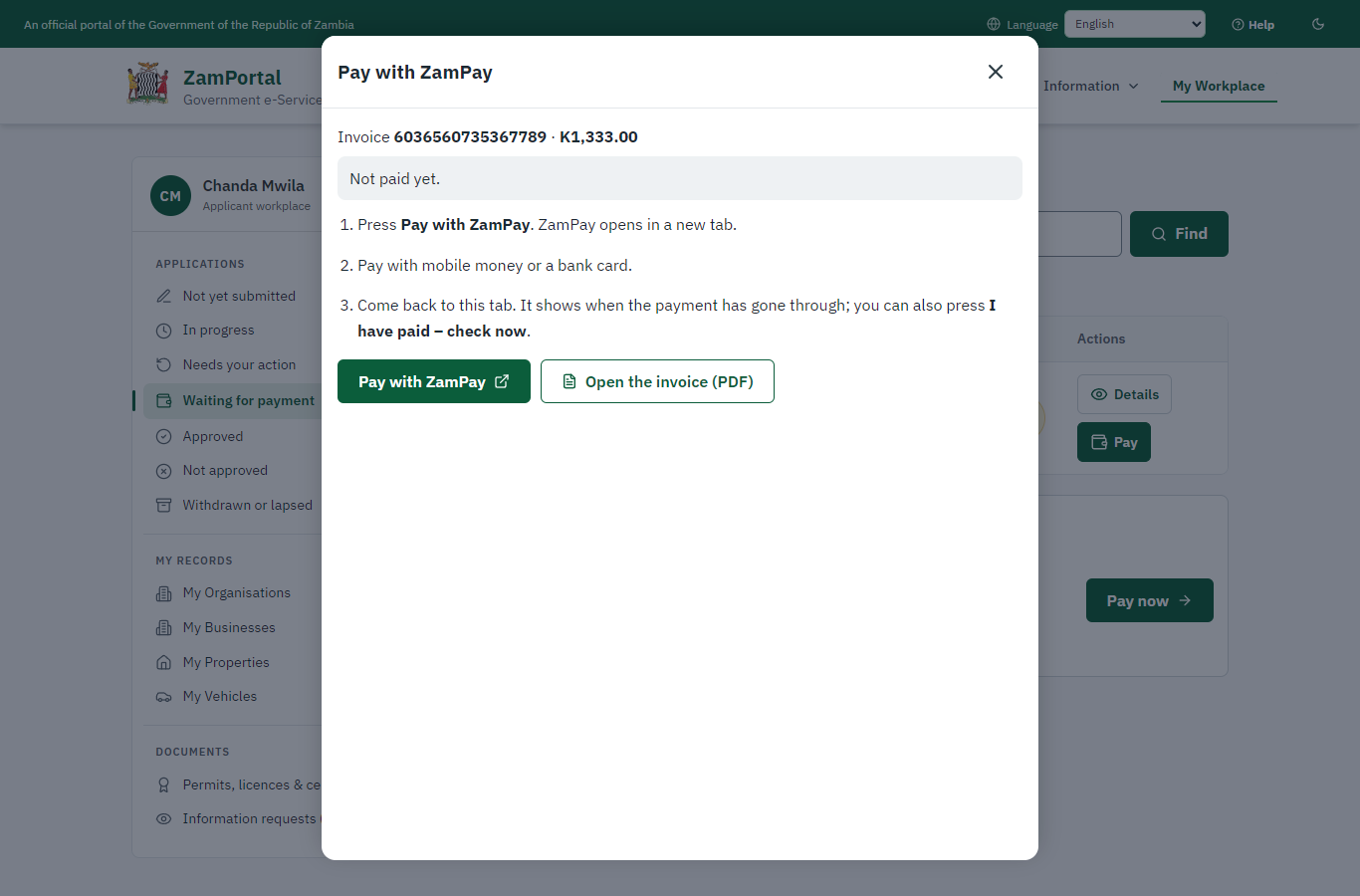
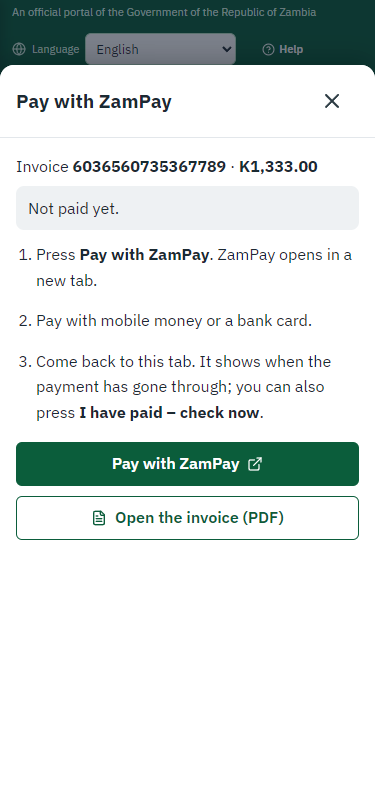
After the approval the citizen pays the fee of the class the area falls in, worked out on the server from the licensed area (Small: K1,333.00), with ZamPay. (The invoice preview is hidden in these screenshots: the ZamPay test double serves an empty PDF.)
Step 11. Verify Payment Completion
Case Officer · Back office (done through its case API in the test run: no screenshot)
The Case Officer completes "Verify Payment Completion". The case moves from "CO Verify Payment" to "EX Decision".
Step 12. Review, Inspect, e-Sign Executive
Executive · Back office (done through its case API in the test run: no screenshot)
The Executive decides: approve ("Review, Inspect, e-Sign Executive"). The case moves from "EX Decision" to "Completed".
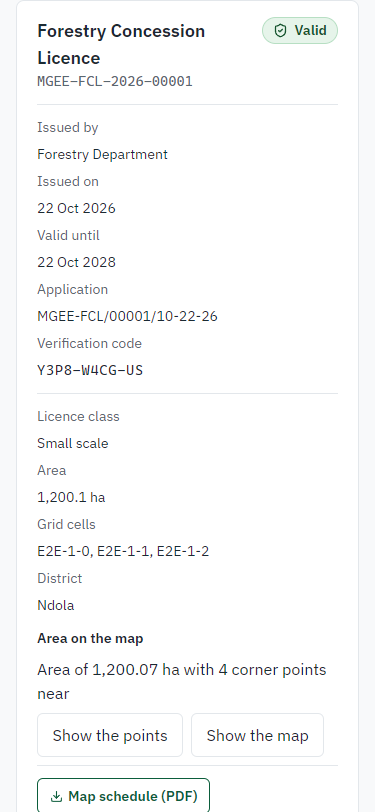
Step 13. The licence in My permits, with its area
Citizen · National e-Services portal
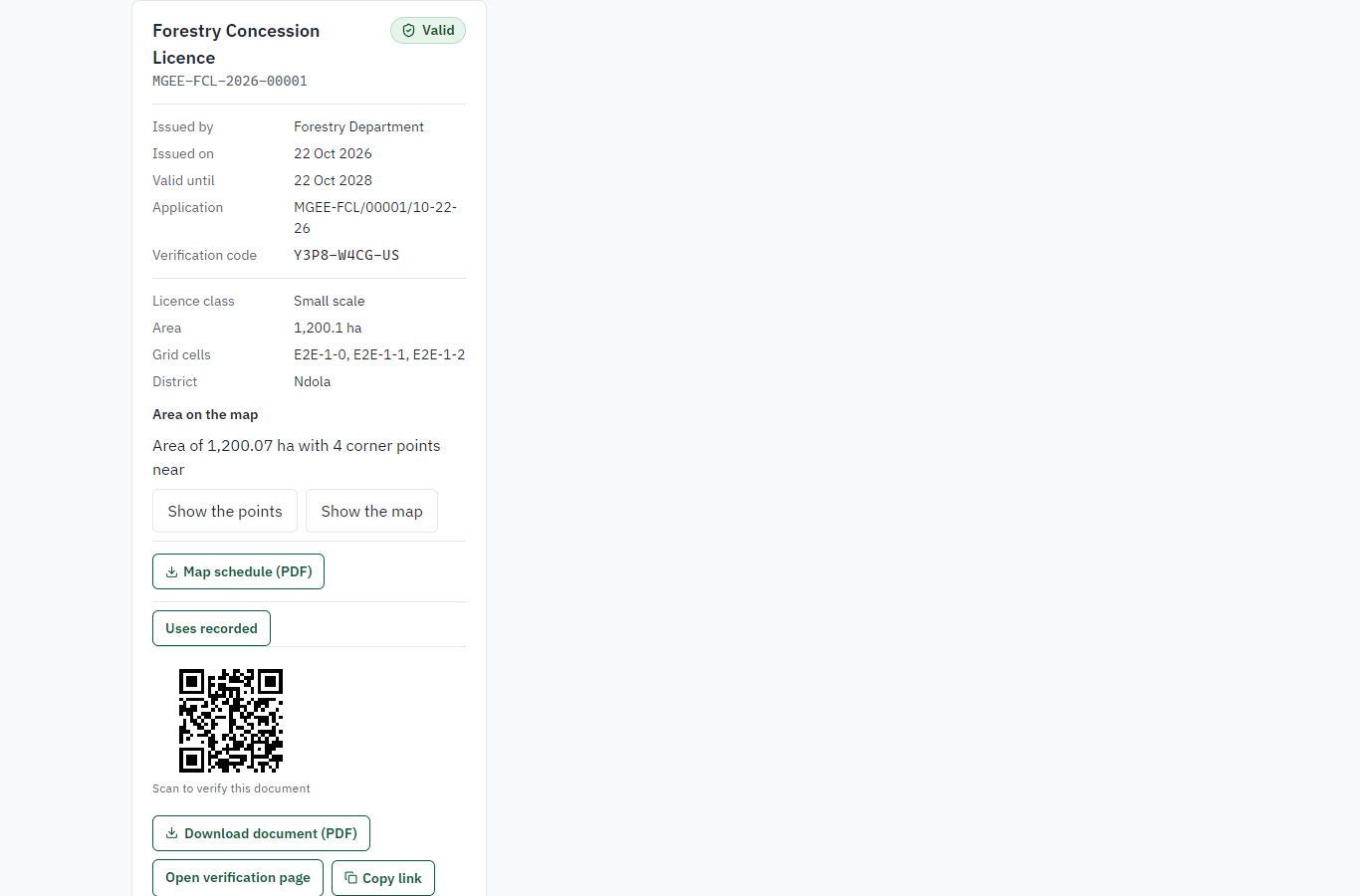
The licence is on the citizen's generic "My permits and licences" with the issuing office's details: class, area, grid cells and the map; the map schedule and the sealed licence can be downloaded.
Step 14. Verify the licence
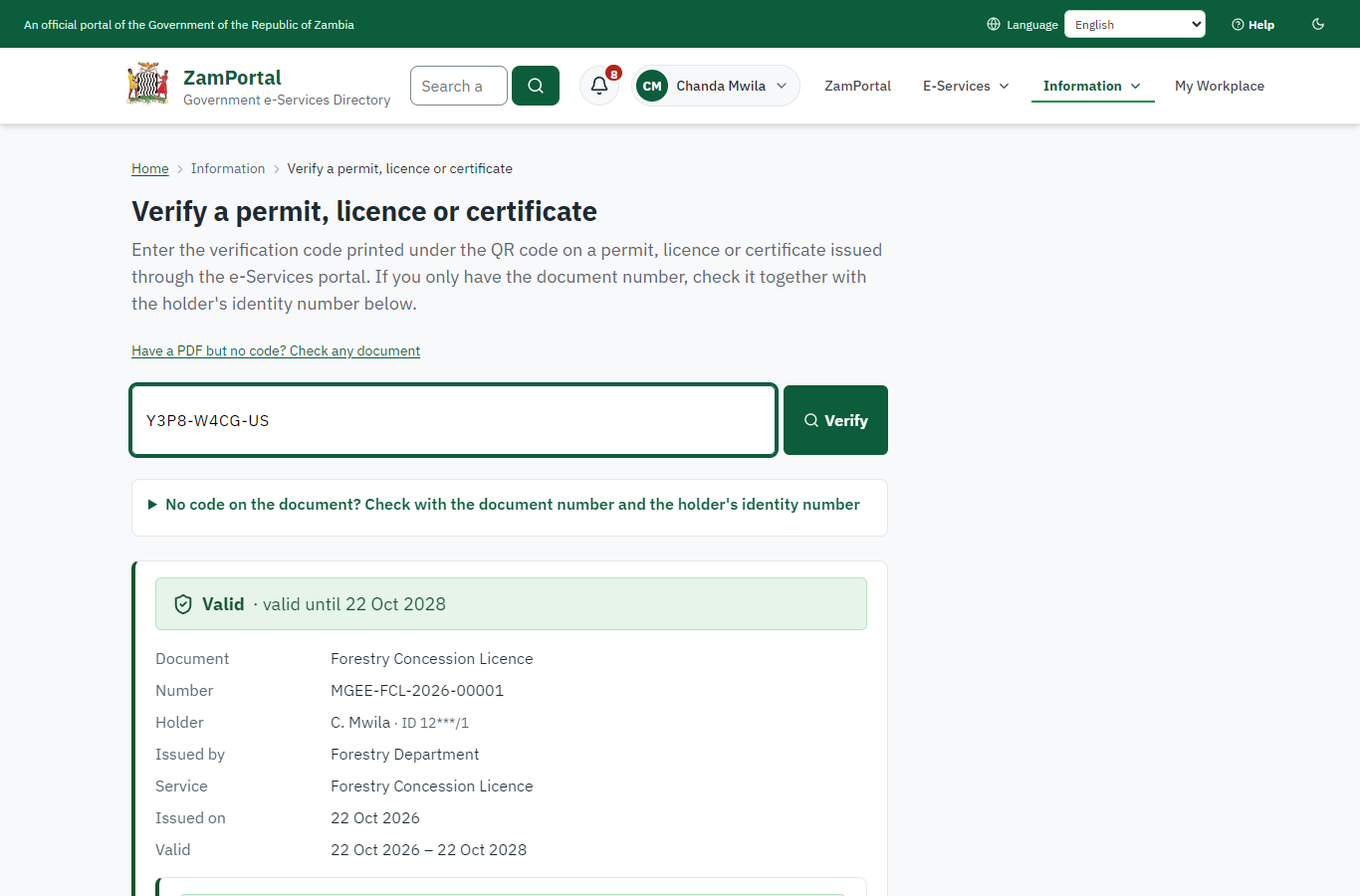
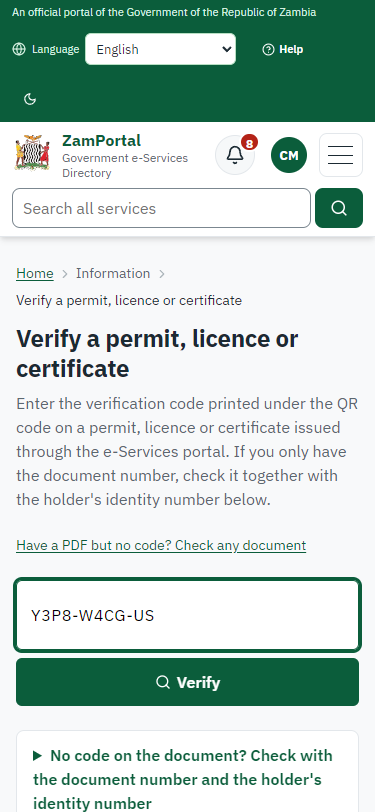
Anyone (public) · Public verification page
The QR code on the licence opens the public verification page of the national portal: genuine and current, to whom it was issued, and the electronic seal.
3. Payment
| Item | In the test run |
|---|---|
| Fee | ZMW 1,333.00: the Small class fee, worked out on the server from the licensed area (Medium ZMW 6,667, Large ZMW 13,333; renewal ZMW 600) |
| When it is paid | After the approval |
| Invoice number | 6036560735367789 |
| Paid through | ZamPay (the ZamPay test double in this run) |
On screen: step 10 (Pay the class fee) in section 2.
4. Output documents
Forestry Concession Licence (sealed PDF)
The FDMS licence with the platform's additions: licensed area in hectares, grid cells, centre point and map; period by class; QR to the verification page; electronic seal. The approval letter and the map schedule (map and vertex table) are issued with it.
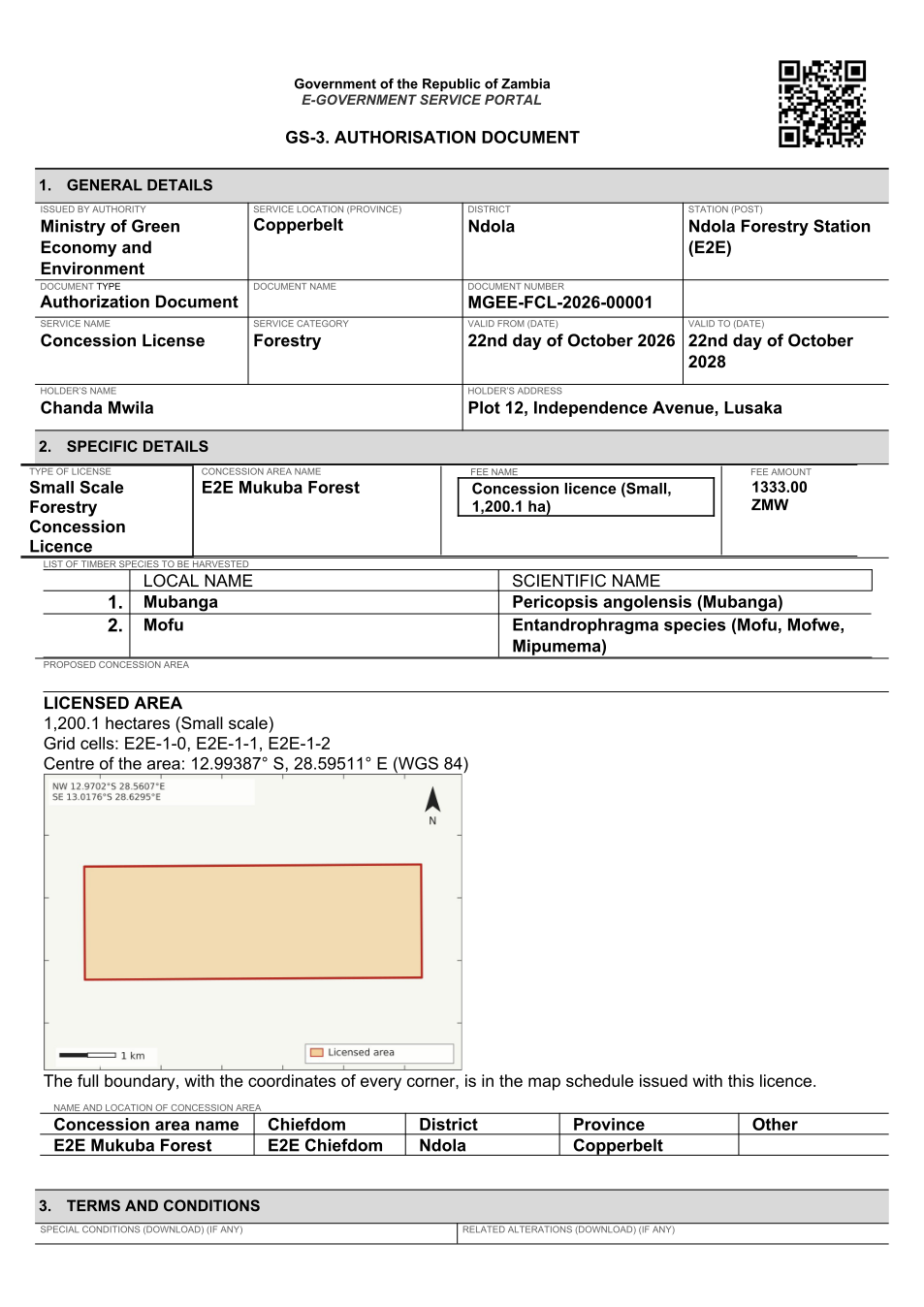
The issued PDF has 4 pages; the image shows the first.
Fields
| Field | Value in the test run |
|---|---|
| Document title | Forestry Concession Licence |
| Permit / licence number | MGEE-FCL-2026-00001 |
| Holder | Chanda Mwila |
| Valid from | 2026-10-21 |
| Valid until | 2028-10-21 |
| Status | active |
| Verification code (printed with a QR code) | Y3P8-W4CG-US |
Seal
| Item | Detail |
|---|---|
| Seal status | sealed |
| Signature level | PAdES-B-T |
| Sealed by | the platform seal (development key in the test run) |
| Signed at | 2026-10-21T23:40:13.964Z |
| Trusted time-stamp | 2026-10-21T23:40:13.923Z (time-stamping authority) |
| Document fingerprint (SHA-256) | 280bc05e9125b08a... |
Verification
| Item | Detail |
|---|---|
| Where | The public verification page of the national portal, <portal>/verify/<verification code>, opened by scanning the QR code on the document. |
| What it shows | Whether the document is genuine and current, its holder and validity, and whether the electronic seal is valid and who sealed it. |
| Checking a copy | Anyone can upload a PDF they were given; the page says whether it is exactly the document that was issued. A changed copy is reported as not matching. |
On screen: step 13 (The licence in My permits, with its area), step 14 (Verify the licence) in section 2.
5. Notifications
| When | Channel | To | Message | Delivery |
|---|---|---|---|---|
| Application received | in-app (portal bell) | the applicant | Application MGEE-FCL/00001/10-22-26 received - Your application MGEE-FCL/00001/10-22-26 for Forestry Concession Licence has been received by Forestry Department. | shown |
| Status changed | in-app (portal bell) | the applicant | Update on application MGEE-FCL/00001/10-22-26 - MGEE-FCL/00001/10-22-26 (Forestry Concession Licence) is now: With the office - being reviewed. | shown |
| Payment due (invoice raised) | in-app (portal bell) | the applicant | Payment due for application MGEE-FCL/00001/10-22-26 - The fee for Forestry Concession Licence (MGEE-FCL/00001/10-22-26) is now due. | shown |
| Payment due (invoice raised) | in-app (portal bell) | the applicant | Payment due for application MGEE-FCL/00001/10-22-26 - The fee of ZMW 1333.00 for Forestry Concession Licence (MGEE-FCL/00001/10-22-26) is now due. Invoice 6036560735367789. | shown |
| Payment received | in-app (portal bell) | the applicant | Payment received for MGEE-FCL/00001/10-22-26 - Your payment of ZMW 1333.00 for MGEE-FCL/00001/10-22-26 (Forestry Concession Licence) has been received. Receipt: <ZamPay>/pdf?documentType=receipt&invoiceNumber=6036560735367789 | shown |
| Licence / permit issued | in-app (portal bell) | the applicant | Your Forestry Concession Licence document has been issued - MGEE-FCL-2026-00001 has been issued for Forestry Concession Licence and is valid until 22/10/2028. | shown |
| Invitation to rate the service | in-app (portal bell) | the applicant | How was Forestry Concession Licence? - How was Forestry Concession Licence? Tell us in about a minute. | shown |
| Decision: approved | in-app (portal bell) | the applicant | Application MGEE-FCL/00001/10-22-26 completed - MGEE-FCL/00001/10-22-26 (Forestry Concession Licence) is complete. Your documents are ready. | shown |
| Application received | sms | +260 97* *** 567 | Application MGEE-FCL/00001/10-22-26 for Forestry Concession Licence has been received. Track it: <portal>/my-workplace | delivered |
| Application received | e2e.c***@example.test | Application MGEE-FCL/00001/10-22-26 received | skipped | |
| Status changed | sms | +260 97* *** 567 | delivered | |
| Payment due (invoice raised) | e2e.c***@example.test | Payment due for application MGEE-FCL/00001/10-22-26 | skipped | |
| Payment due (invoice raised) | sms | +260 97* *** 567 | Fee due for MGEE-FCL/00001/10-22-26. Pay: <portal>/my-workplace | delivered |
| Payment due (invoice raised) | sms | +260 97* *** 567 | Fee of ZMW 1333.00 due for MGEE-FCL/00001/10-22-26. Invoice 6036560735367789. Pay: <ZamPay>/pay-for-service/get-invoice/6036560735367789 | delivered |
| Payment received | sms | +260 97* *** 567 | delivered | |
| Invitation to rate the service | sms | +260 97* *** 567 | skipped | |
| Invitation to rate the service | e2e.c***@example.test | How was Forestry Concession Licence? | skipped | |
| Licence / permit issued | sms | +260 97* *** 567 | delivered | |
| Decision: approved | sms | +260 97* *** 567 | delivered | |
| Licence / permit issued | e2e.c***@example.test | Your Forestry Concession Licence document has been issued | skipped | |
| Decision: approved | e2e.c***@example.test | Application MGEE-FCL/00001/10-22-26 completed | skipped |
Delivery: shown = in the portal's notification bell; delivered = the SMS gateway (a test double in this run) reported the text delivered; skipped = not sent on that channel (e-mail is not configured on the test installation, and some notices go out on one channel only); sent by the national portal = a ministry node handed the notice to the national portal, which texts and e-mails the citizen under its own name and the citizen's preferences. Addresses written <portal>, <ZamPay> stand for the national portal and ZamPay.
6. Legacy mapping
| Item | Detail |
|---|---|
| Replaces | Forestry Concession Licence in the legacy ZIGS e-Services directory (ZIGS_Services) |
| Legacy service id | 97 |
| Legacy provider | Forestry Department (MGEE) under Ministry of Green Economy and Environment |
| Legacy process | LicenseReview (process 9) |
| Fee in the legacy system | Small Scale Forestry Concession License: ZMW 1333 (New) Medium Scale Forestry Concession License: ZMW 6667 (New) Large Scale Forestry Concession License: ZMW 13333 (New) |
| Fee taken before submission | yes (as in ZIGS) |
| Time to issue (legacy) | New: 30 calendar days |
| Legacy output templates | Forestry Concession Licence: ZIGS_Forms_MGEE / MGEE_ConcessionLicence.Certificate Approval letter: ZIGS_Forms_MGEE / MGEE_ConcessionLicence.ApprovalLetter Application form: ZIGS_Forms_MGEE / MGEE_ConcessionLicence.Application GS-2 Notice of Government Action: ZIGS_Forms_Notices / GS-2.NoticeOfAction GF-1 Treasury Invoice: ZIGS_CustomForms / GF-1 Invoice GF-2 Treasury Receipt: ZIGS_CustomForms / GF-2 Receipt |
| Legacy address | none recorded |
| How it was brought over | Imported by the platform's legacy catalogue importer (zcm-backend scripts/zigs/importLegacy.js) from the ZIGS snapshot: form, case types, fees, documents, process and output templates, then served by the new platform. |
7. Version and date
| Item | Detail |
|---|---|
| Document version | service v1, platform 86947eee |
| Generated | 2026-10-21T23:40:57Z (by the end-to-end run, not edited by hand) |
| Service version | not versioned (configured directly) |
| Platform snapshot | backend 86947eee portal 8d4a375 back office 8b37374 |
| Test suite | e2e f4407ea; one installation (combined); seed profile mihud |
| Journeys | 15-forestry-concession.spec.js: citizen: finds the service and starts the application; the form asks for the area on the map - passed 15-forestry-concession.spec.js: citizen: the application is submitted with three grid cells and the required documents - passed 15-forestry-concession.spec.js: officers: review, field validation (not skippable), supervisor review, executive approval - passed 15-forestry-concession.spec.js: citizen: pays the class fee, ZMW 1,333, in the portal - passed 15-forestry-concession.spec.js: officers: payment verified, decision: the licence is issued for two years - passed 15-forestry-concession.spec.js: citizen: My permits shows the licence with its area; map schedule and sealed licence; verification - passed |
| Result | 6 of 6 journey tests passed |
| Data | Synthetic test data on a local test installation; provider test doubles for ZamPass, ZamPay, SMS and signing. |